Fenzo - designing a standalone AI-powered learning product
Fenzo - designing a standalone AI-powered learning product
About Fenzo.ai
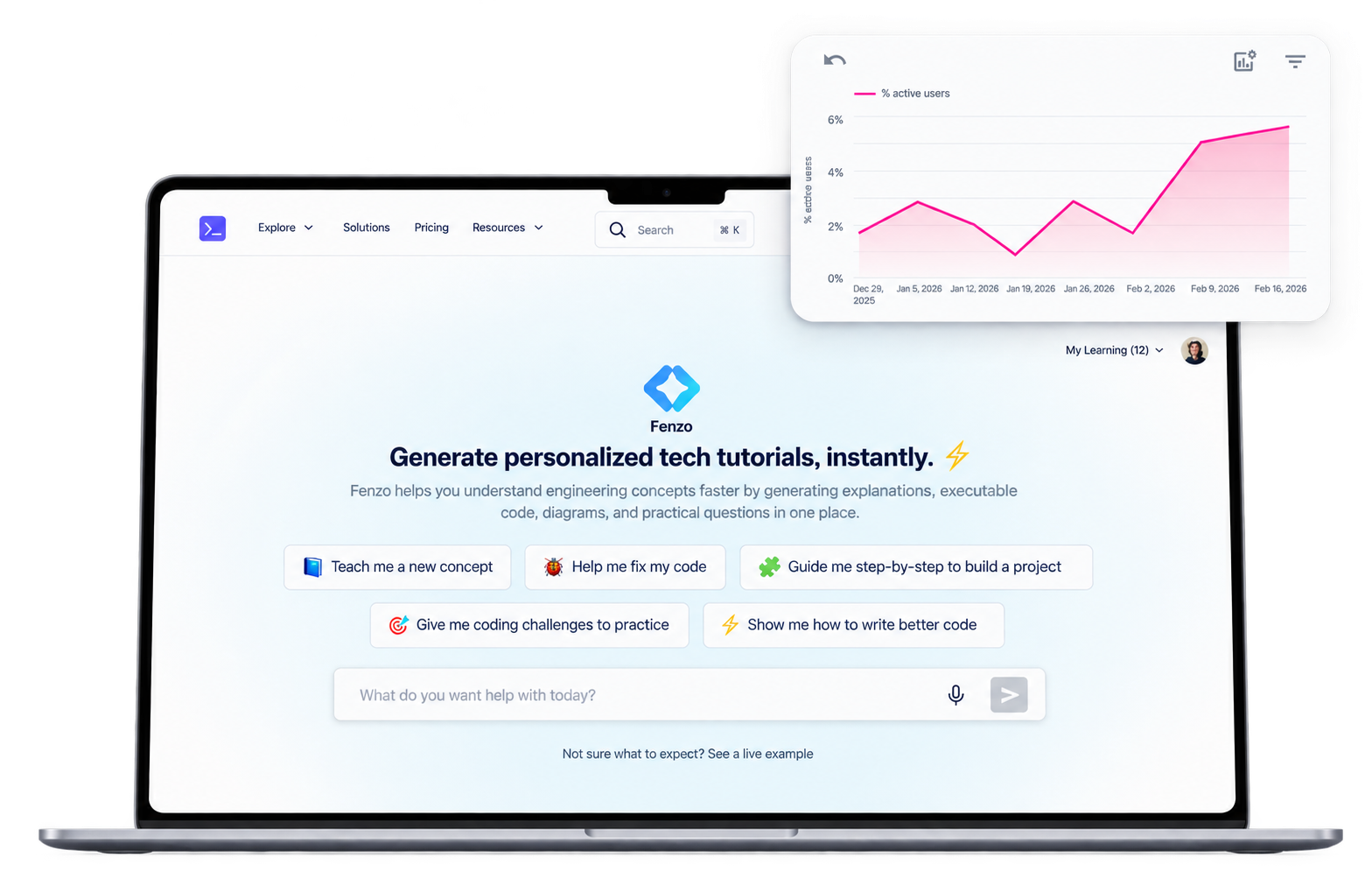
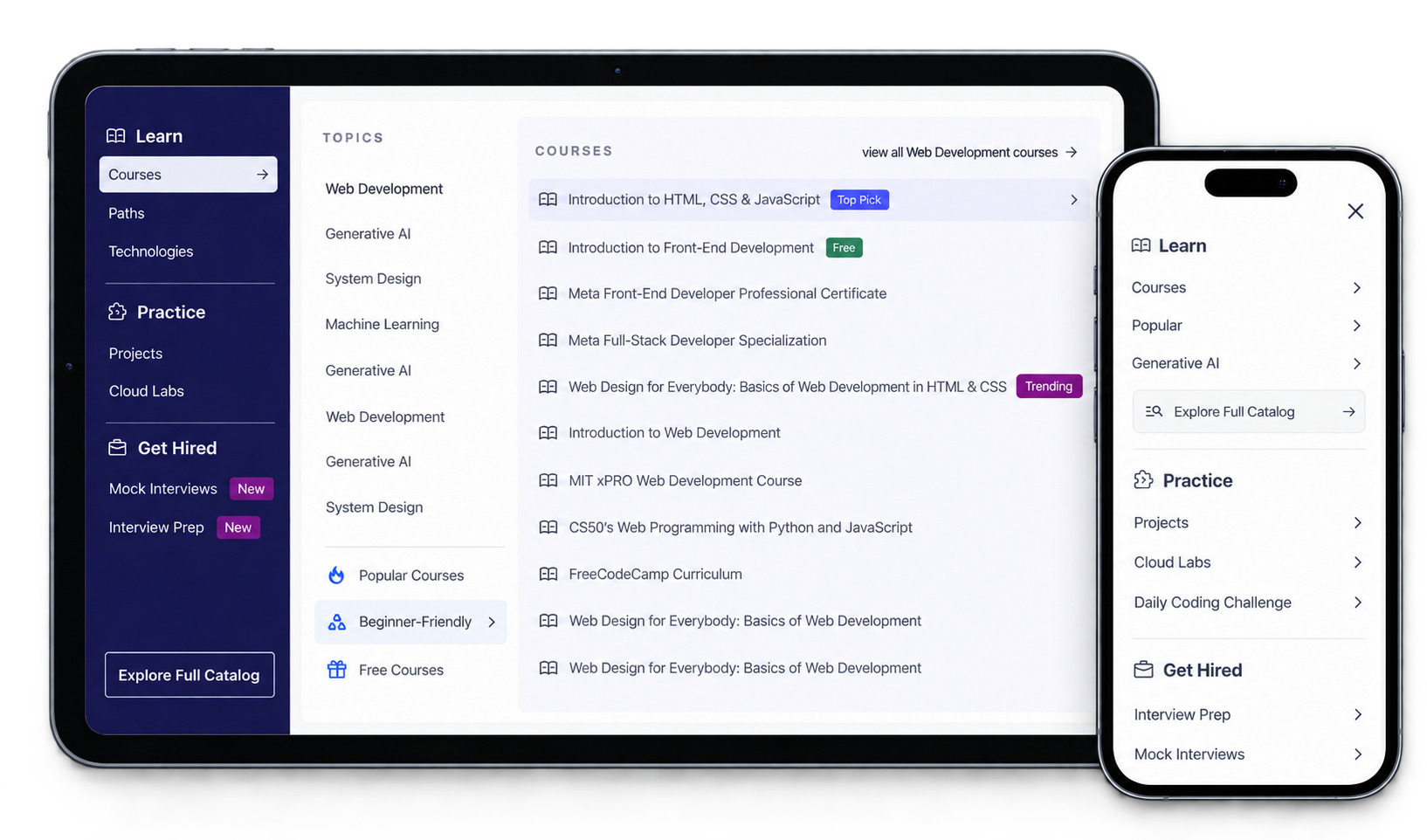
Fenzo is an AI-powered learning platform that generates structured, interactive mini-courses from a user's query, letting people learn any topic instantly. Specifically, it generates:
STRATEGIC CONTEXT
This project was driven by a broader shift in Educative's product strategy: moving from deep, infrequent learning toward high-frequency, curiosity-driven learning experiences. The primary target KPI was user acquisition, with growth to 3B, which made signups (and therefore course generations) the thing to optimise for first.
This is an ongoing project. The case study covers my work designing the MVP.
To comply with my non-disclosure agreement, I have omitted confidential information in this case study.
MY ROLE
TIMELINE
March 2026
5-6 weeks to internal launch, design and development
MY PROCESS
TLDR ⬇️
Educative served roughly 30M developers through long-form courses people returned to only occasionally. Fenzo is the bet on the other side of that: a standalone product that generates a personalized mini-course from any prompt, technical or not, aimed at the billions of people who want to learn something on any given day.
I led end-to-end product design with a 5-6 week deadline to internal launch. That meant defining the learning experience itself, not just screens: course structure, lesson navigation, a three-tier widget model that decides what stays free, and where the signup wall and paywall sit without blocking the first taste of value.
To move at that pace I ran four brand directions, built the end-to-end flow as an AI prototype for stakeholder review before touching Figma, then built the design system and UI. Alongside it I set up an AI-accelerated design workflow for the team, connecting Claude to Figma via MCP.
It is live for internal users and did not go entirely to plan: leadership later asked to revisit the brand direction they had chosen, so I produced three more directions in Claude within the same sprint.
01. Problem Identification
Drawing on user behavior, market trends and internal insights, three problems framed the opportunity:
Limited audience scope
A far larger audience is a far larger revenue ceiling.
Low frequency usage
The shift needed: from "learning technical skills for a job" to "learning anything, any time, out of curiosity".
Shift toward LLM-based learning
Our strategy is to build on top of LLMs, not compete with them.
02. Policy: Design Principles
To address what we had diagnosed, we aligned on three policies.
Build a "learn anything" platform
A platform that generates a highly personalized structured course with interactive practice elements, for technical and non-technical topics alike.
Focus on micro-learning
Course length adapts to intent, so simpler topics stay short and targeted while complex ones expand. Designed for curiosity and daily use.
Leverage our differentiation
Fenzo's courses are not just text generation. They are:
An adaptive learning engine continuously evaluates progress across quizzes, assessments and practice widgets in real time, then uses those insights to tailor what comes next and suggest further courses.
03. Process & User Flow
With 5-6 weeks to internal launch, we aggressively prioritized features and flows, using AI for quick iterations and stakeholder reviews and automating the redundant parts. The process ran:
🗺️ THE USER FLOW
I started by defining the basic flow through Fenzo.ai:
A learner lands on Fenzo.ai.
They type a custom prompt, or choose a suggested community prompt or course.
The course outline is generated.
The first lesson is generated, along with practice widgets.
Moving to the second lesson hits a signup wall.
Subsequent lessons are generated as they are opened.
After 15 lessons, across any number of courses, a paywall appears.
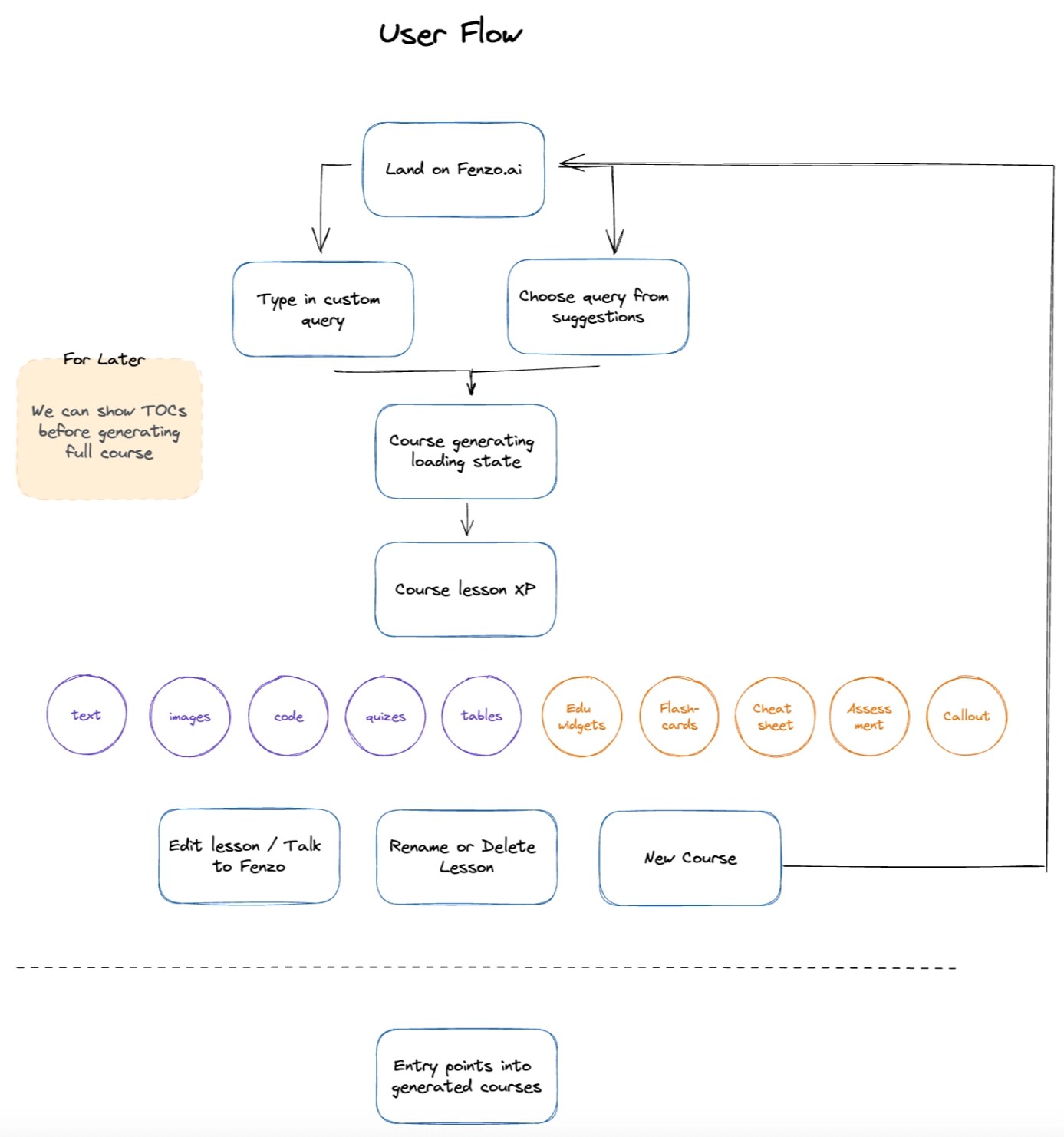
The flow mapped out, including entry points and where the walls sit
04. UX Design Considerations
⚡ 1. INSTANT GRATIFICATION
A highly personalized course is generated without asking for anything first. No signup, no payment. Learners see the full course outline and the first lesson before being asked to sign up, and get the first 15 lessons free across any number of courses before hitting a paywall. Those courses include interactive widgets.
Interactive widgets cost real compute, so what stays free had to be decided deliberately. I worked to a three-tier model:
Static, generated once
Built at lesson creation, no further computation while the learner uses them. A quiz whose questions and answers are pre-generated and simply rendered.
100% accessible in the first 15 lessons.
Constrained interactivity
User actions trigger recomputation within a bounded scope. A chemical equation balancer where learners adjust coefficients or add elements.
Partially accessible - two interactions per widget, since they cost more.
Open-ended and AI-driven
Unbounded, continuously generating. An AI mentor or evaluator the learner can take in any direction.
Not accessible to unsubscribed users - these are expensive.
🏗️ 2. STRUCTURE AND MOMENTUM
Revealing the course structure before the course is generated earns trust and builds anticipation. Momentum then comes from small, repeatable rewards:
Lesson completion checkmarks
Course progress %
A "continue learning" CTA
I wanted the lesson experience to feel seamless and friction-free, which is why I introduced an infinite-scroll inspired navigation that lets learners scroll between lessons without stopping.
🎯 3. HIGHLY PERSONALIZED
Learners can provide any context and attachments for Fenzo to work from. Three scenarios we designed against:
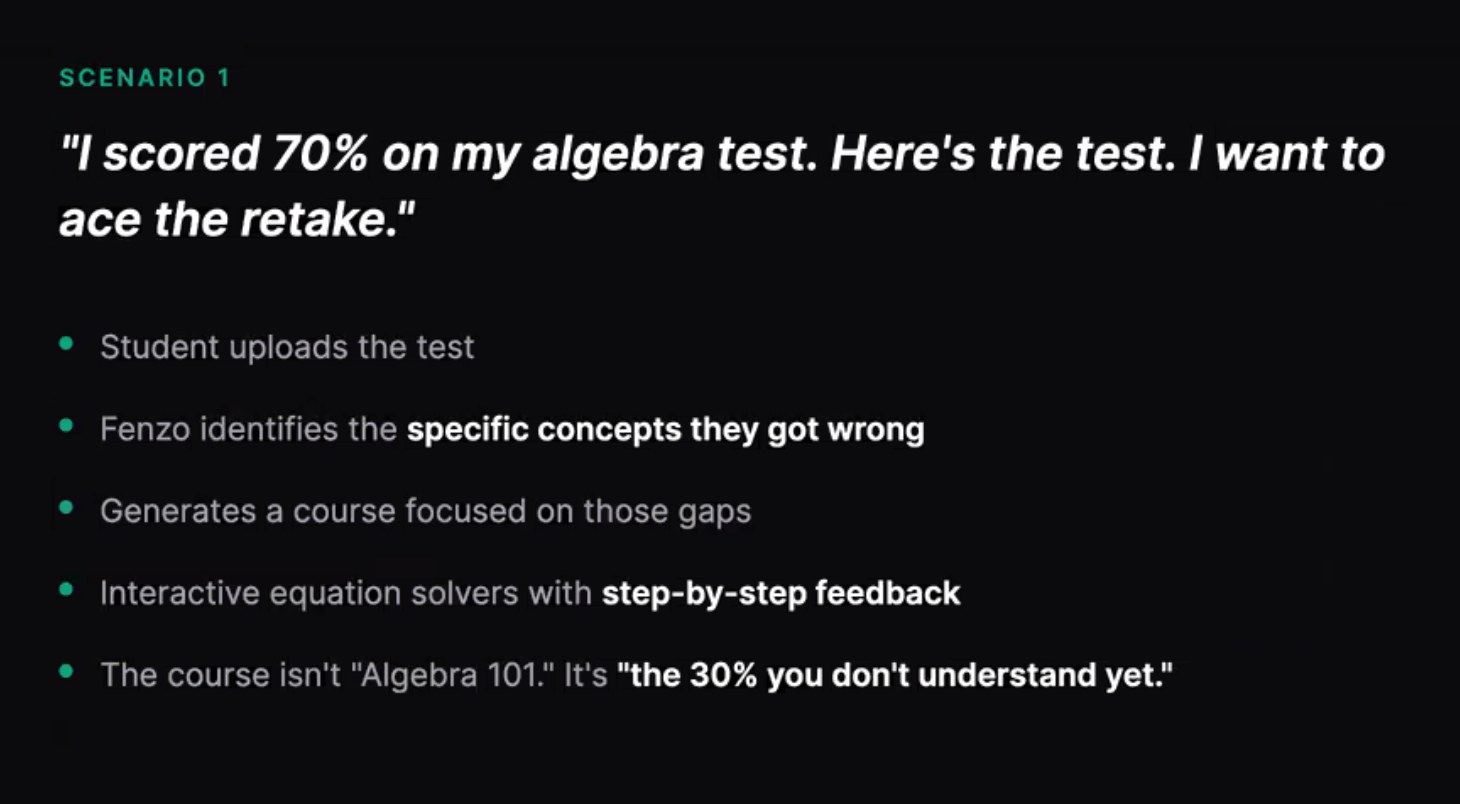
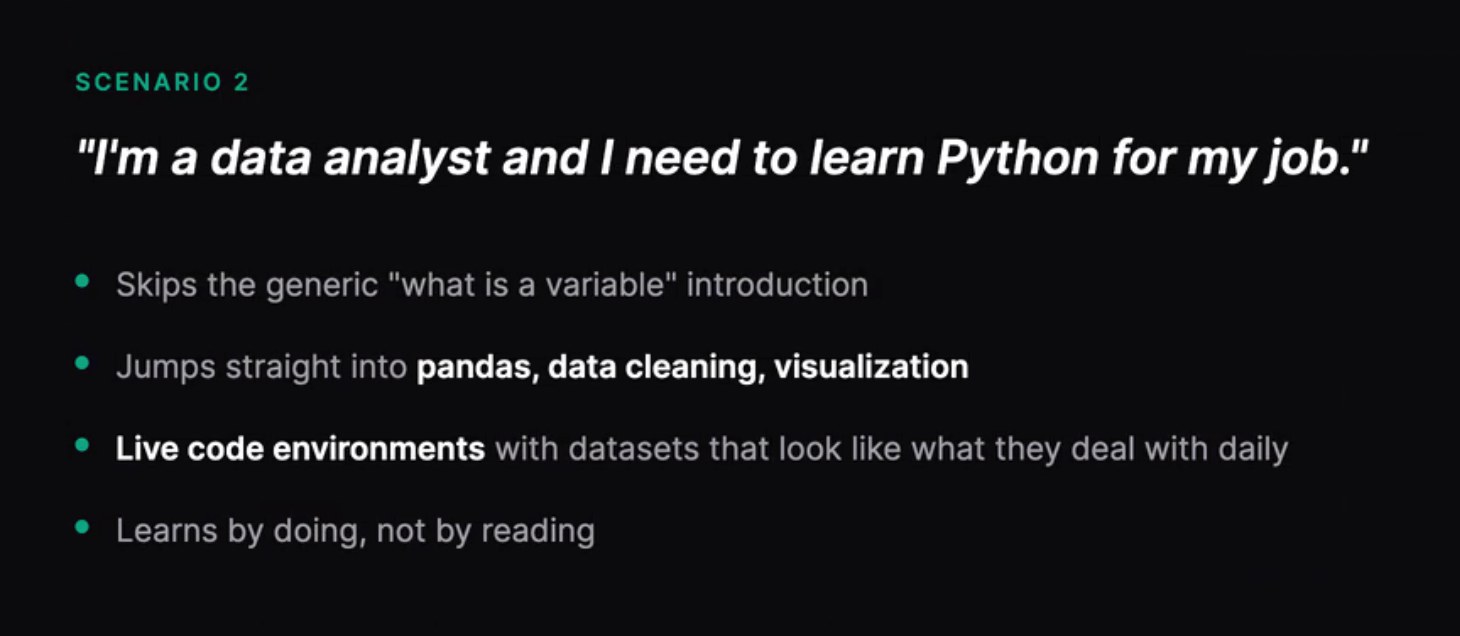
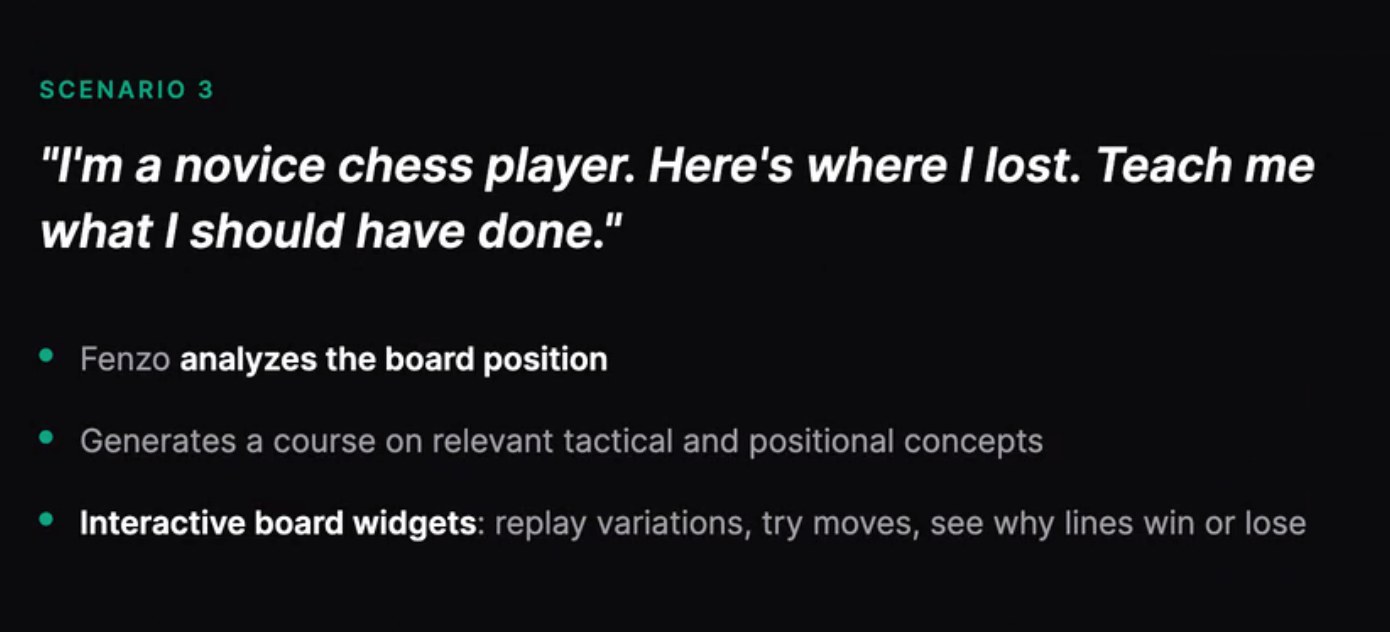
The same engine serving a student who failed an algebra test, an analyst who needs Python for the job, and a chess player who wants to know why they lost
05. Brand Direction
We designed four distinct directions in colour, typography and overall feel.
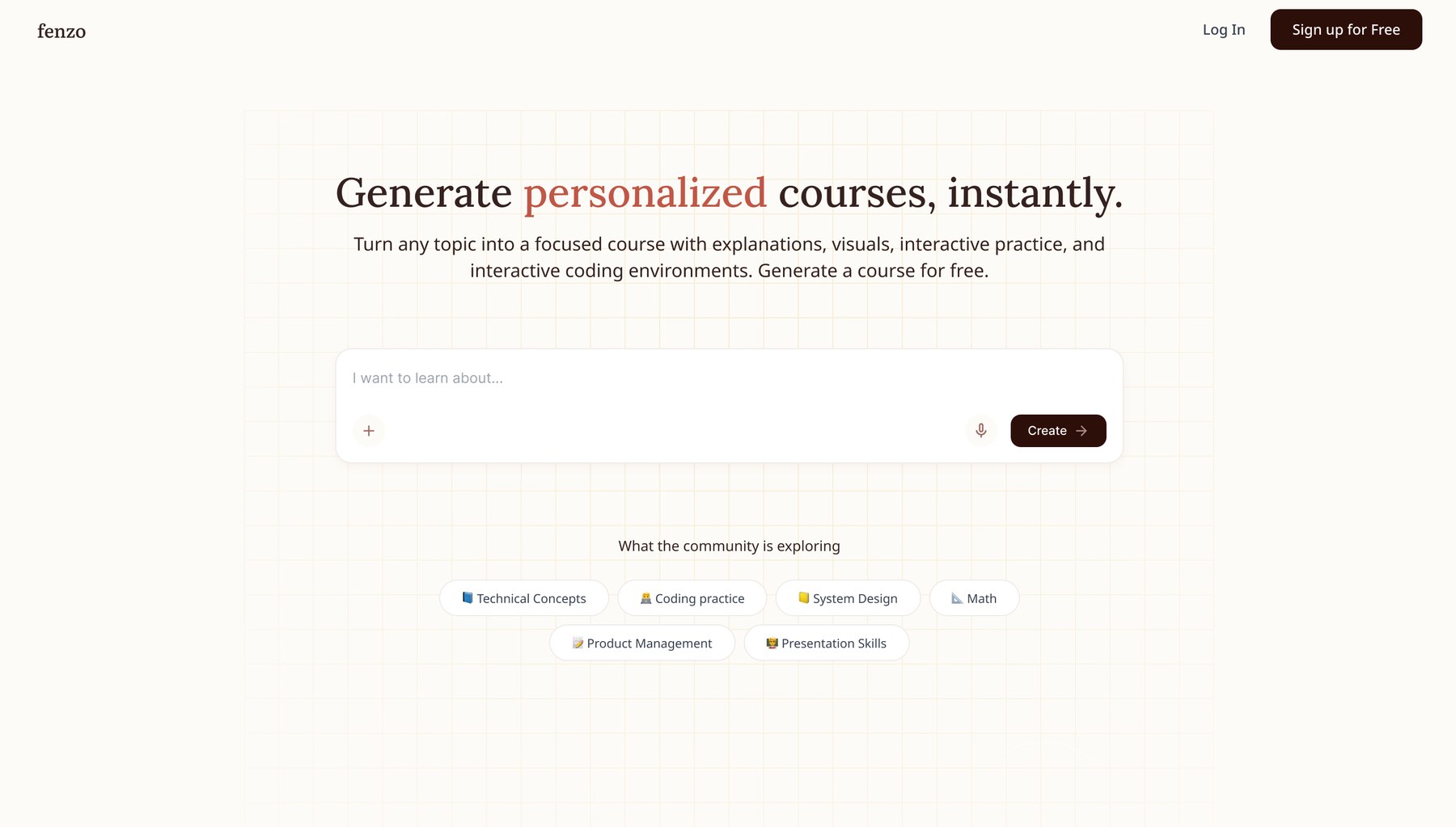
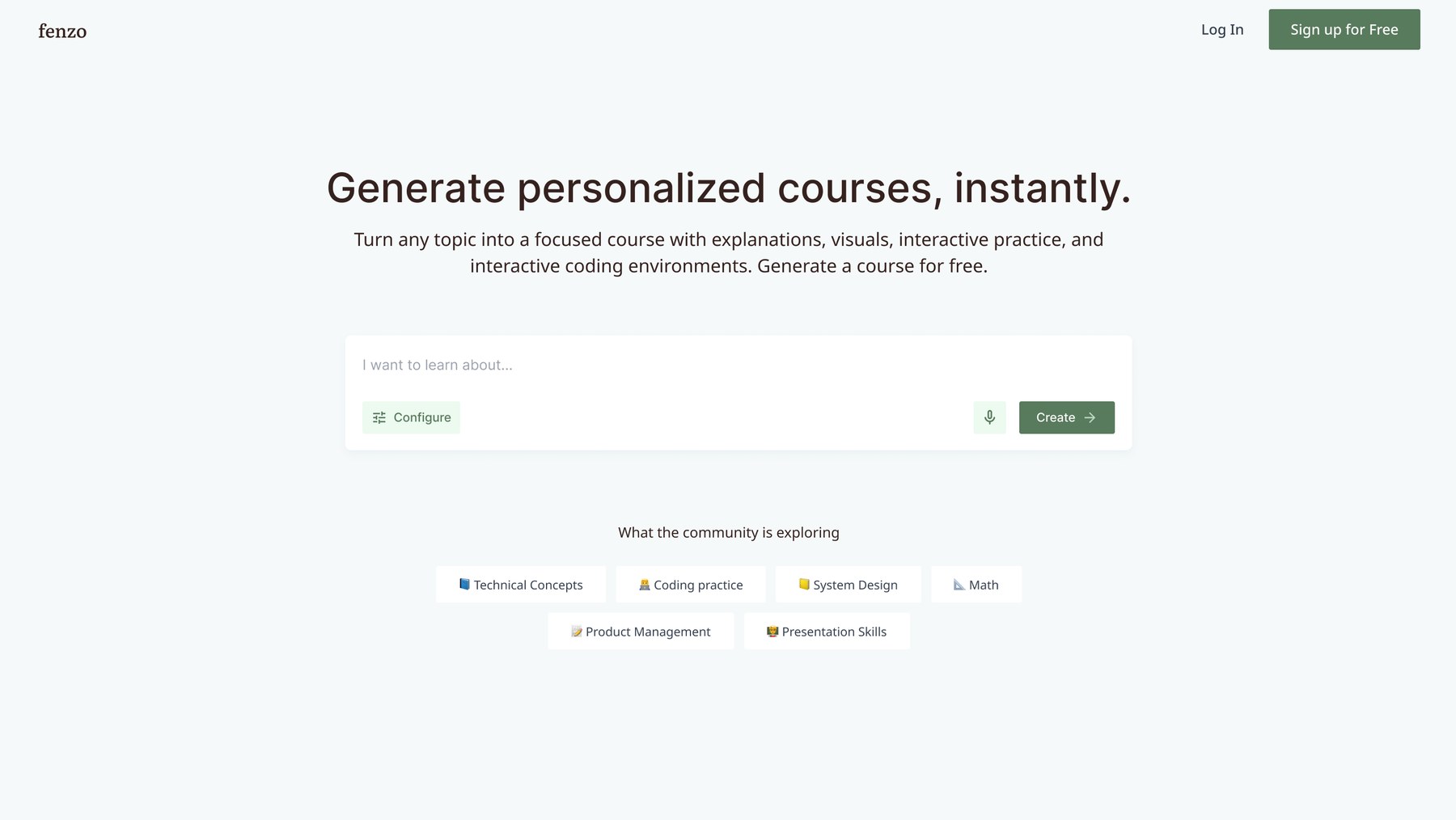
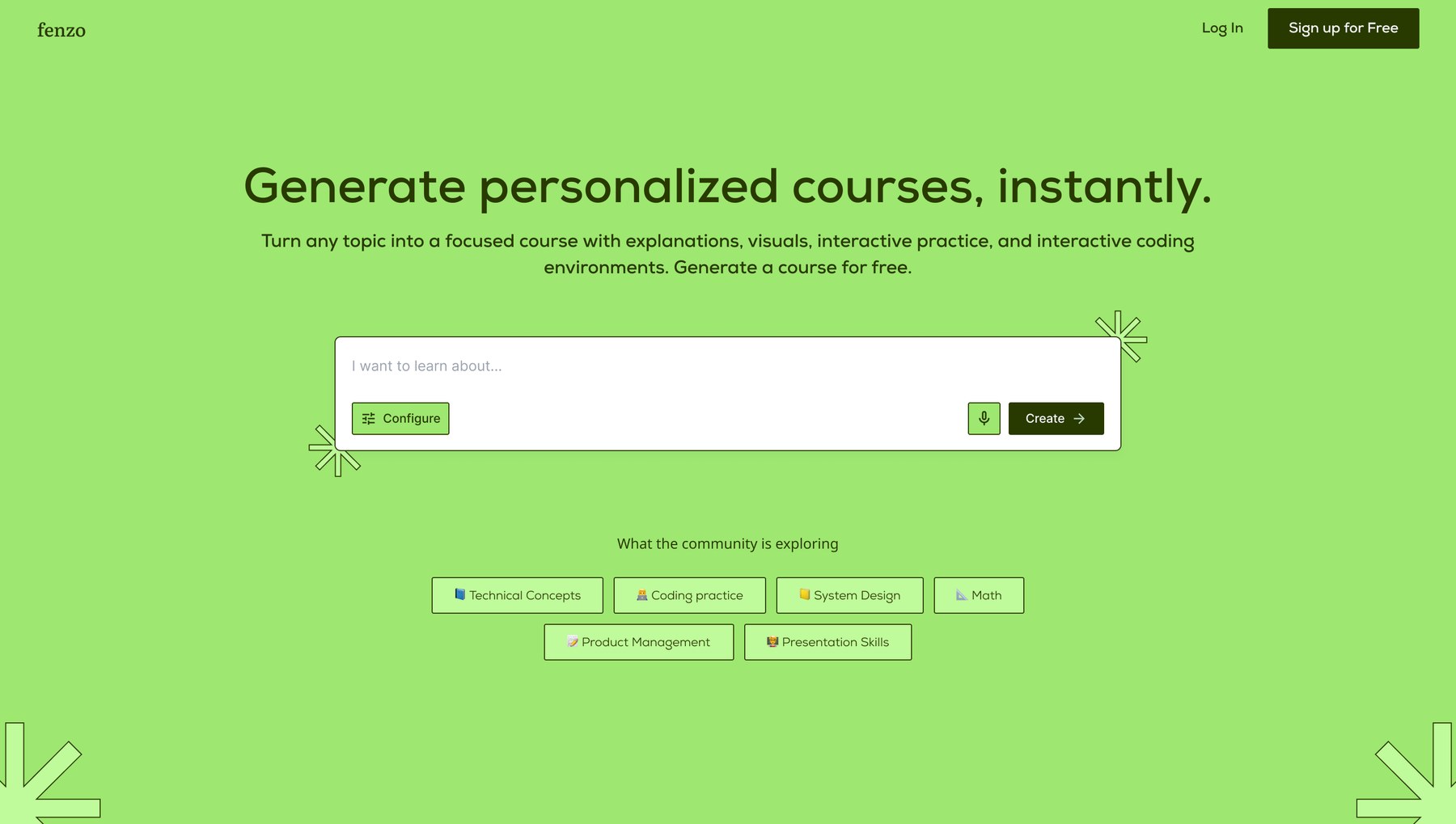
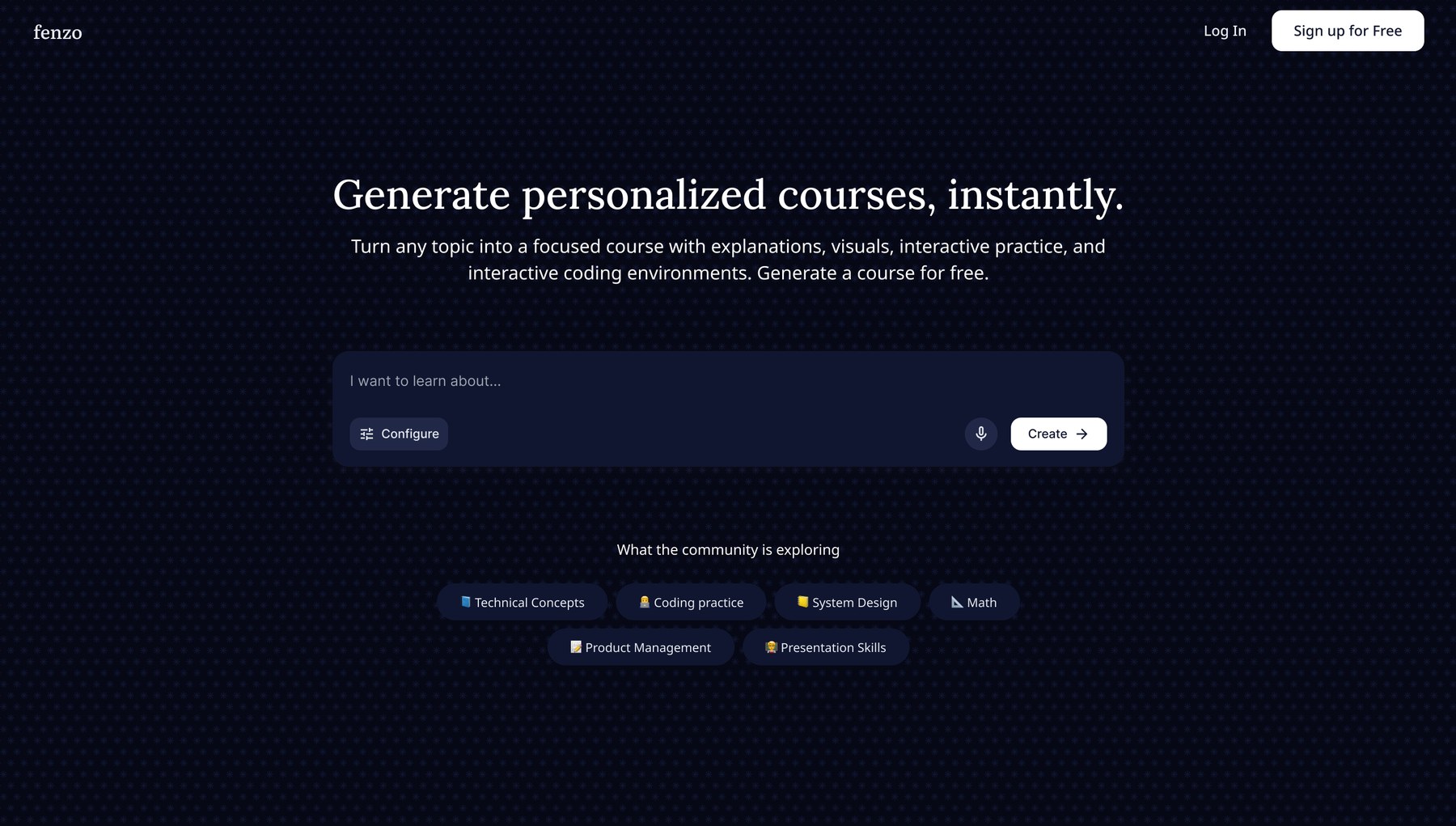
Four directions explored: warm and minimal, cool and light, high-contrast green, and dark
✅ Feedback: leadership at the time chose Direction 1. They liked that it was easy on the eyes, warm and minimal, and that the mix of serif and sans serif gave it a professional feel.
06. AI Prototype
In parallel with the branding work, I designed the end-to-end course generation flow on AI Studio. It let me translate ideas into something stakeholders could visualize and click through, without the manual effort of building it in Figma first.
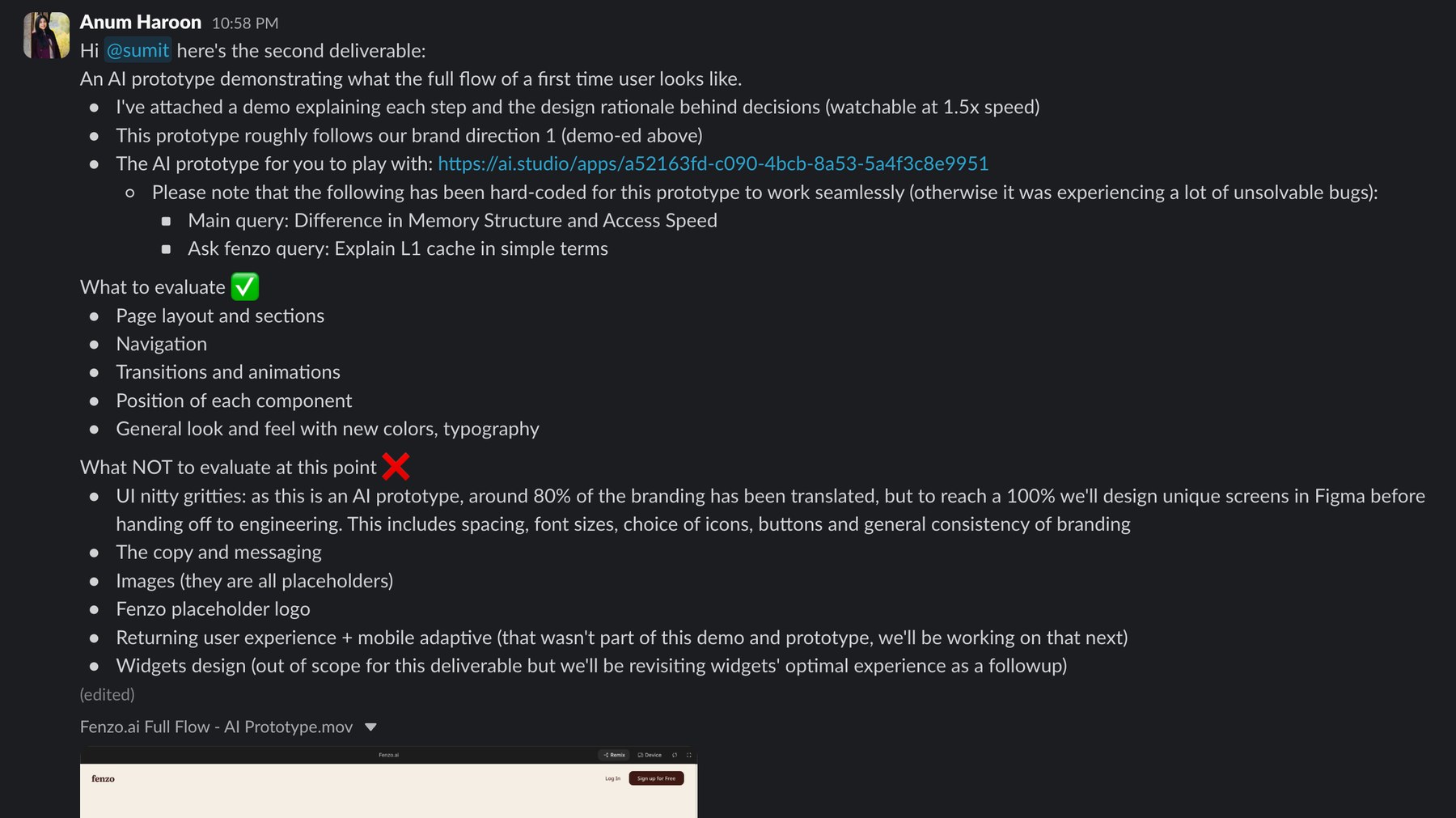
Framing the review deliberately: what to evaluate, and what explicitly not to at this stage
🖼️ PROTOTYPE SCREENS
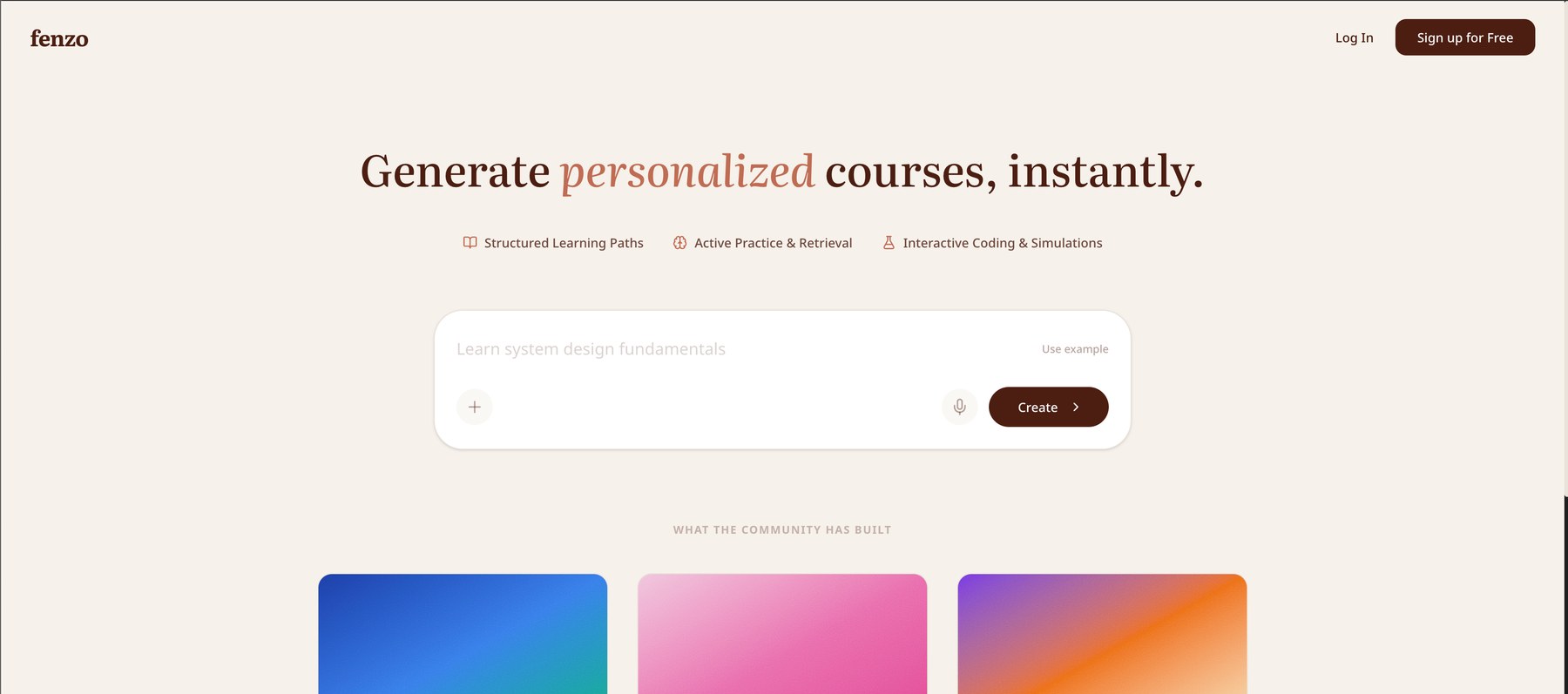
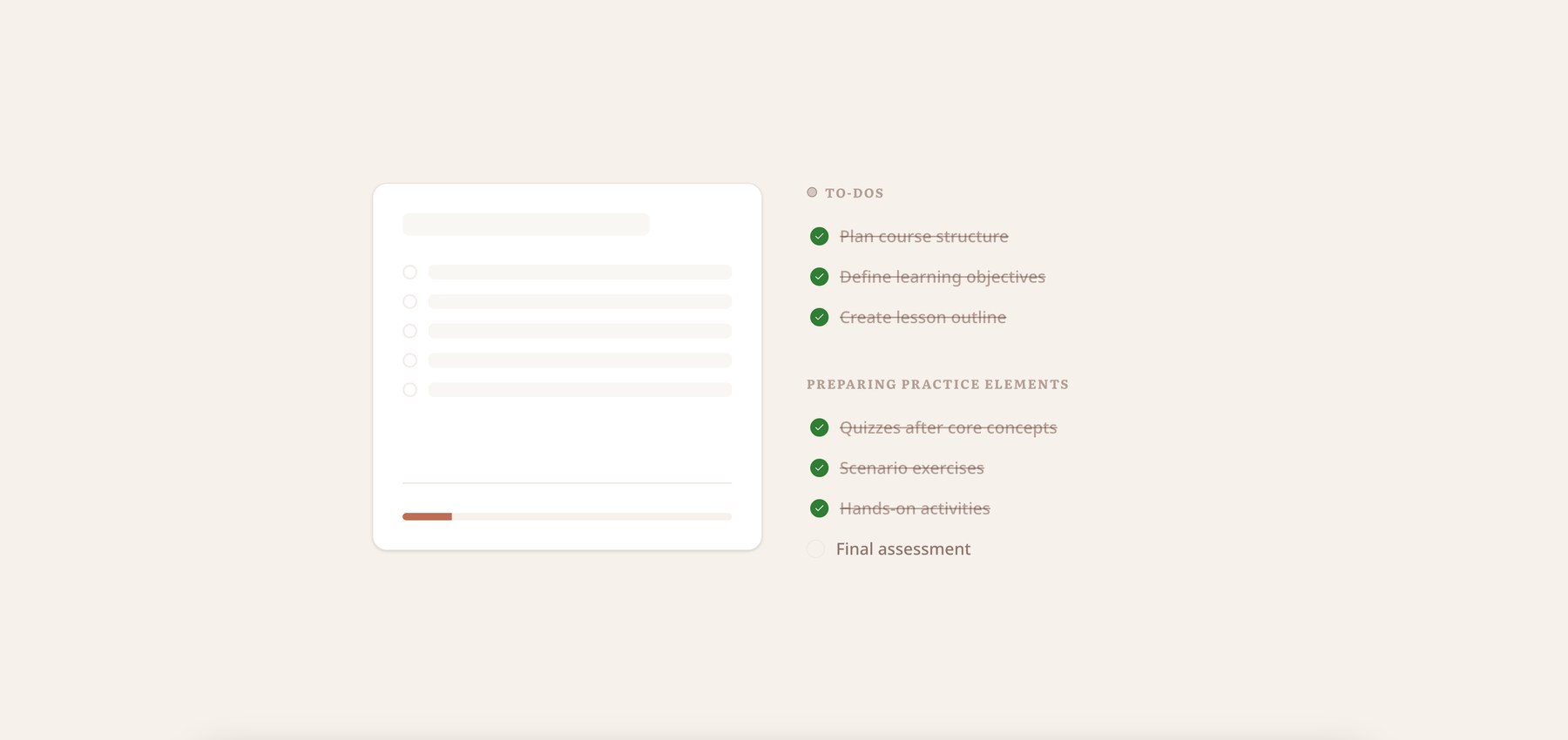
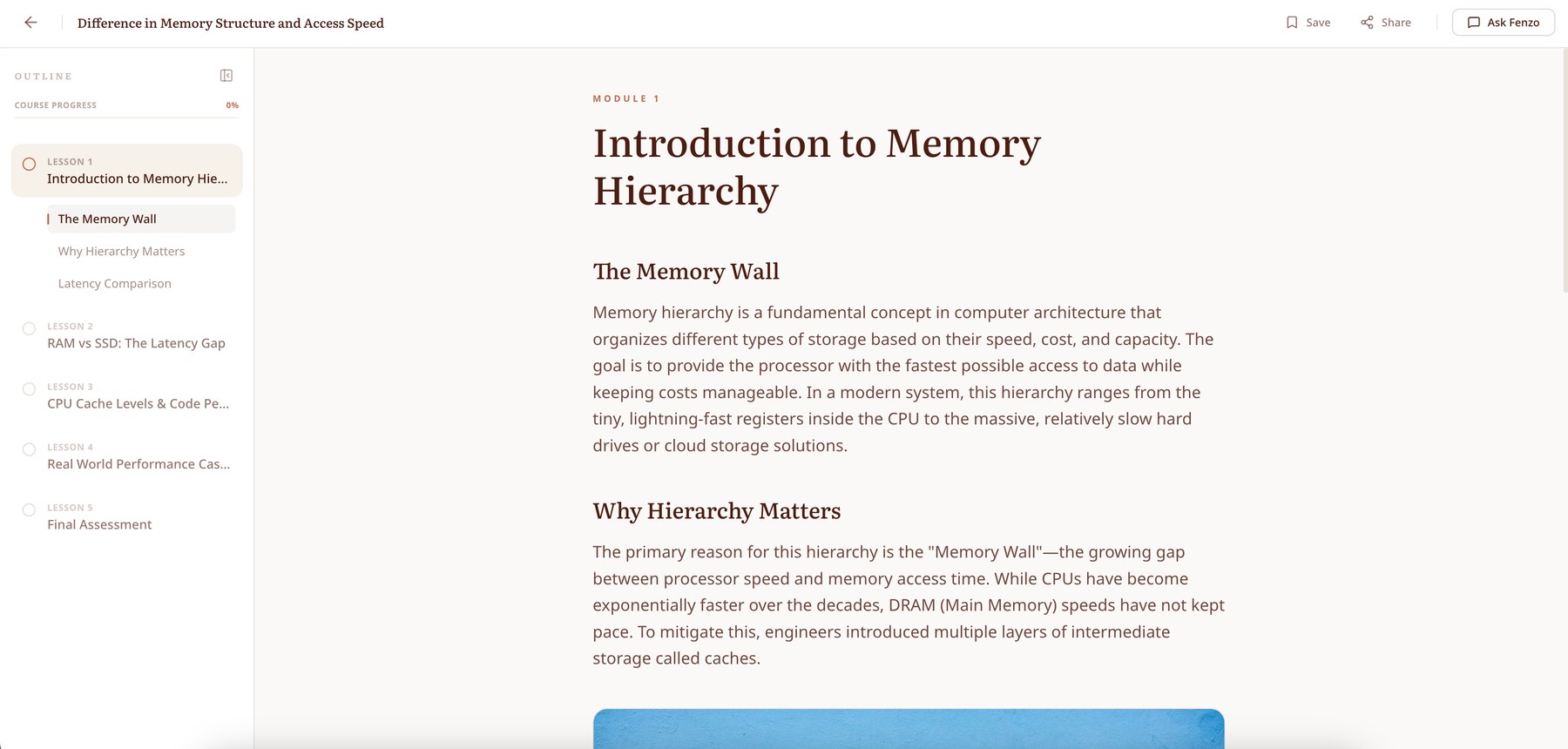
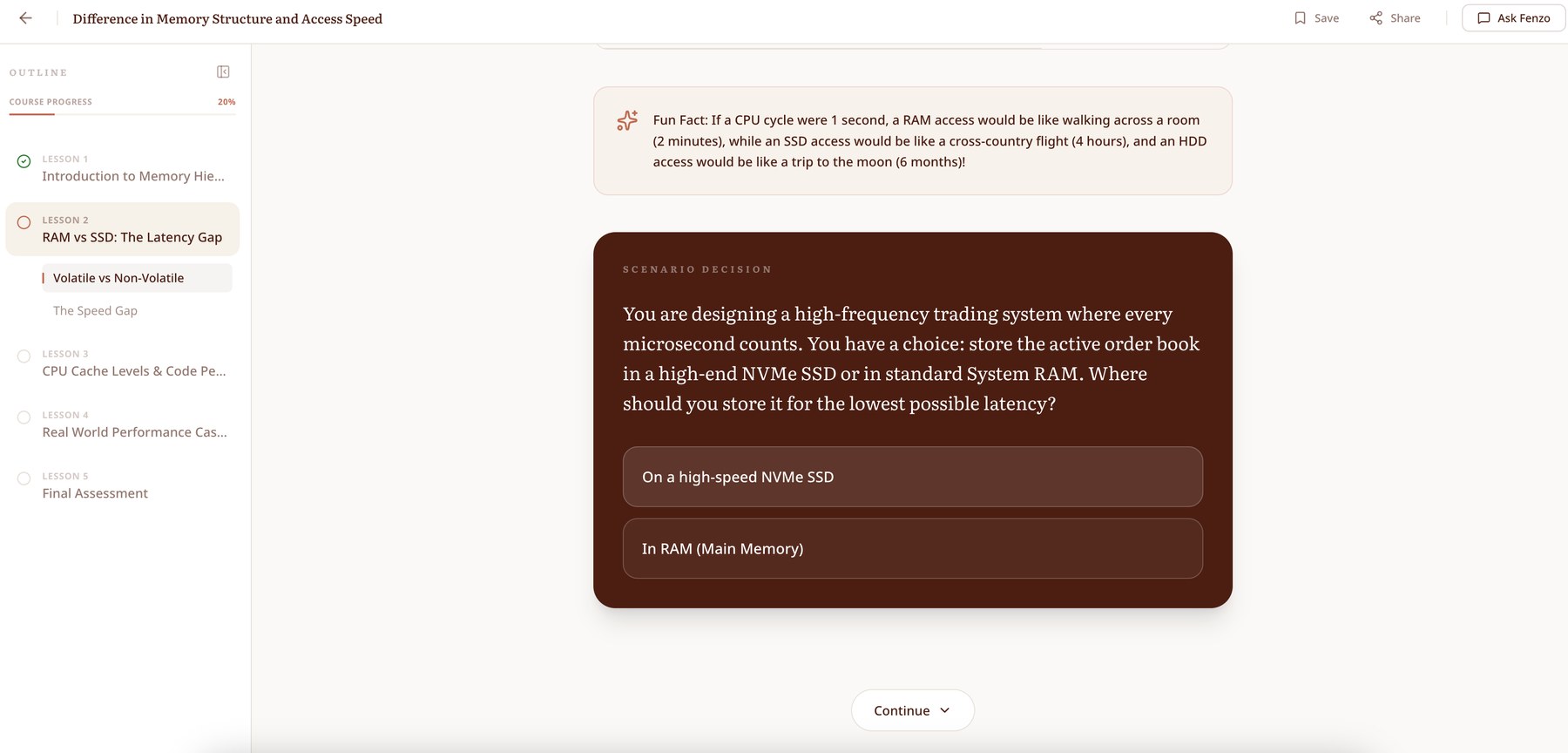
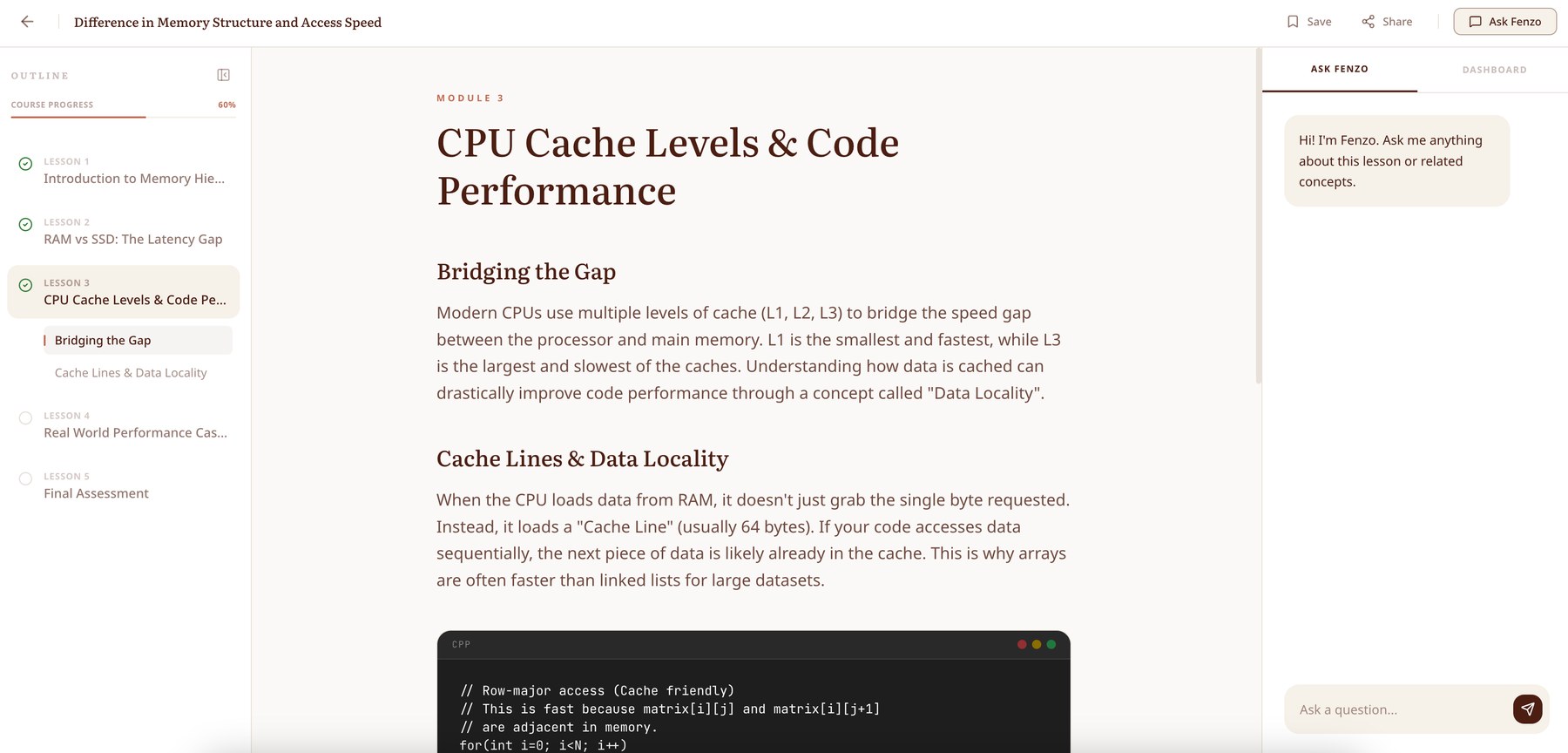
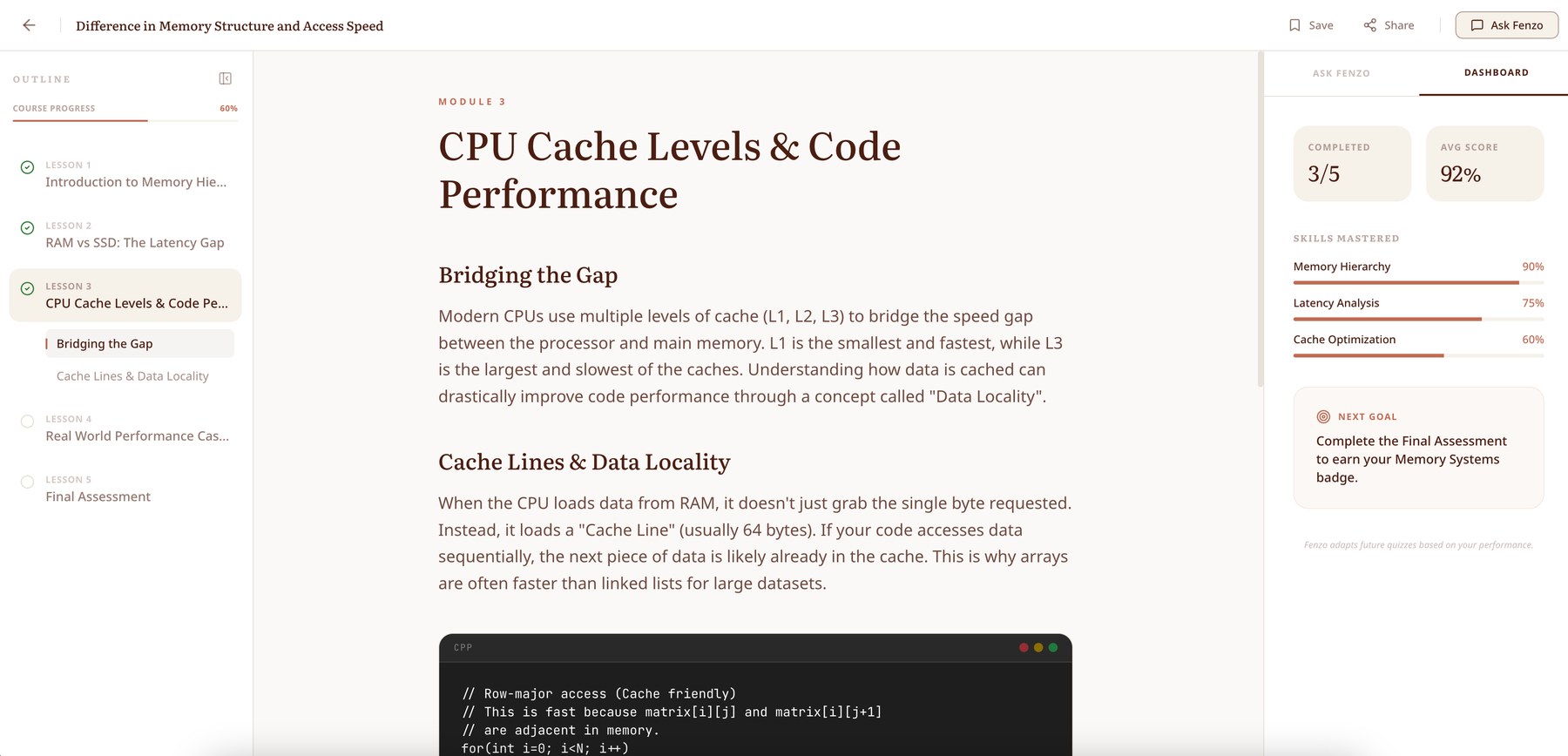
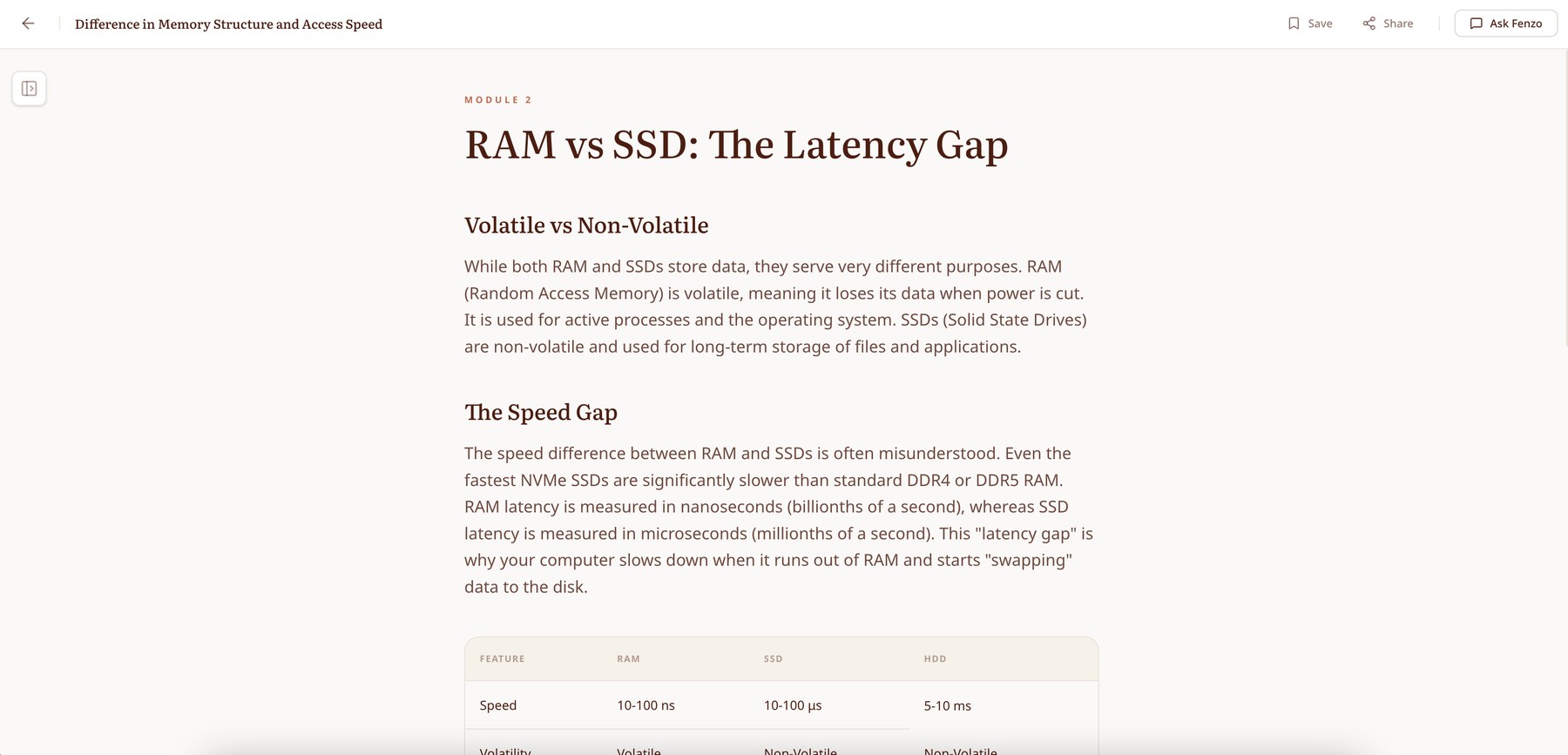
The full first-time journey: prompt, outline, lesson, embedded practice, the Ask Fenzo panel, progress and tabular explanations
💬 PROTOTYPE FEEDBACK
🙋♀️ MY RESPONSE
Point 1 would be resolved once screens were designed properly in Figma. On point 2 I agreed to skip the transition screen so learners reach the lesson faster, but suggested we keep some transparency about how the course is being generated in the lesson page's loading state, as a lightweight delight. I understood the concern behind point 5.
On point 4 I pushed back. The whitespace was deliberate: reading material is held to a set width because the industry standard for comfortable reading is 50-75 characters per line. Wider than that and the eye struggles to track from the end of one line to the start of the next.
07. Design System & UI
We set up a basic design system around Direction 1 in Figma: colour tokens and typography styles.
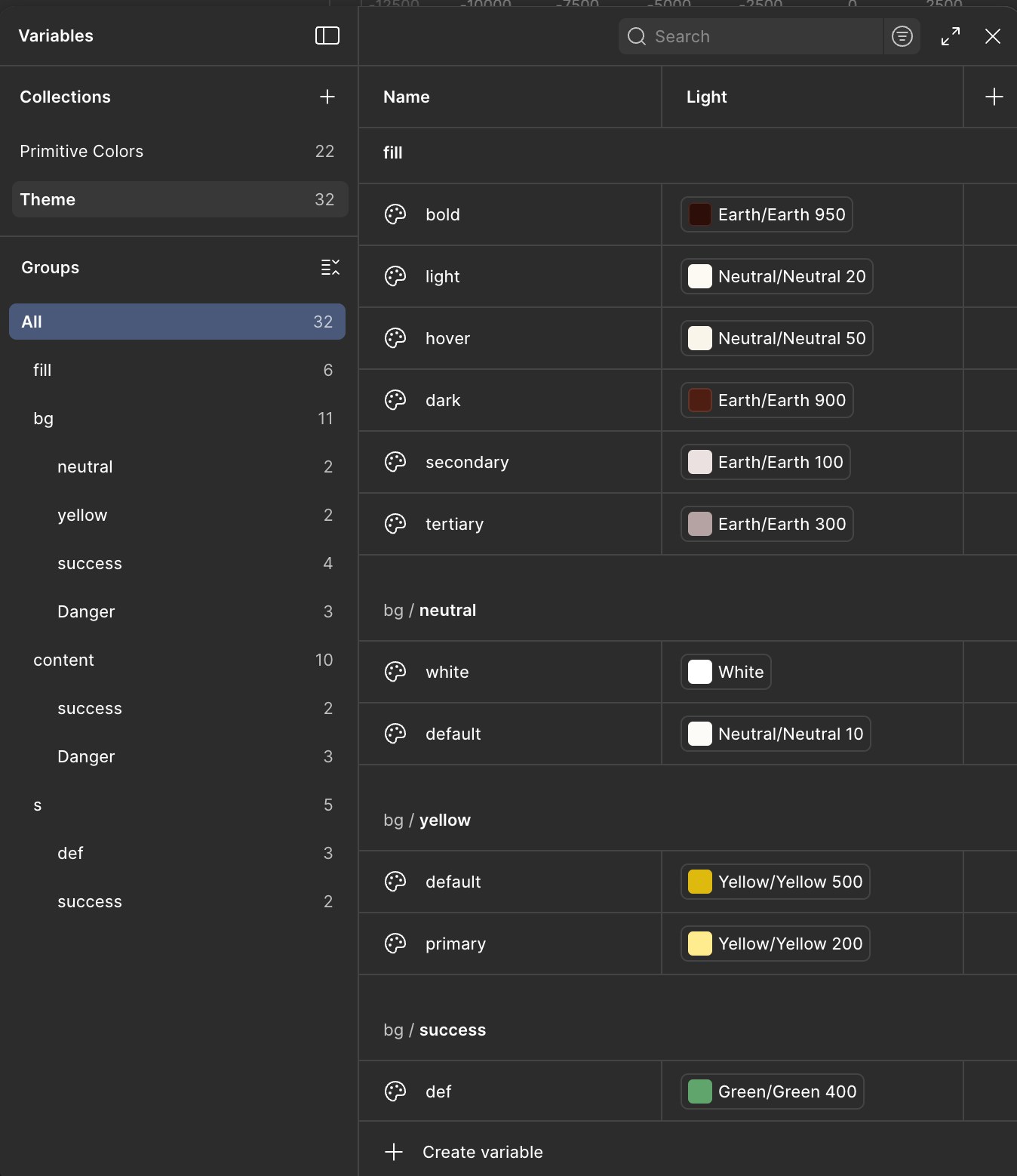
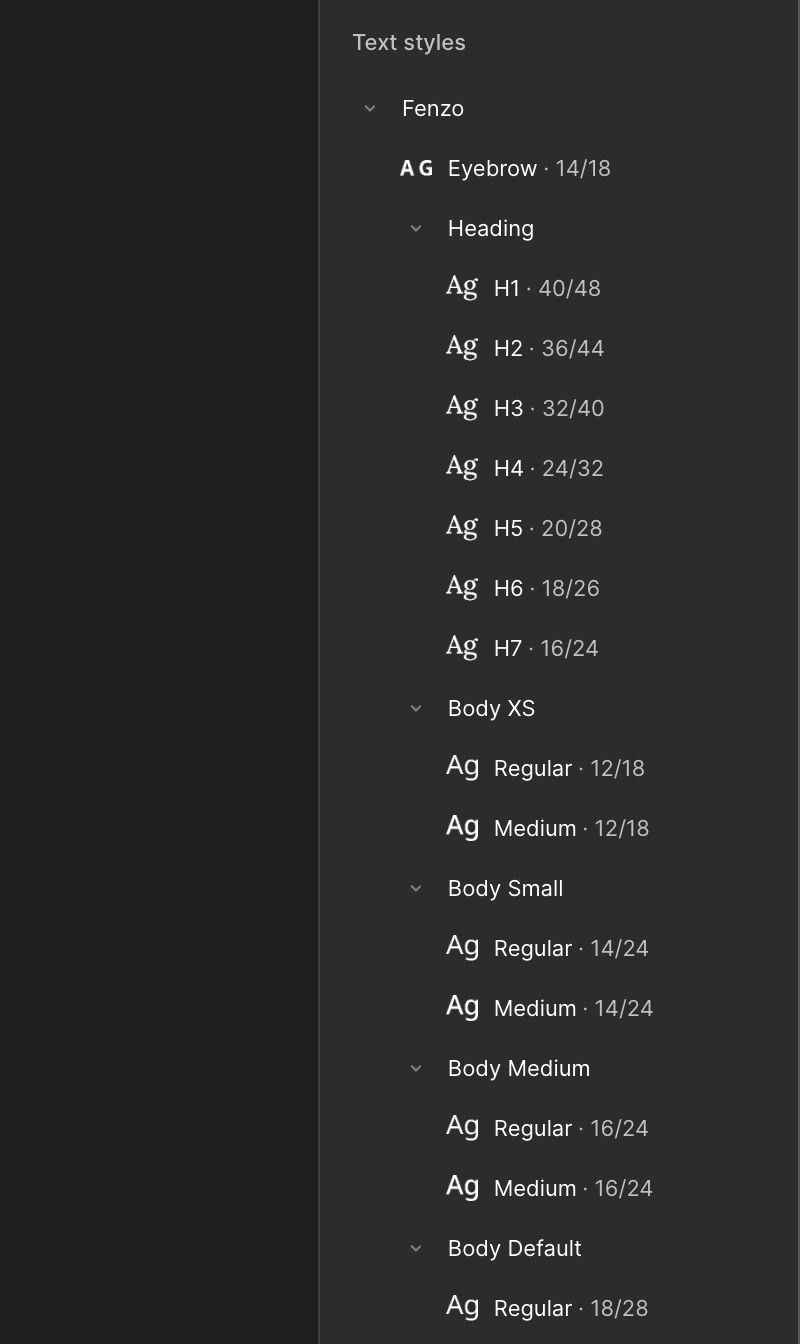
Colour variables and text styles, built as tokens from the start
From there I designed the flows:
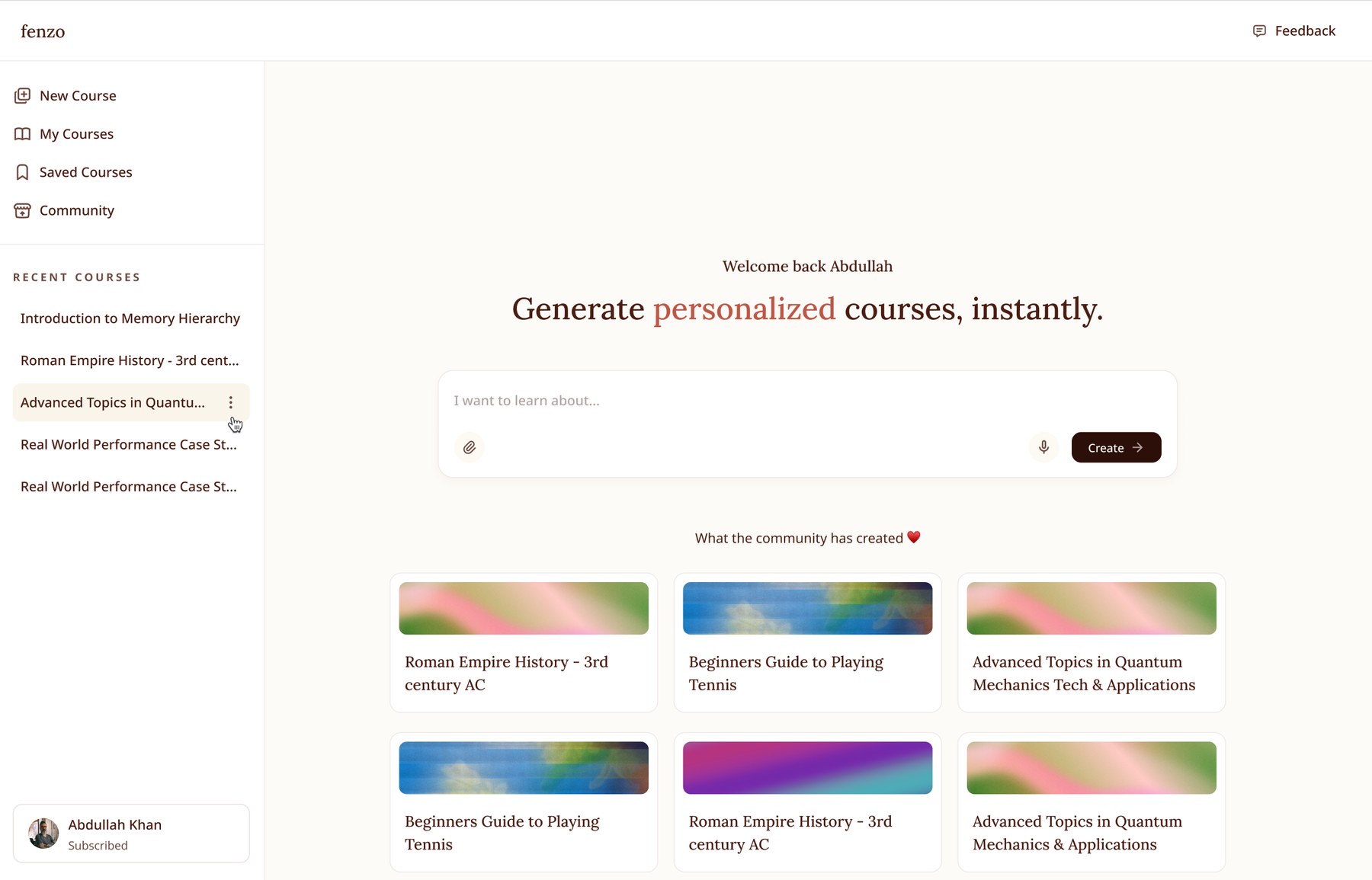
The returning-learner landing page, with recent courses and community picks
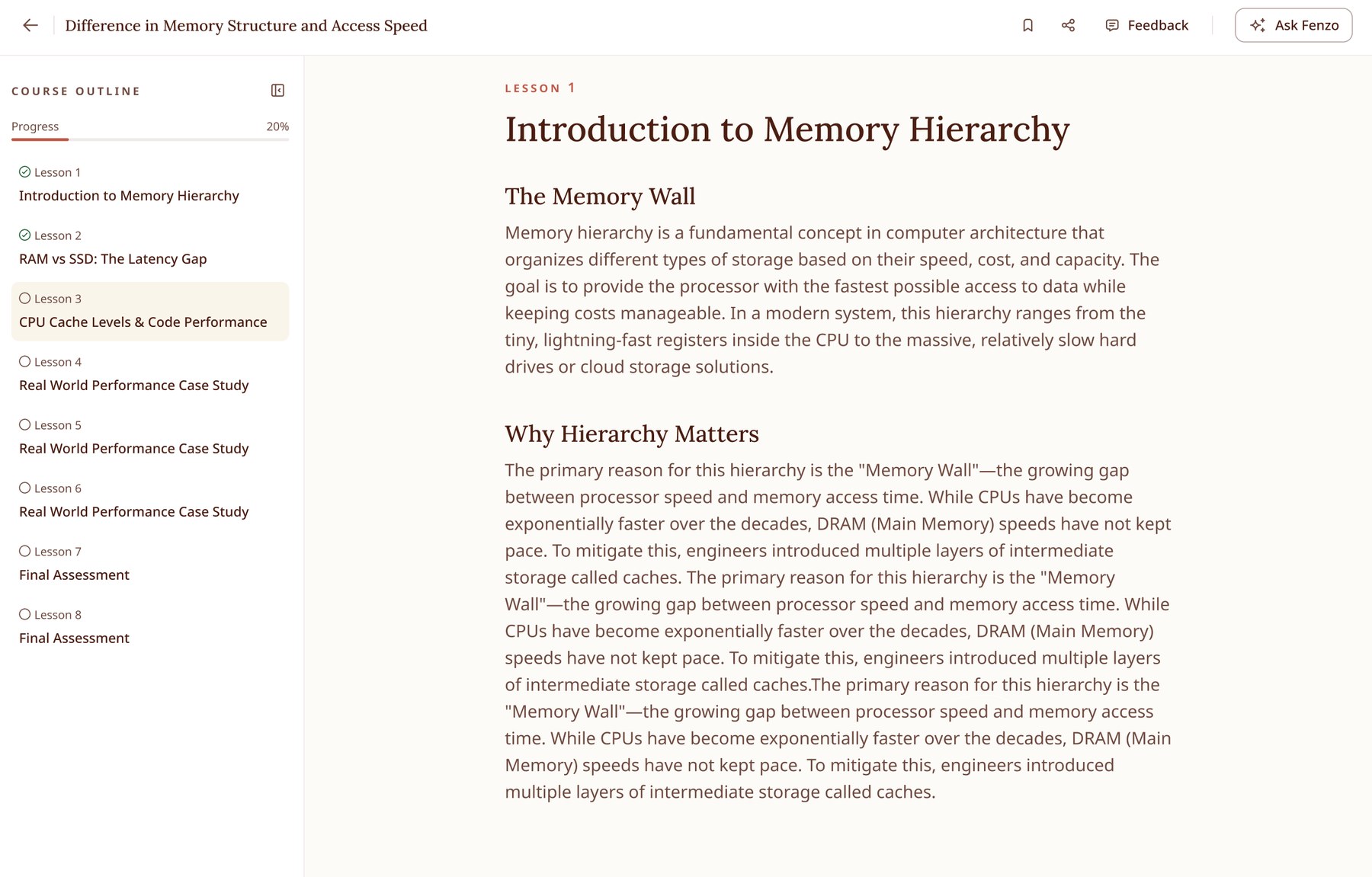
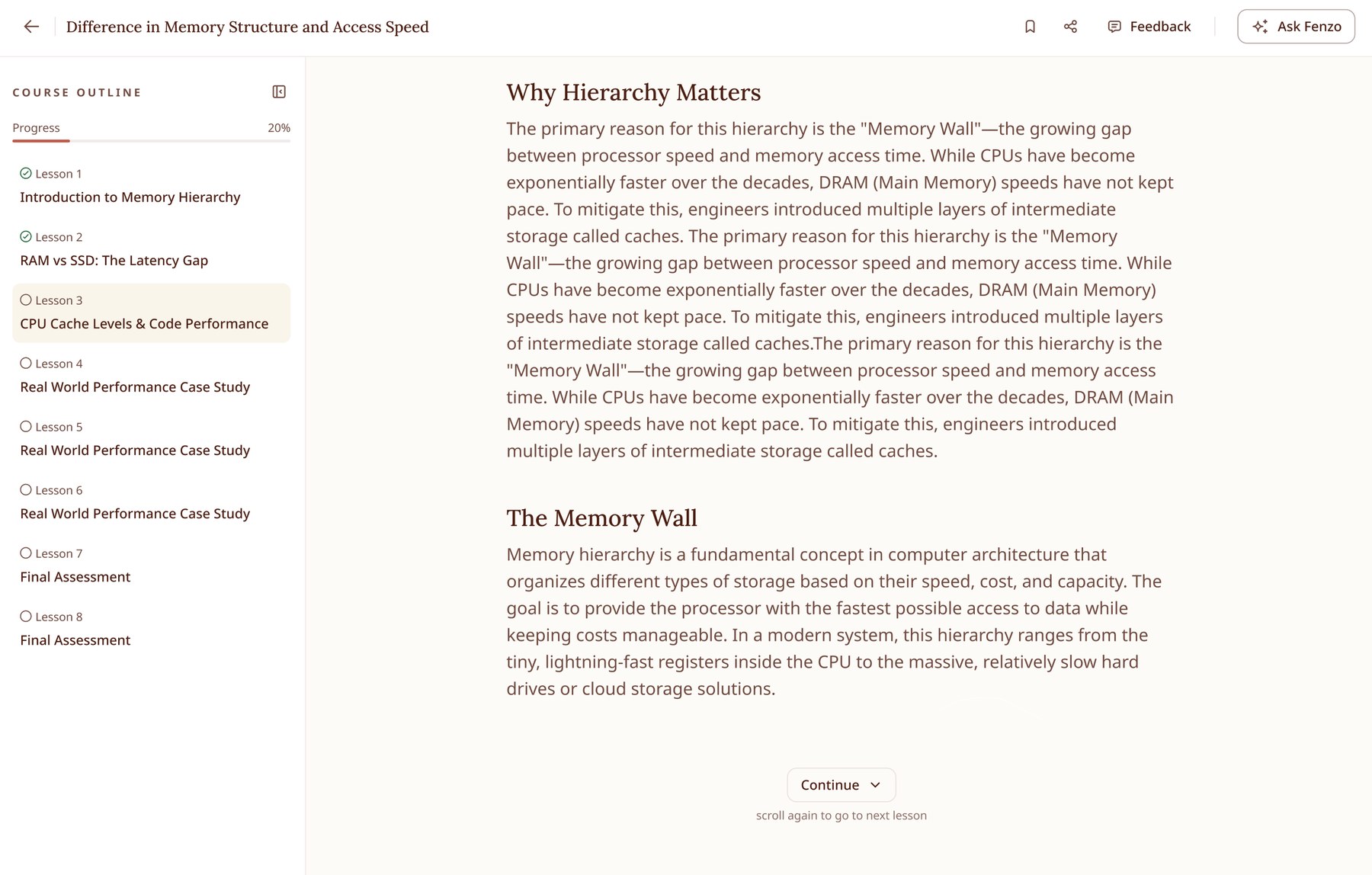
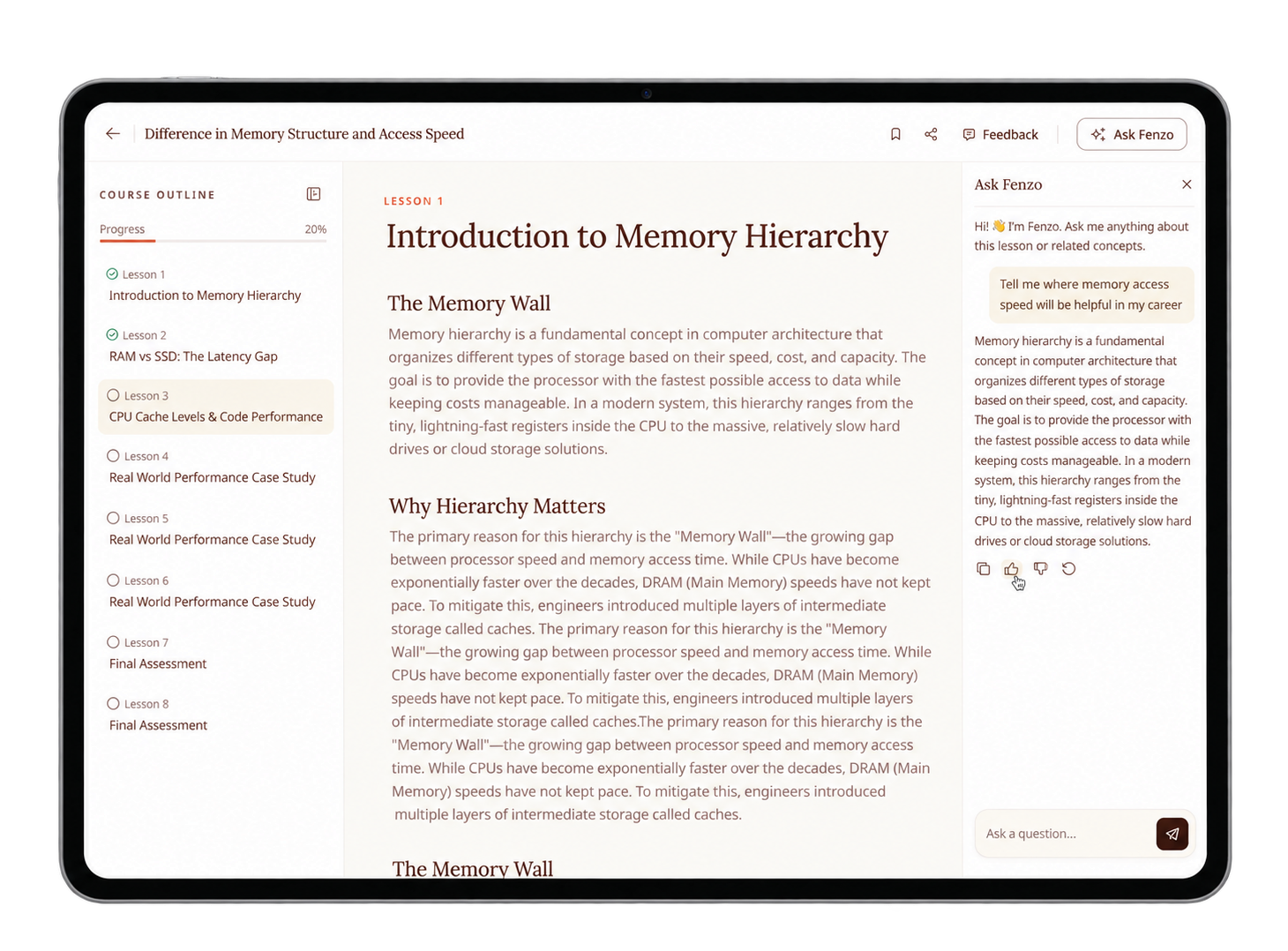
The lesson experience, with the outline tracking progress on the left
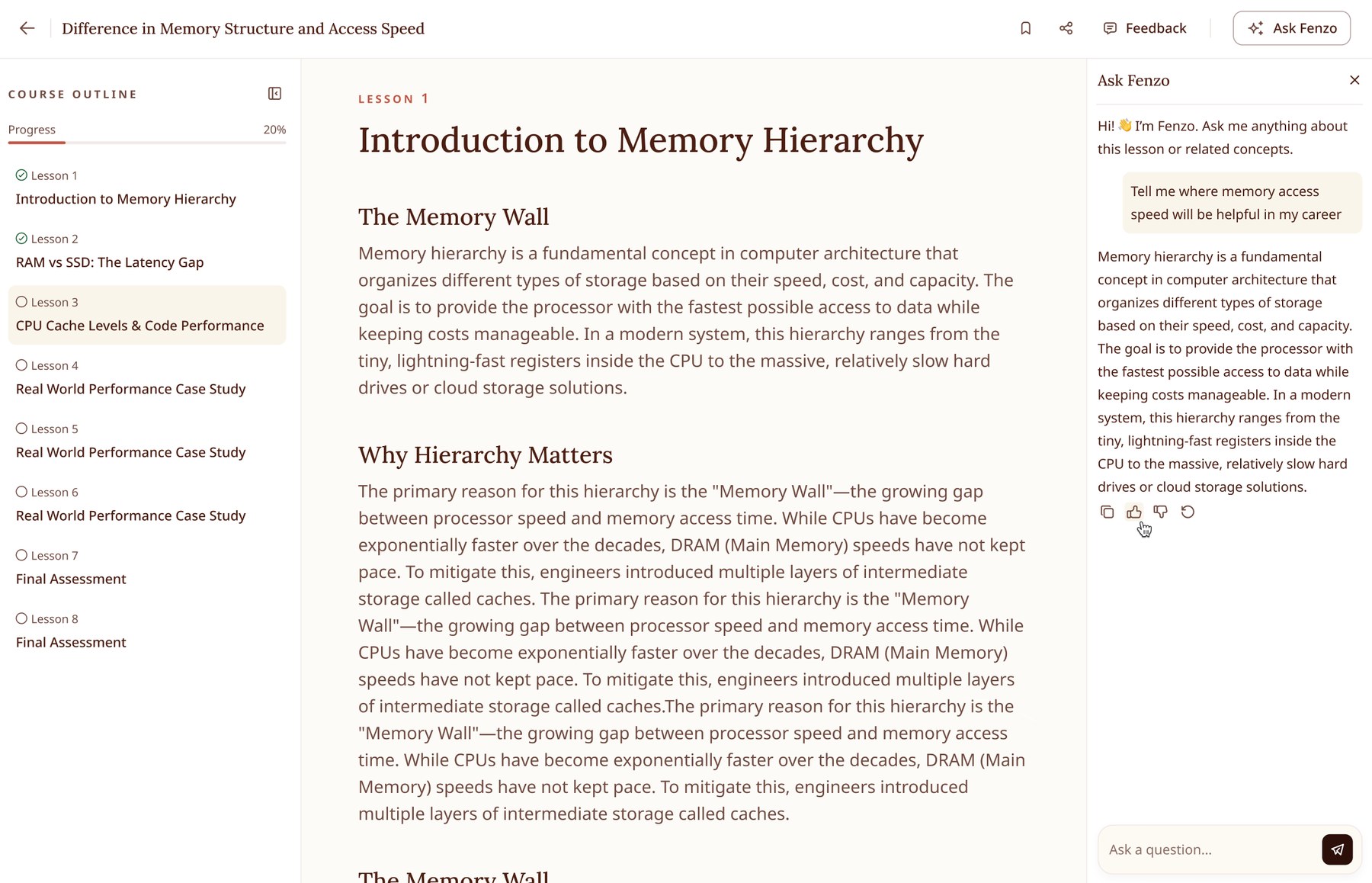
Ask Fenzo opens alongside the lesson rather than replacing it - the reason the text column was held to a set width
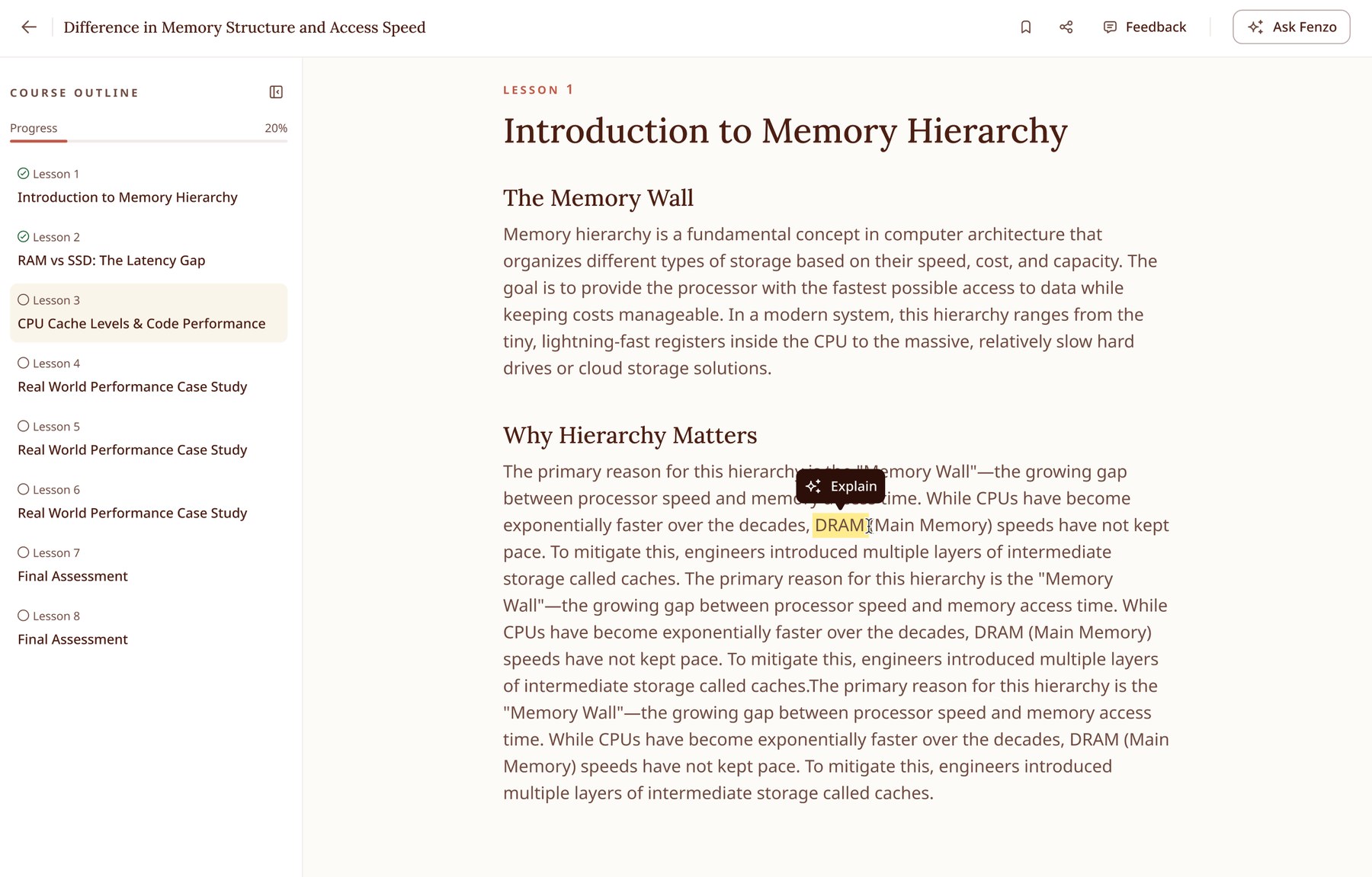
Selecting any phrase offers to explain it in place
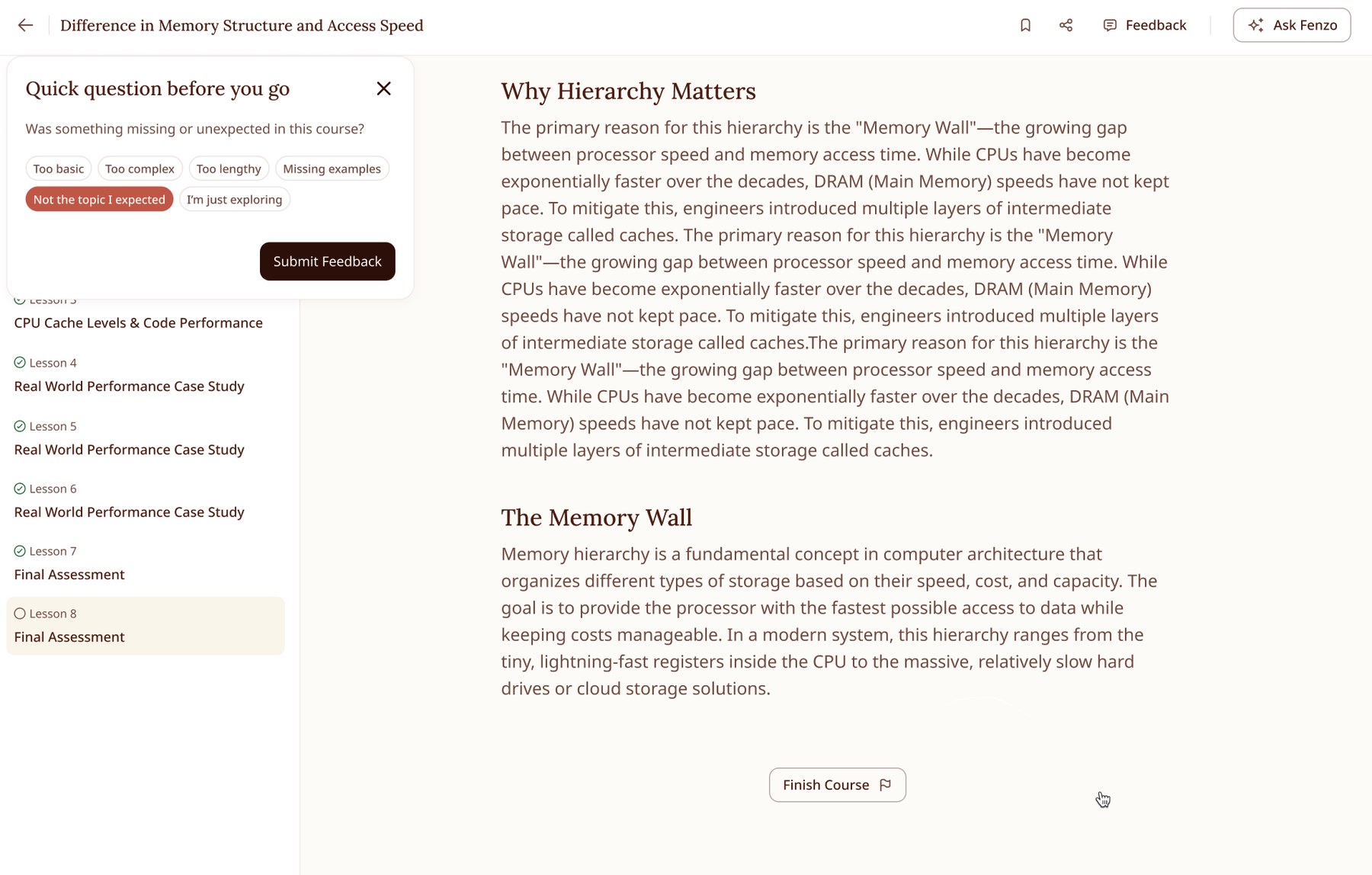
A feedback touchpoint placed where it costs the learner least
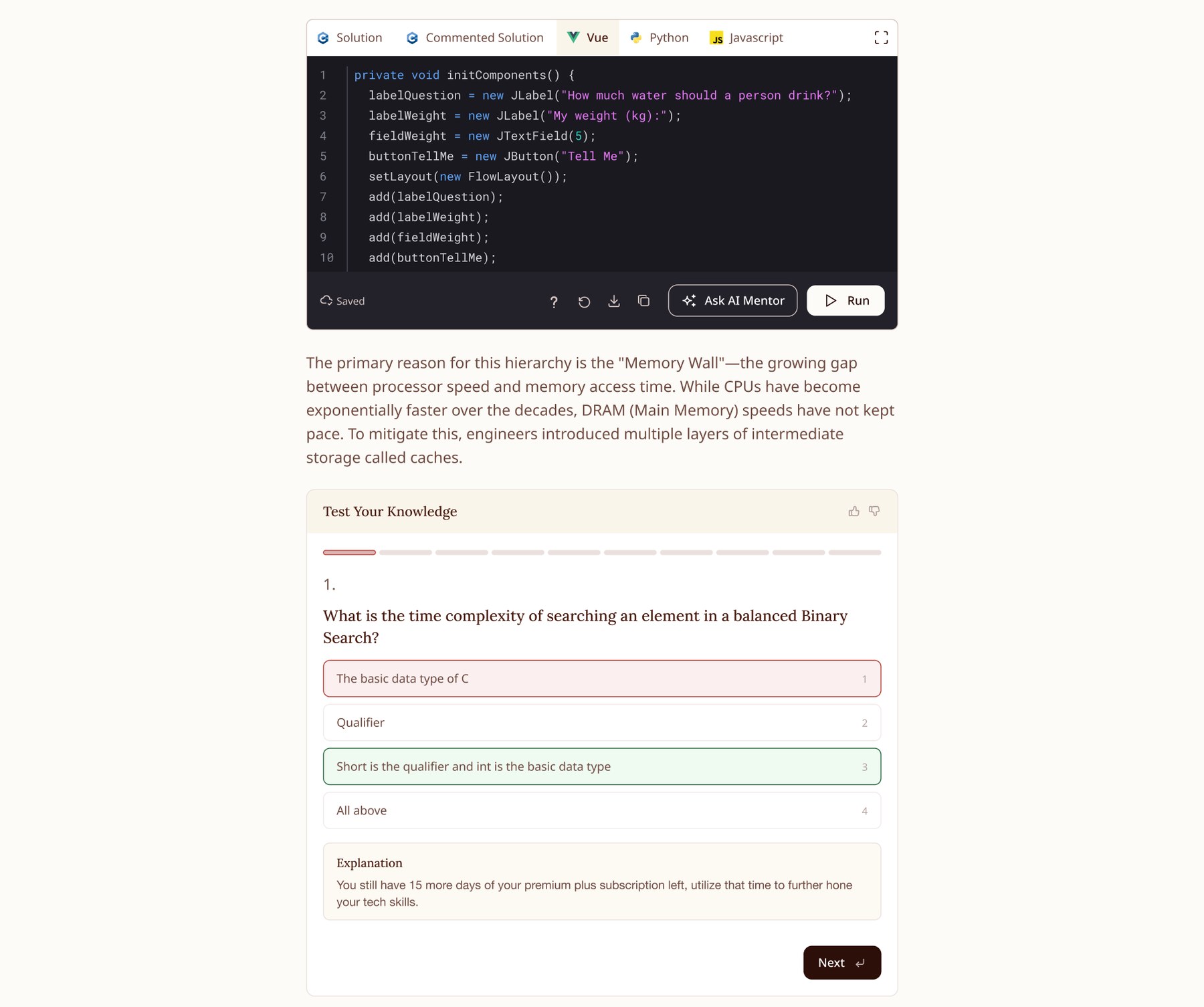
Learning widgets: a runnable coding environment and an inline quiz
08. AI Automation Process 🦾
Alongside this project, as part of my Design Manager role at Educative, I set up an AI-accelerated design workflow for the team. The goal was to let designers lean on AI tools, specifically Claude, for the repetitive parts, so the team could spend its time on strategic contribution and high-value design review instead.
The process, at a glimpse:
As part of this we set Claude up on our machines and connected it to Figma via MCP. We could then design directly in Figma through Claude, handing it the design system so it worked with our defined tokens and styles. The goal is to iterate fast in a loop: Claude → Figma → Claude. This is an ongoing effort.
09. Setting Up a Widgets Factory 🤖
Next we plan to stand up a Widgets Factory: letting AI tools generate learning widgets at scale while holding to our design system, consistent UX patterns for navigation, progress tracking and interaction, and an experience that stays good as volume grows.
As an experiment with a relatively simple widget, we had Claude generate a flashcard component directly in Figma.
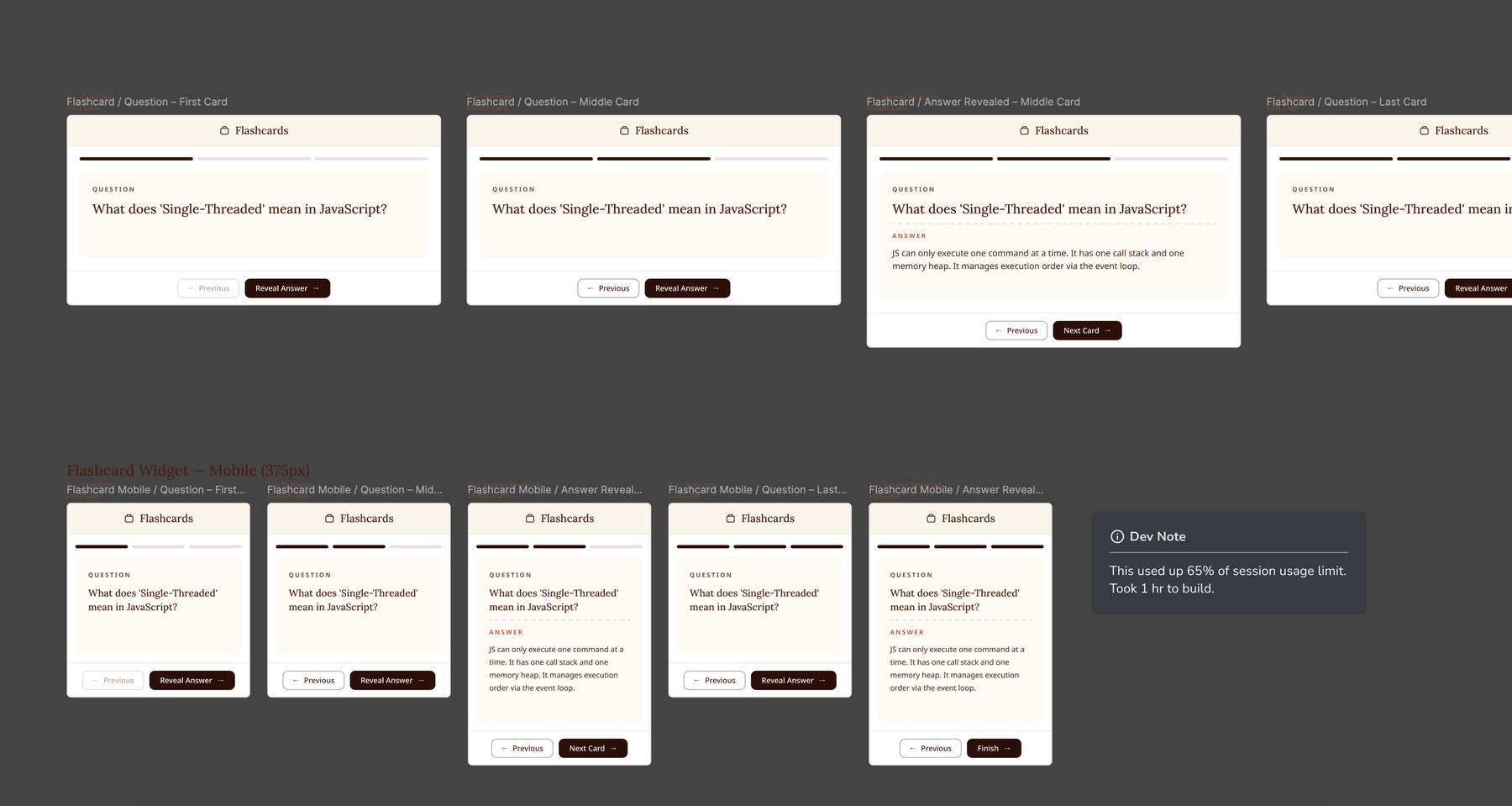
Flashcard states generated straight into Figma, in light and dark
Retrospective
Most of this project was not screen design. It was deciding what the product is: how long a course should be, what a lesson owes a learner, how much to give away before asking for anything, and which interactions are cheap enough to be free. The three-tier widget model is the clearest example - it looks like a product decision, but it exists because interactivity has a compute bill and someone had to decide who pays it.
Building the flow as an AI prototype before opening Figma is the thing I would repeat. It let stakeholders click through a real journey early, and it made the feedback specific. Framing the review by stating what not to evaluate mattered as much as the prototype itself, because it kept the conversation on flow rather than on fonts that weren't final.
The brand reversal is the honest part. Direction 1 was chosen, built against, and then judged too plain once it was running in front of people. That is frustrating, and it is also the job - a direction that reads well on a board can read differently in a shipped product. Being able to produce three fresh directions in Claude within the same sprint is the reason it cost days instead of weeks.