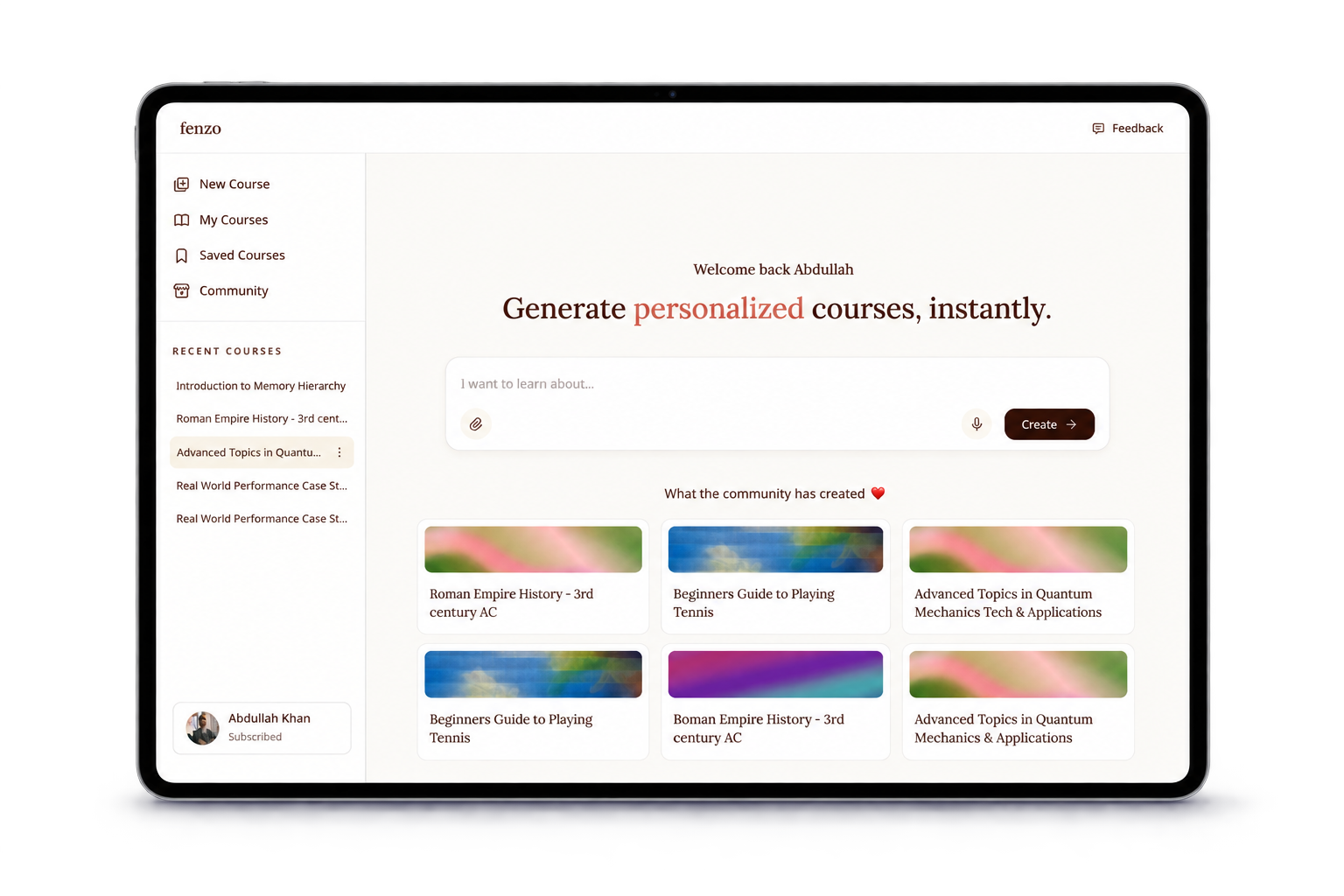
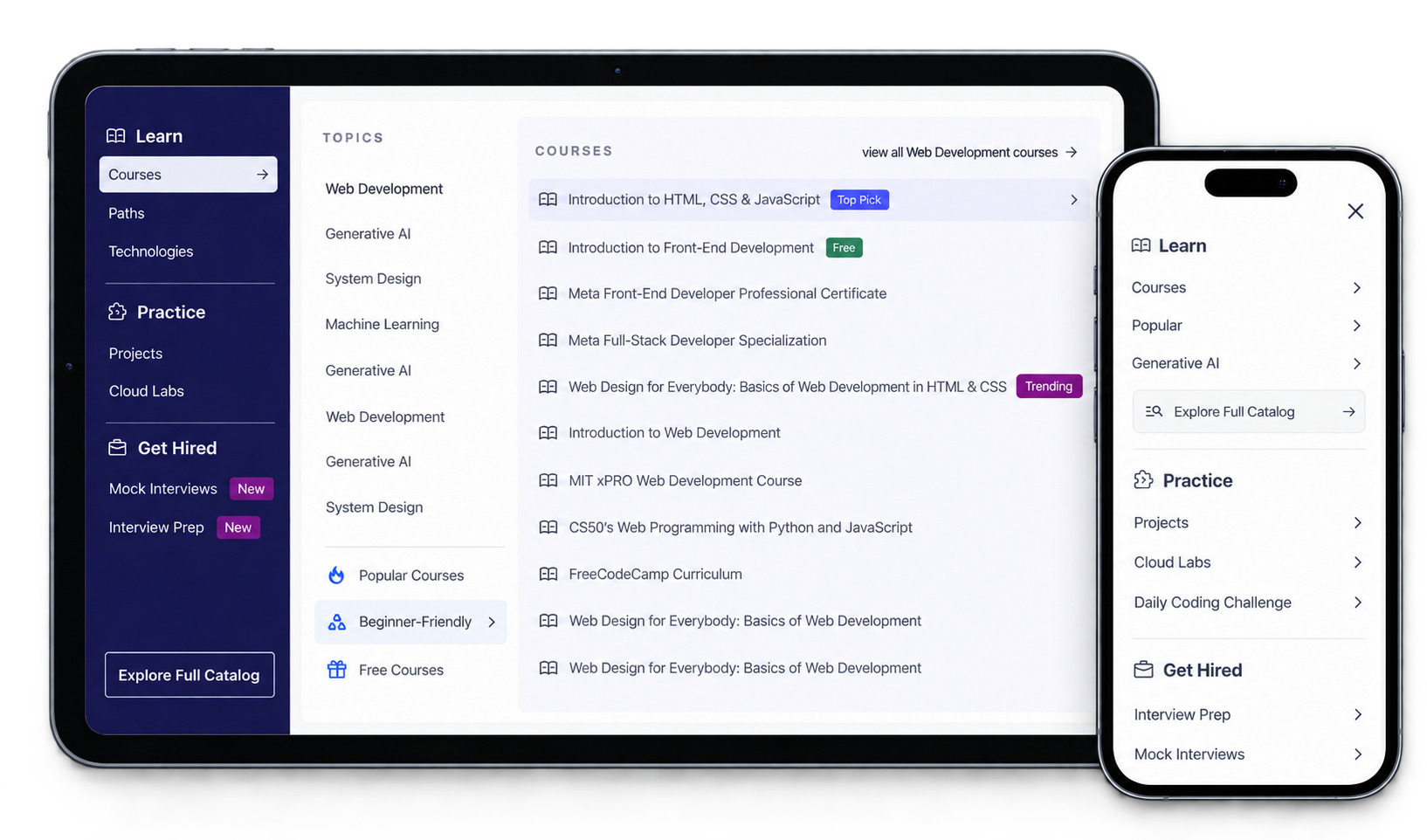
Designing activation for an AI learning engine
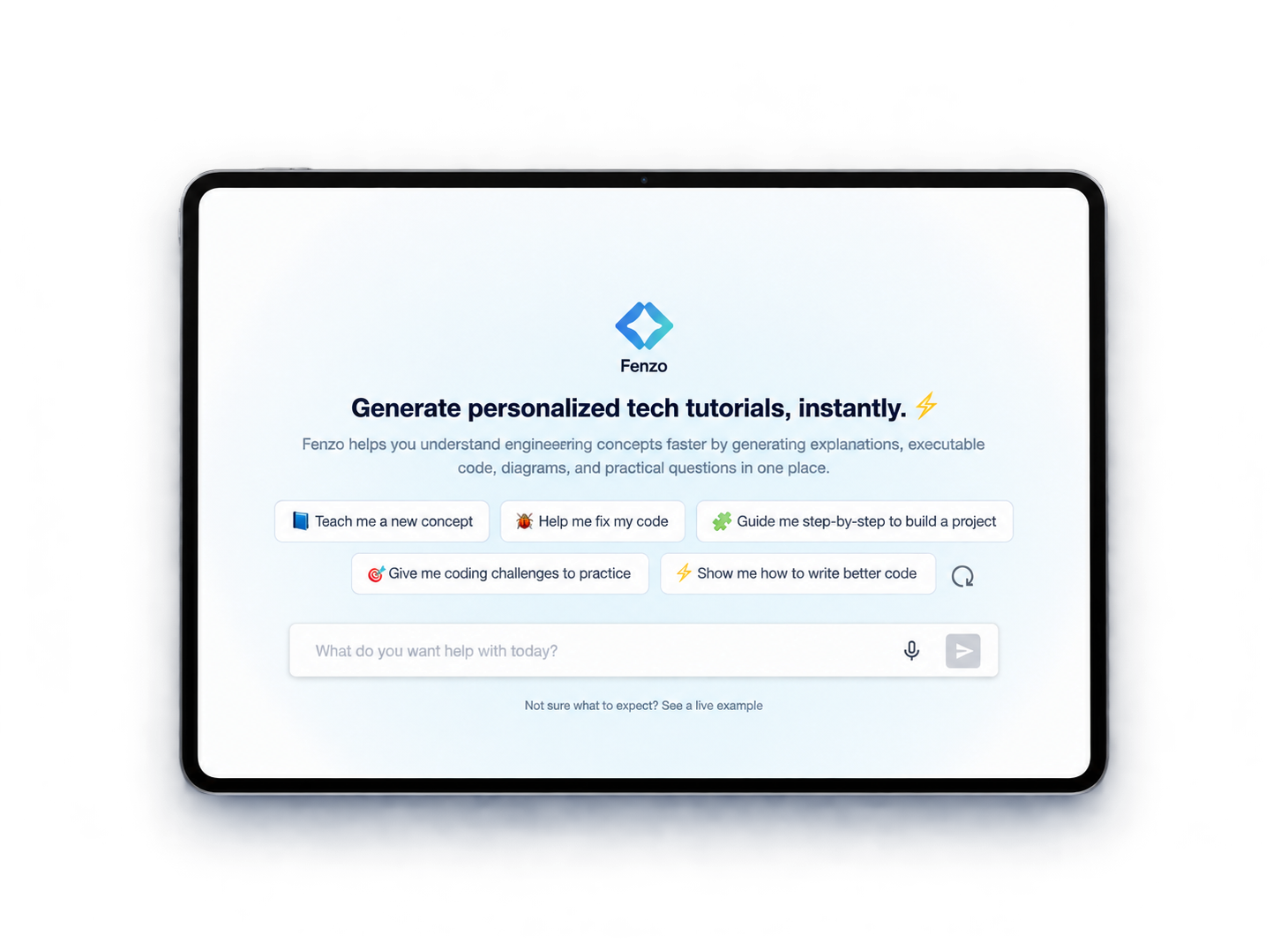
Designing activation for an AI learning engine
About Educative
Educative is a platform that helps software engineers learn technical skills via interactive, self-paced and personalized courses and prepare for interviews at MAANG+, powered by an adaptive learning engine. Educative recently launched its AI learning companion, AI Tutor.
ABOUT AI TUTOR
AI Tutor is Educative's AI-powered learning companion that generates personalized, structured tech tutorials instantly, based on a user's query or goal. It is not just a Q&A chatbot - it creates:
To comply with my non-disclosure agreement, I have omitted confidential information in this case study.
MY ROLE
TIMELINE
Late January 2026
1 week, problem identification to design handoff
Shipped early February 2026
MY PROCESS
TLDR ⬇️
AI Tutor launched as an MVP in December 2025 and the output was genuinely good - 69% of all ratings were 5 stars and the like-to-dislike ratio was 77:23. The problem was that almost nobody got far enough to see it. Only 20% of users landing on the page reached a first interaction, and just 3% of logged-out visitors did.
As design DRI I audited the critical user journey, found that an intrusive modal and competing suggestion lists were creating decision paralysis, and rebuilt the first-interaction experience around a single clear question. I used AI to generate a functional prototype for early stakeholder buy-in rather than spending the week on wireframes, then designed the real thing in Figma: value stated upfront, use-case cards replacing scattered prompts, and relevant suggestions progressively disclosed only after a user picks a direction.
The whole effort ran one week from problem identification to handoff, and shipped in early February 2026.
Early impact:
01. Problem Identification
AI Tutor was initially launched in December 2025, designed by a fellow teammate as an MVP to get something out quickly.
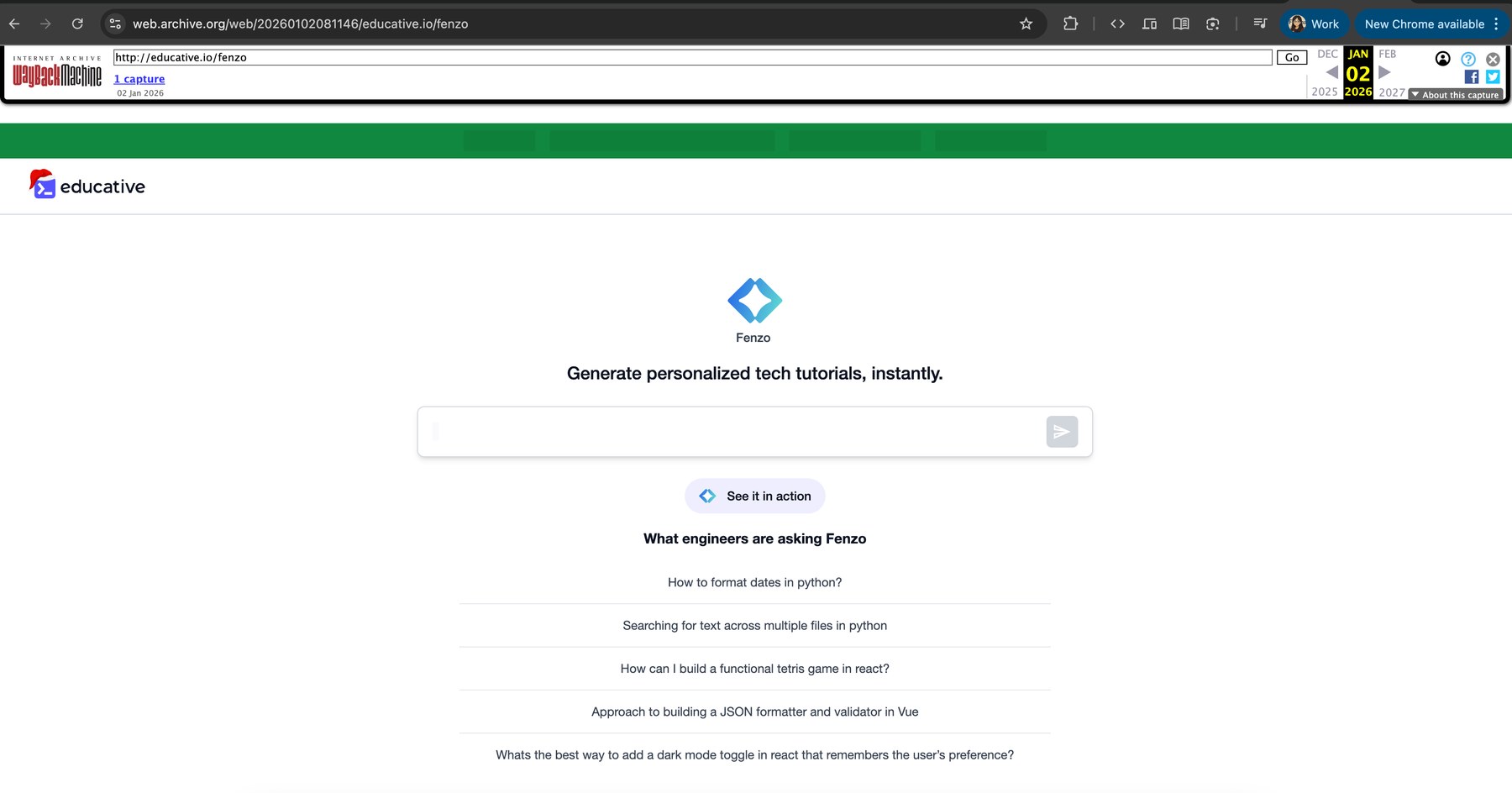
The MVP as it launched in December 2025
The data said the product itself was working. What wasn't working was getting anyone to try it.
69%
5-star ratings
96% rated 4 stars or above
77:23
Like to dislike ratio
Output was well received
Users who tried AI Tutor generally found value and engaged deeply. Too few ever reached that point.
of all users who landed progressed to a first interaction
of logged-out visitors interacted at all
Interaction means clicking a suggested query or typing their own.
A significant number of visitors who saw AI Tutor for the first time simply did not know how to interact with it. There were further indications of a constraint in understanding what to ask during that first interaction: early usage skewed toward platform support and FAQ queries, which suggested AI Tutor was being interpreted as a generic assistant.
🎯 THE GOAL
Remove the ambiguity about what AI Tutor is, and increase user activation. This was the brief the PM handed me:
"Redesign AI Tutor's first-interaction experience to explicitly guide what to ask. Introduce better first-touch prompts. Add contextual suggestions that demonstrate AI Tutor's primary value: content discovery, problem-solving, concept extension."
02. Evaluating the Previous Experience
📝 CUJ DOCUMENTATION
I began by auditing the existing experience and mapping out the critical user journey for a first-time interaction, so the friction points could be seen in sequence rather than argued about in the abstract.
📍 THE EXISTING USER FLOW
Walking it as a first-time user, here is what actually happened:
I land on the AI Tutor page for the first time.
Before I can do anything, an intrusive introductory modal pops up.
I click outside it to close it.
The only information about AI Tutor I can now see is:
If I click a suggested query or type my own, a signup wall appears.
After I sign up, I am taken to a chat interface where AI Tutor generates an answer.
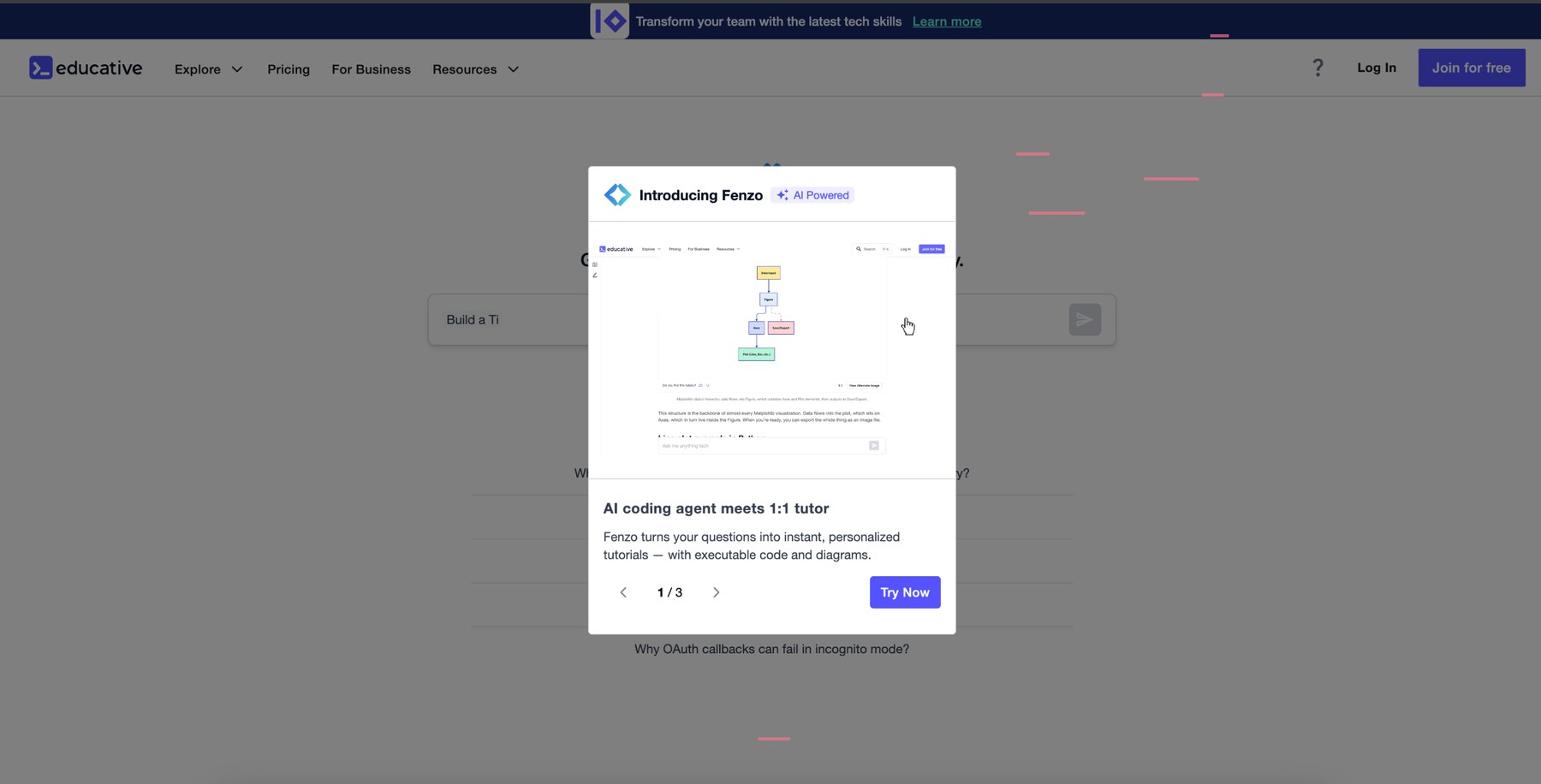
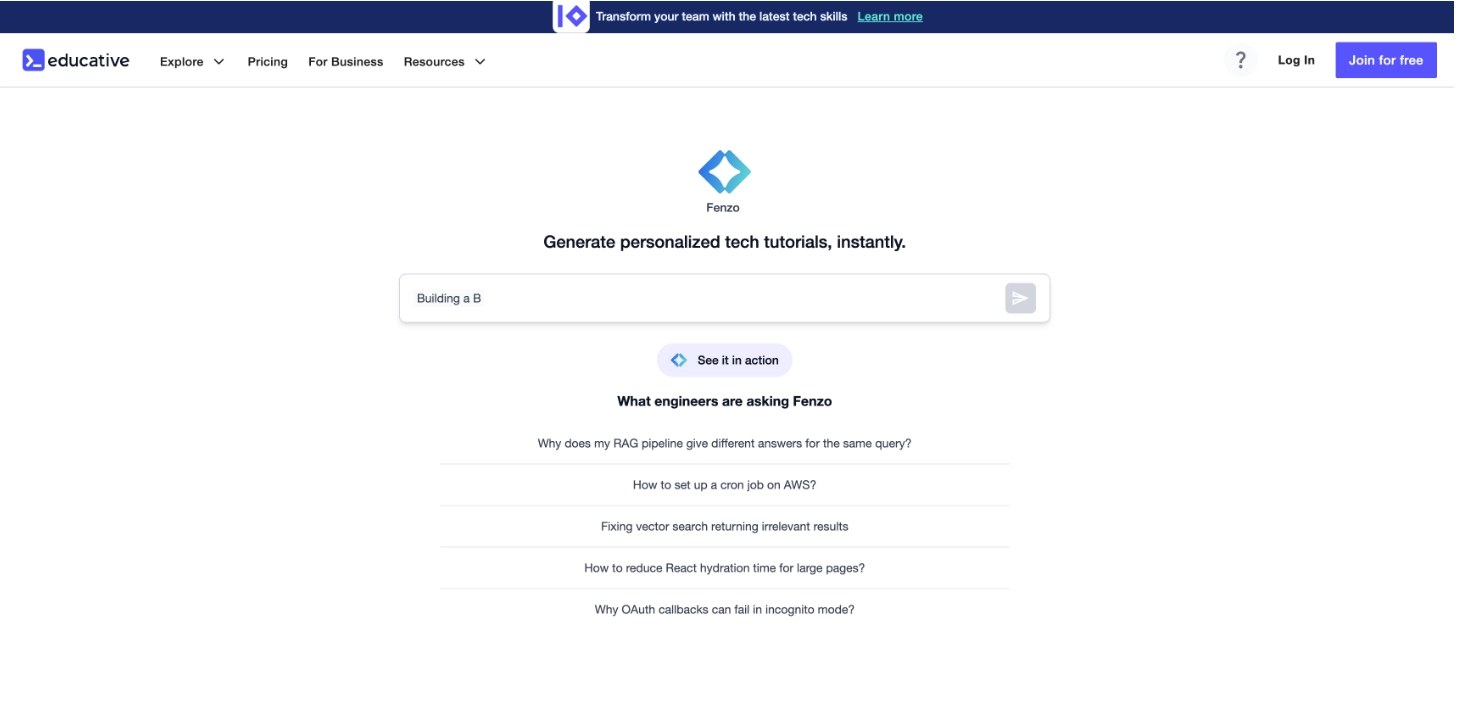
The modal that appeared without a trigger, and the page left behind once it was dismissed
😵💫 TOP CHALLENGES AND CONCERNS
Reading the journey back as a first-time user, seven distinct concerns surfaced:
The value isn't immediately clear
What really IS this? How is it different from any other LLM?
Is it just going to answer me like a chatbot?
The modal appears without an explicit trigger
Unexpected and frustrating.
The modal's content isn't useful
It is meant to introduce the product but reads as gimmicky buzzwords.
What should I even search for?
The queries listed don't feel relevant to me.
I'm not sure about "See it in action"
It might consume my prompt.
Two competing suggestion sources at once
Animated placeholder prompts in the field plus a separate suggestions list. The result is decision paralysis.
A limitation of this process: there were no direct interviews with first-time users, due to time and operational constraints. These insights came from behavioral data, usage patterns and observed friction rather than qualitative research.
03. Ideation
📌 LISTING IDEAS AND SPECIFIC GOALS
The problems were specific enough that I had a fair idea of what I wanted to change:
Remove the intrusive modal
Cleanly communicate value on the page
Make the value proposition unmistakable
Kill cognitive load by progressively disclosing suggestions
Remove friction to value, possibly delaying the signup wall
Improve the whole experience, not just the landing page
Take care of details and micro-interactions to delight
🤖 USING AI TO GENERATE QUICK PROTOTYPES
With a one-week deadline, spending days on wireframes to win a buy-in wasn't realistic. I used AI tools instead:
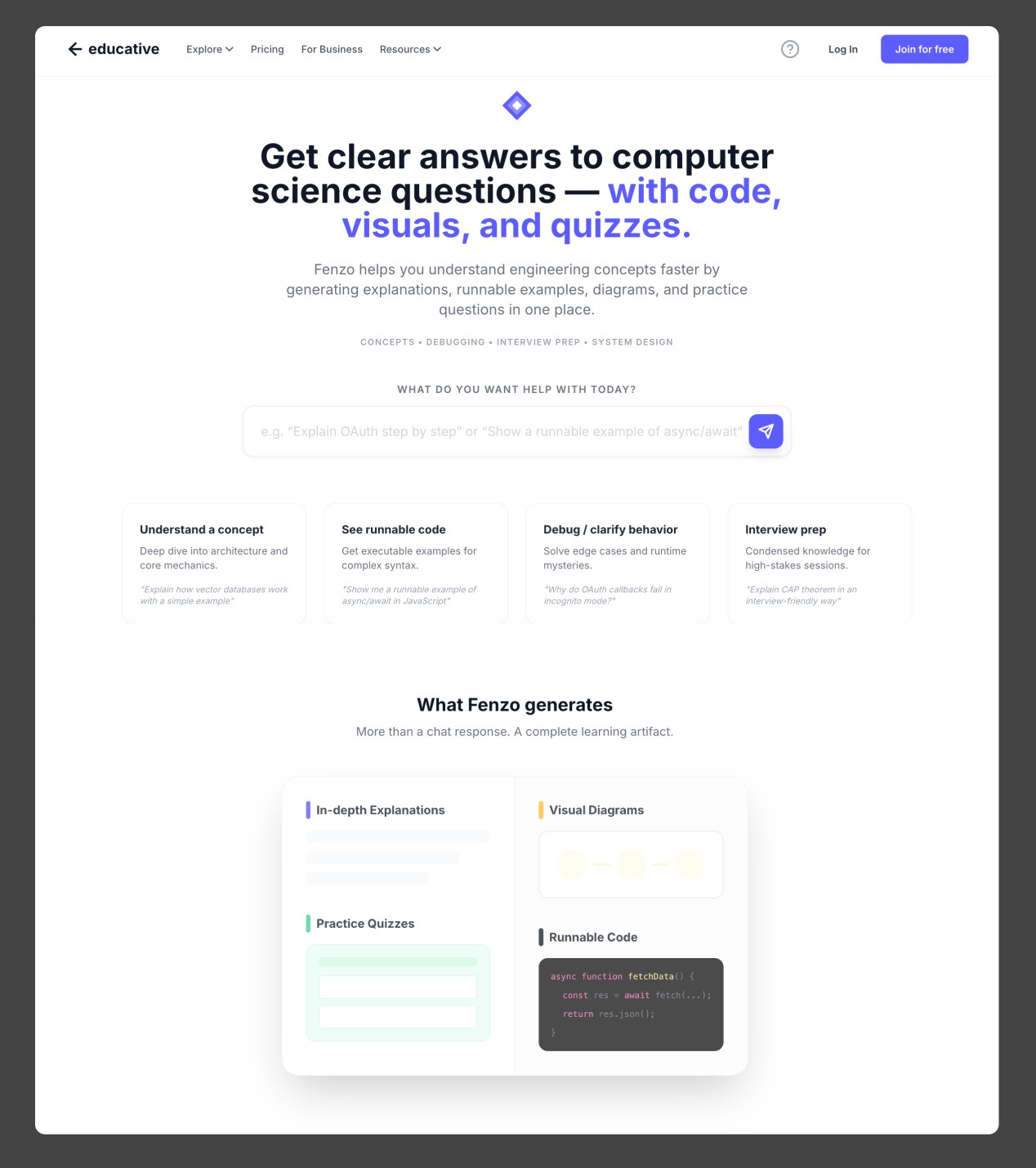
The AI-generated functional prototype, built to get a real reaction instead of a hypothetical one
💬 STAKEHOLDER FEEDBACK AND ALIGNMENT
04. Design
👩💻 AI PROTOTYPE TO DESIGN IN FIGMA
I translated the AI prototype into mid-fidelity design using our existing design system, holding on to the idea of minimal messaging the squad had asked for.
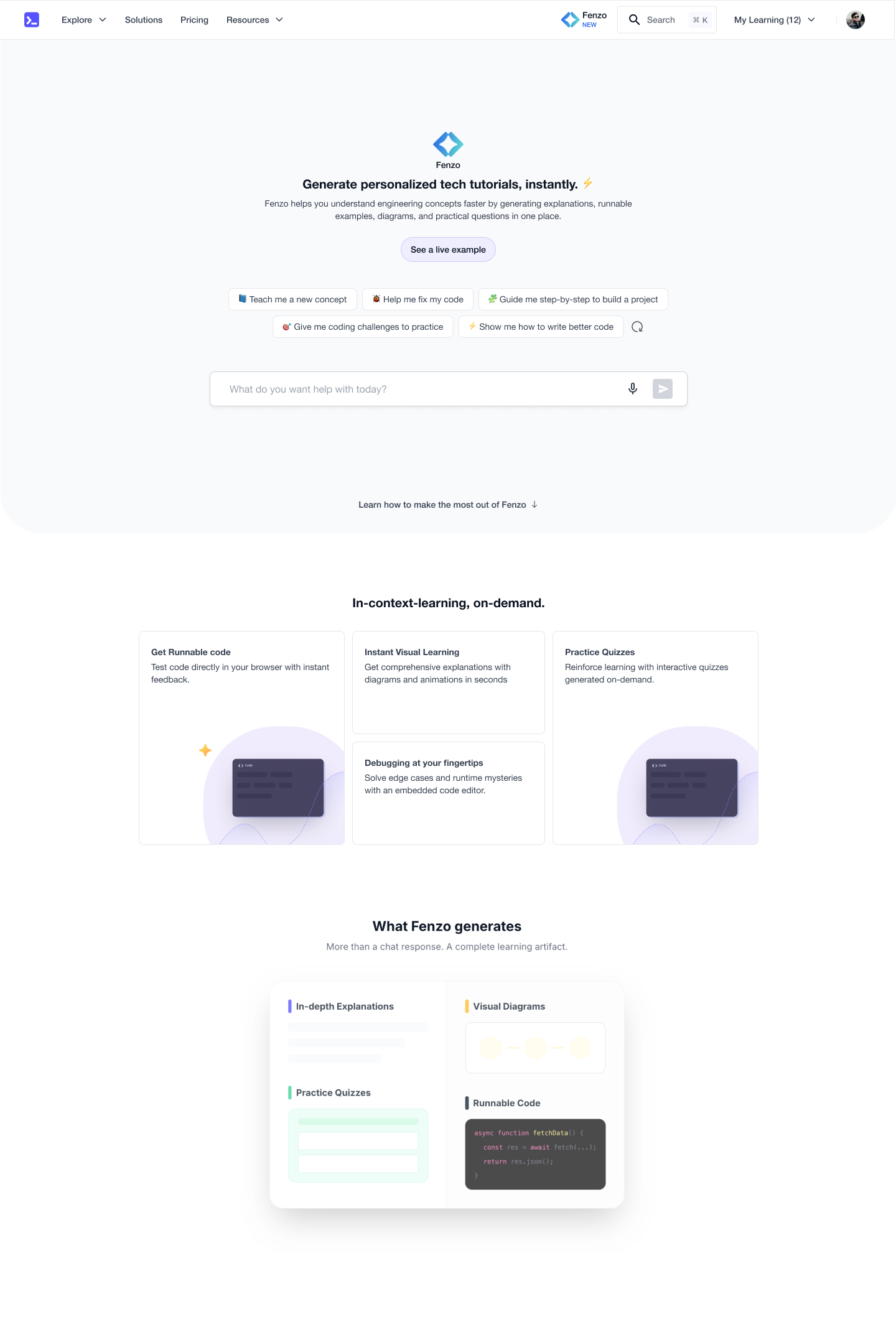
Mid-fidelity, with use cases as pills and the lower fold still wireframed
🎨 MOODBOARD AND BACKGROUND EXPLORATION
I drew up a quick moodboard from real products whose visual language I appreciated, pulled from Mobbin.
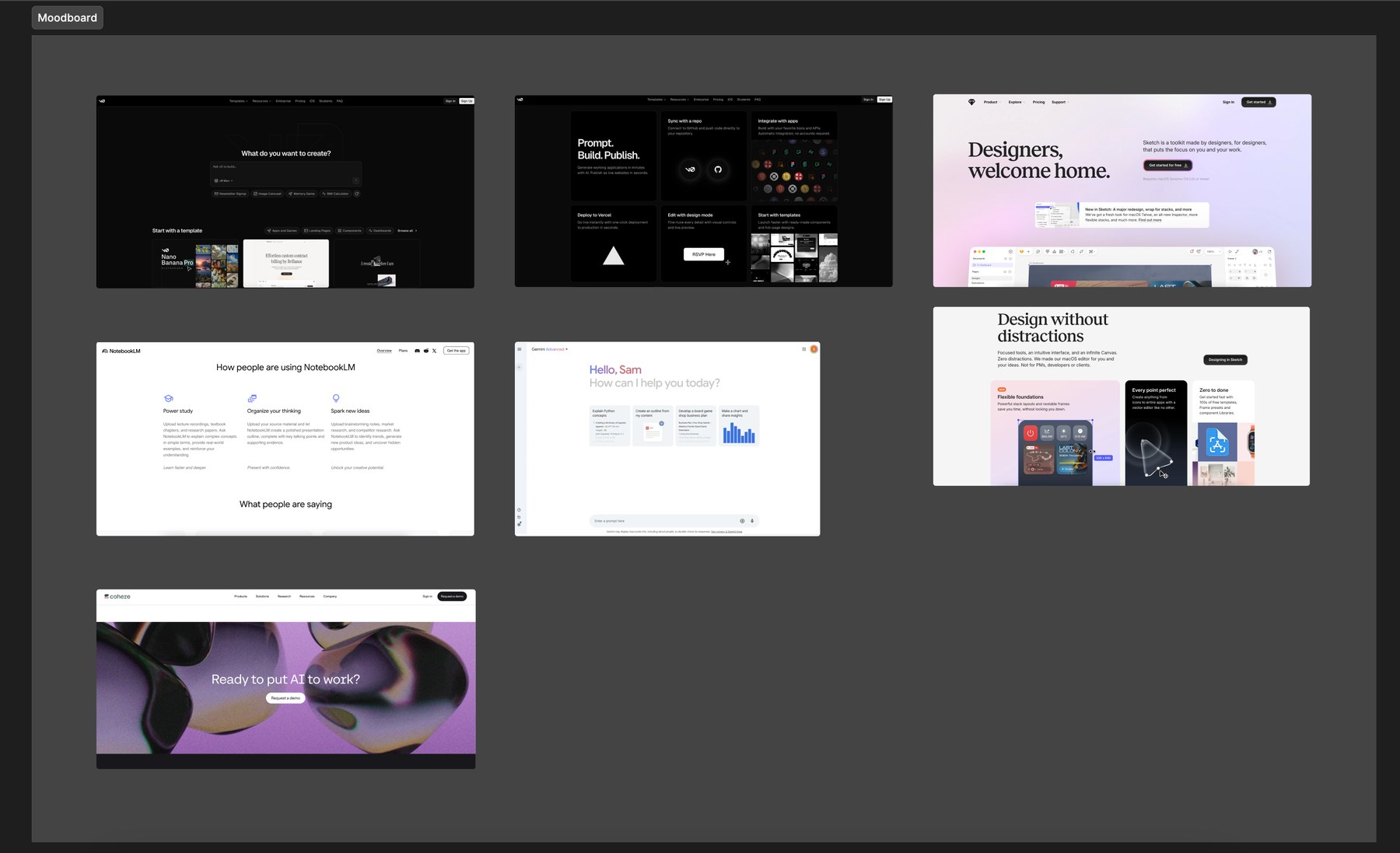
Moodboard assembled from products with a visual language worth borrowing from
Then I spent focused time on the first-fold background, aiming for something minimal and modern that wouldn't compete with the input field.
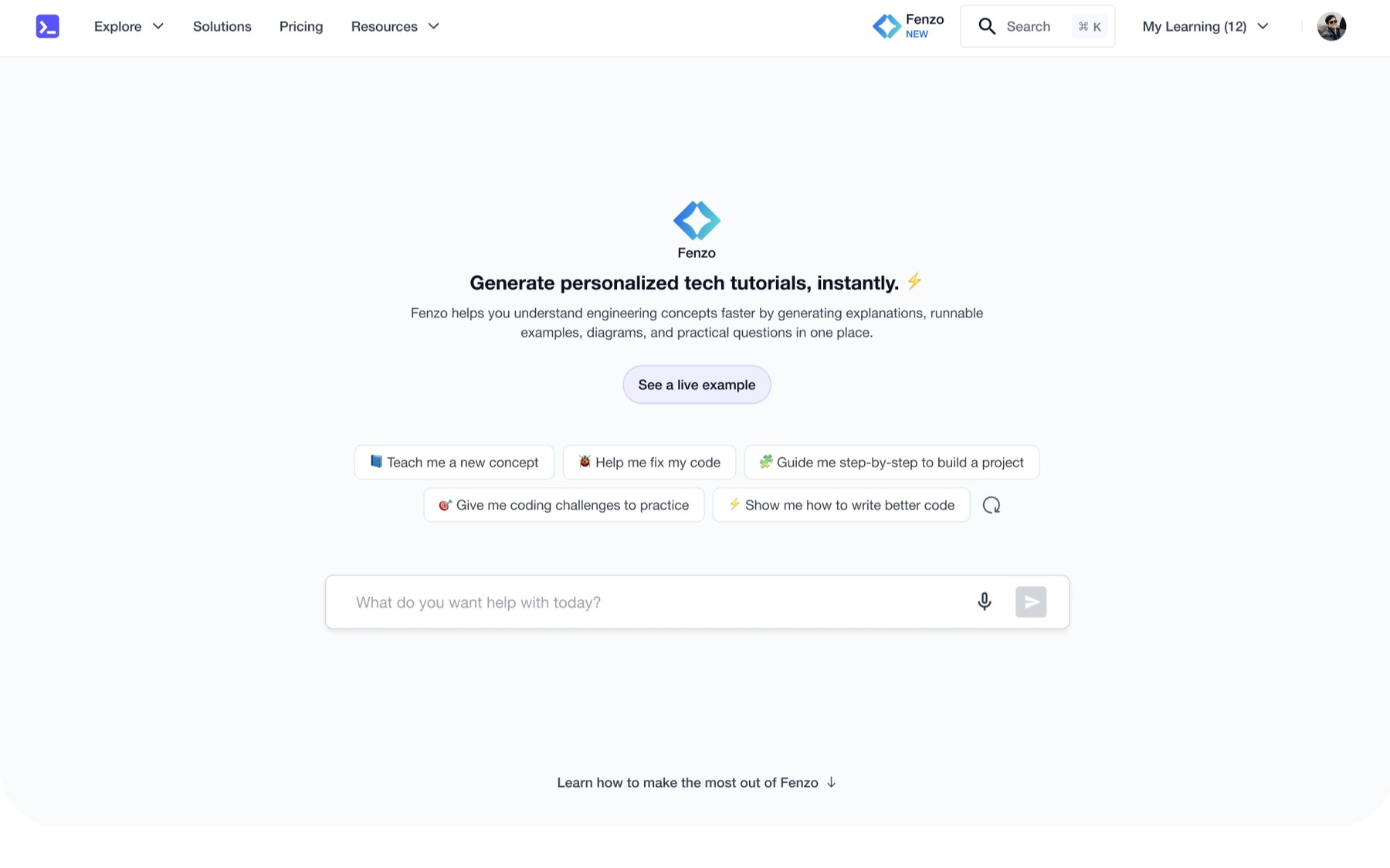
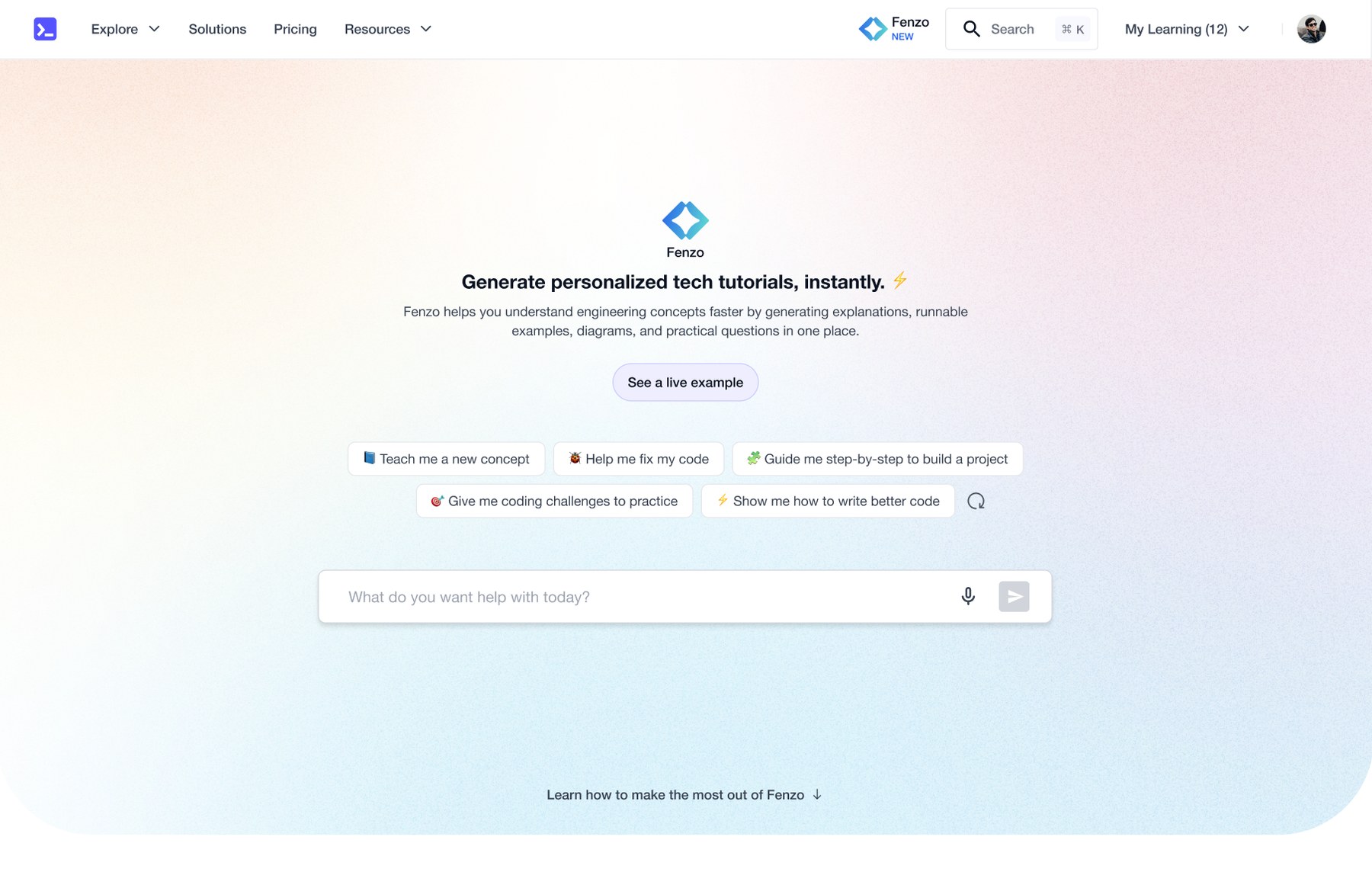
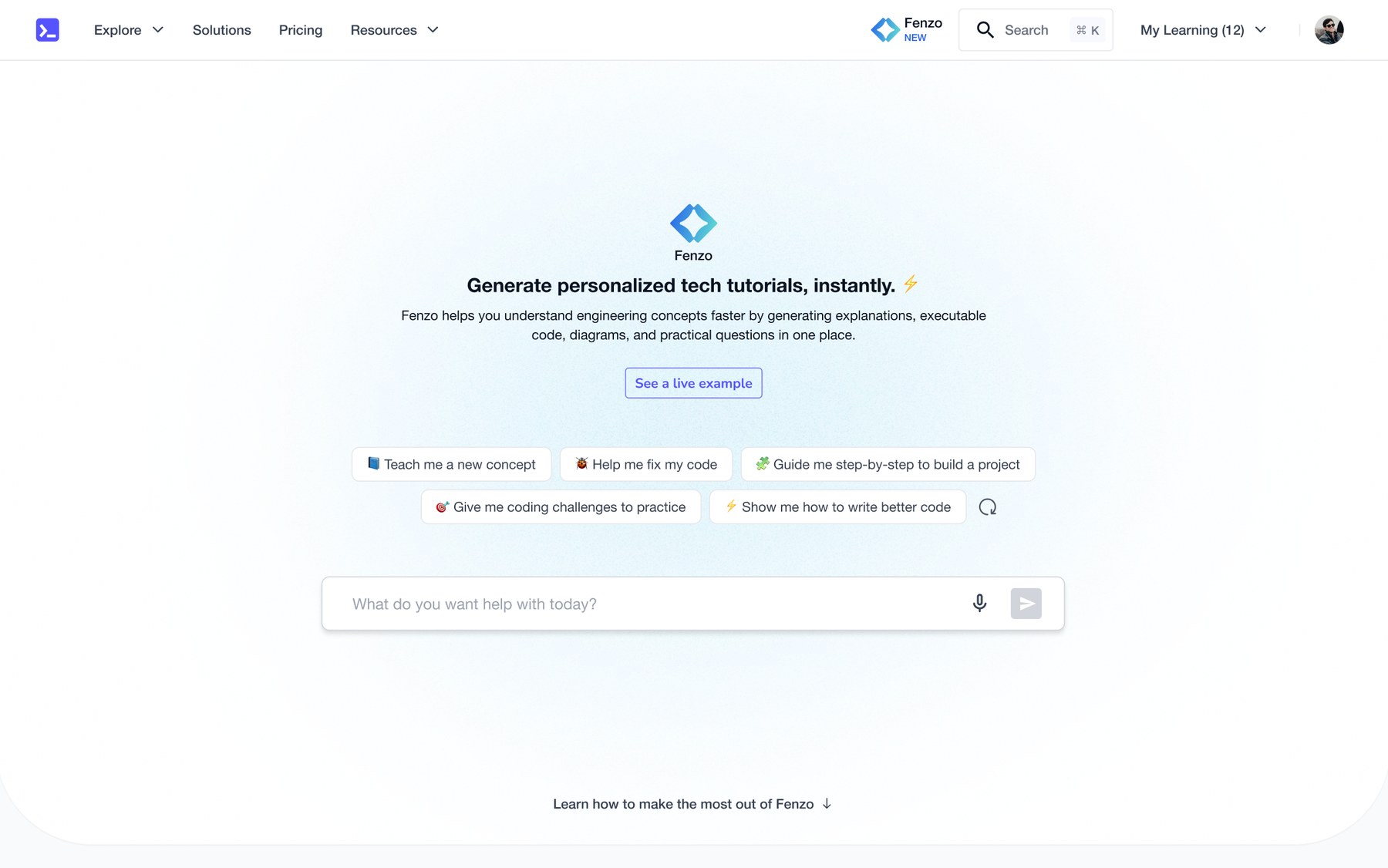
Three passes at a background that sets a tone without pulling attention from the input
🙈 A SLIGHT CHANGE OF PLAN
I kept the first fold simple, focused on the input field. Working hands-on, two things stood out:
"See a live example" was stealing the spotlight
The input field is what actually activates users, but the button was the centre of attention.
"Learn how to make the most out of it" invited a detour
Minimal, but it triggers curiosity that pulls users away from activating.
I concluded that the section underneath the first fold wasn't necessary at all. After another meeting with the squad, I proposed:
Keep the page to a single fold so there's a bias for action and no friction to entering a first query. The heading, subheading and use-case cards already carry the information.
05. Design Iterations
💭 ITERATION 1
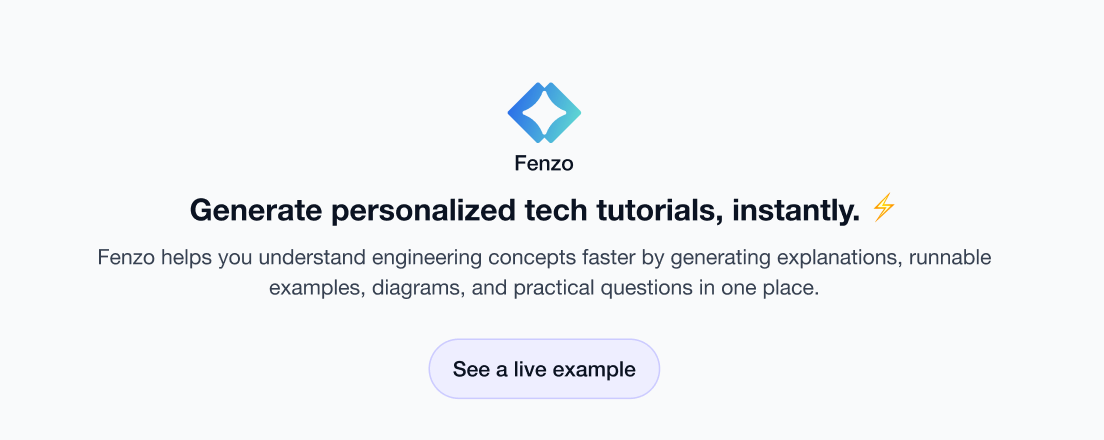
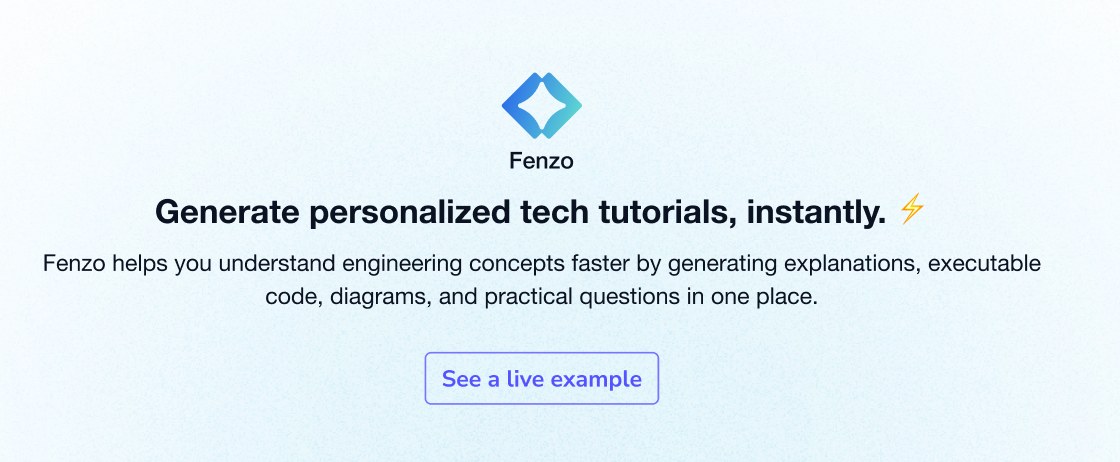
Treatments for the "see a live example" affordance
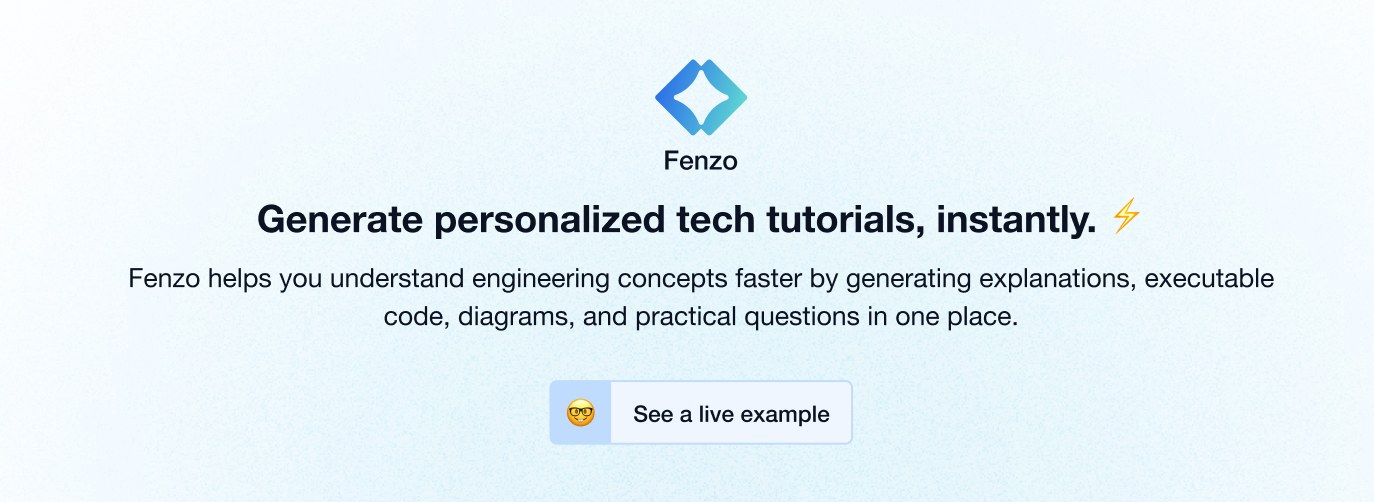
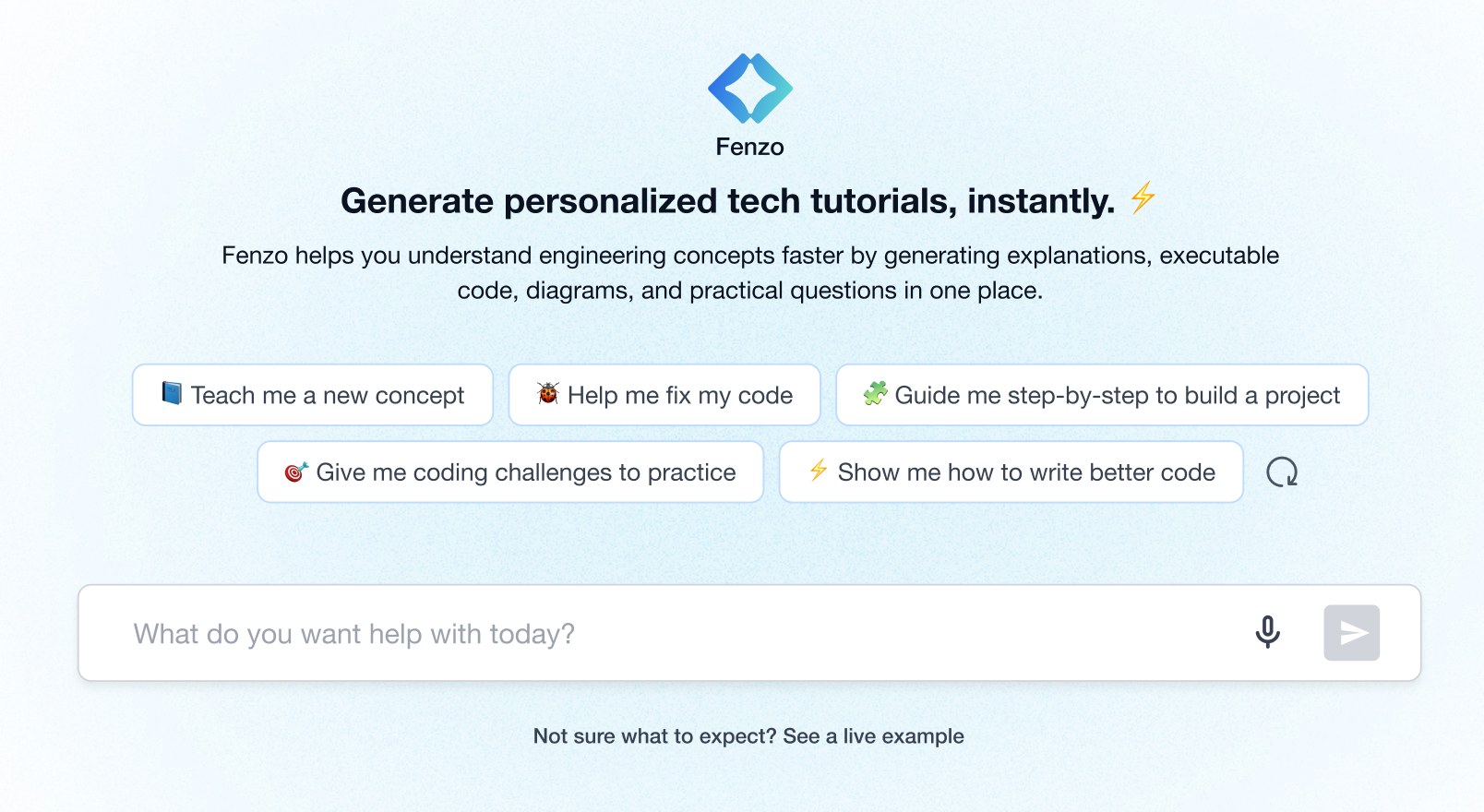
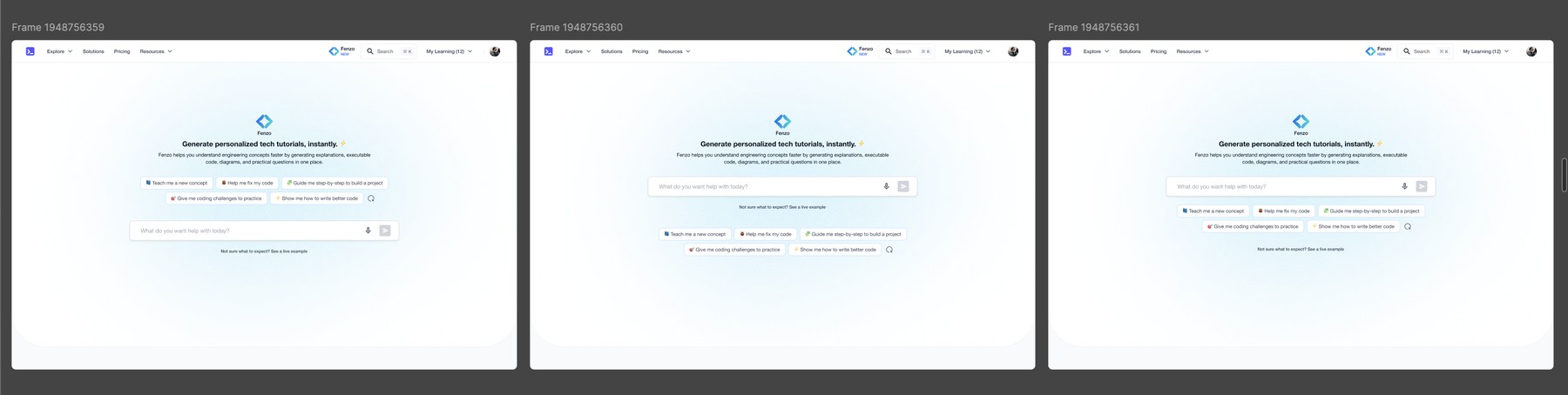
Variants compared side by side for the pills, example button and input field
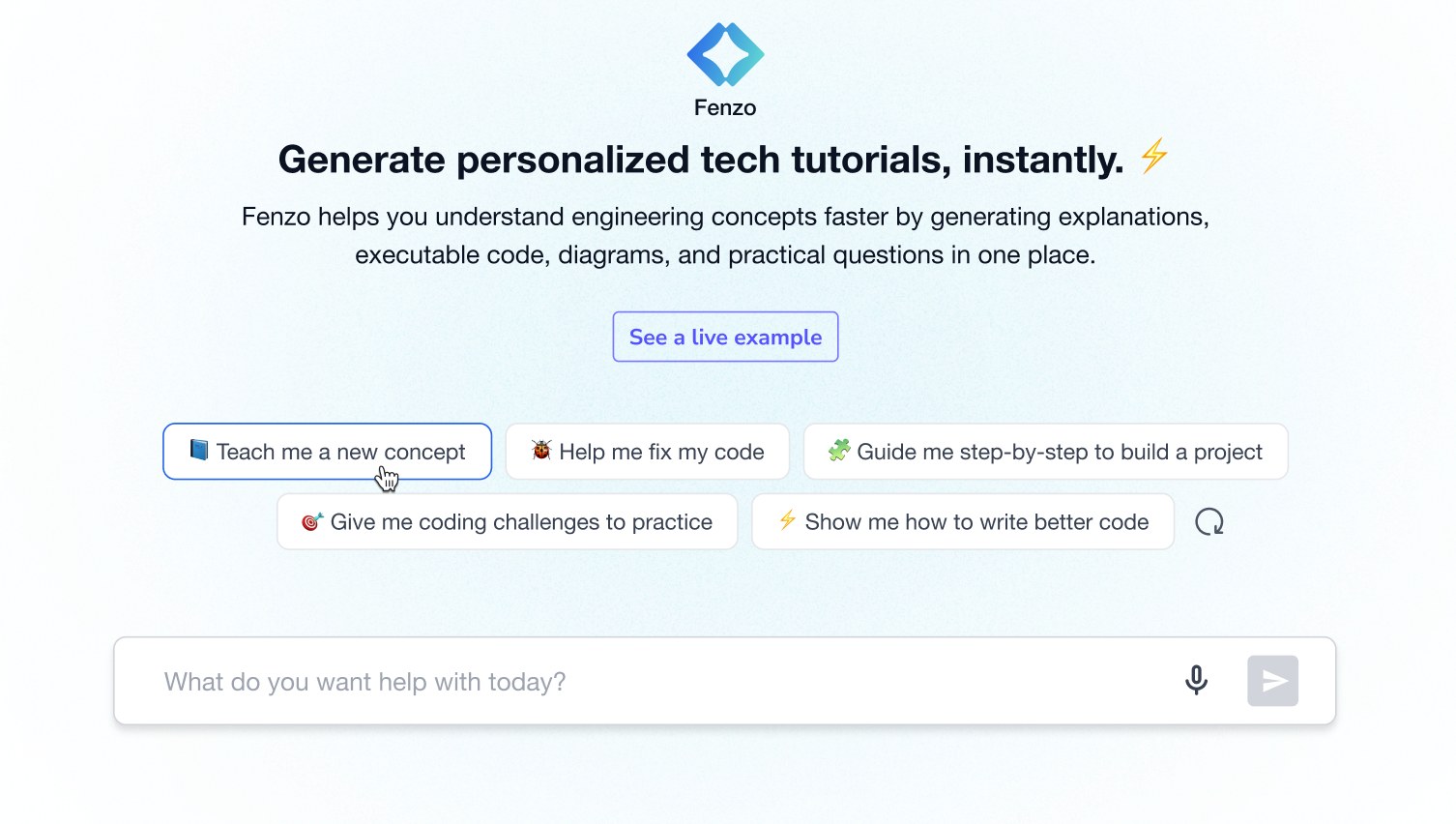
Use-case pills sitting directly above the input field in the first fold
When a use-case pill is clicked, the page transforms into a minimal full-screen interface carrying relevant suggested queries. Pick "Teach me a new concept" and both the heading and the suggestions are tailored to it.
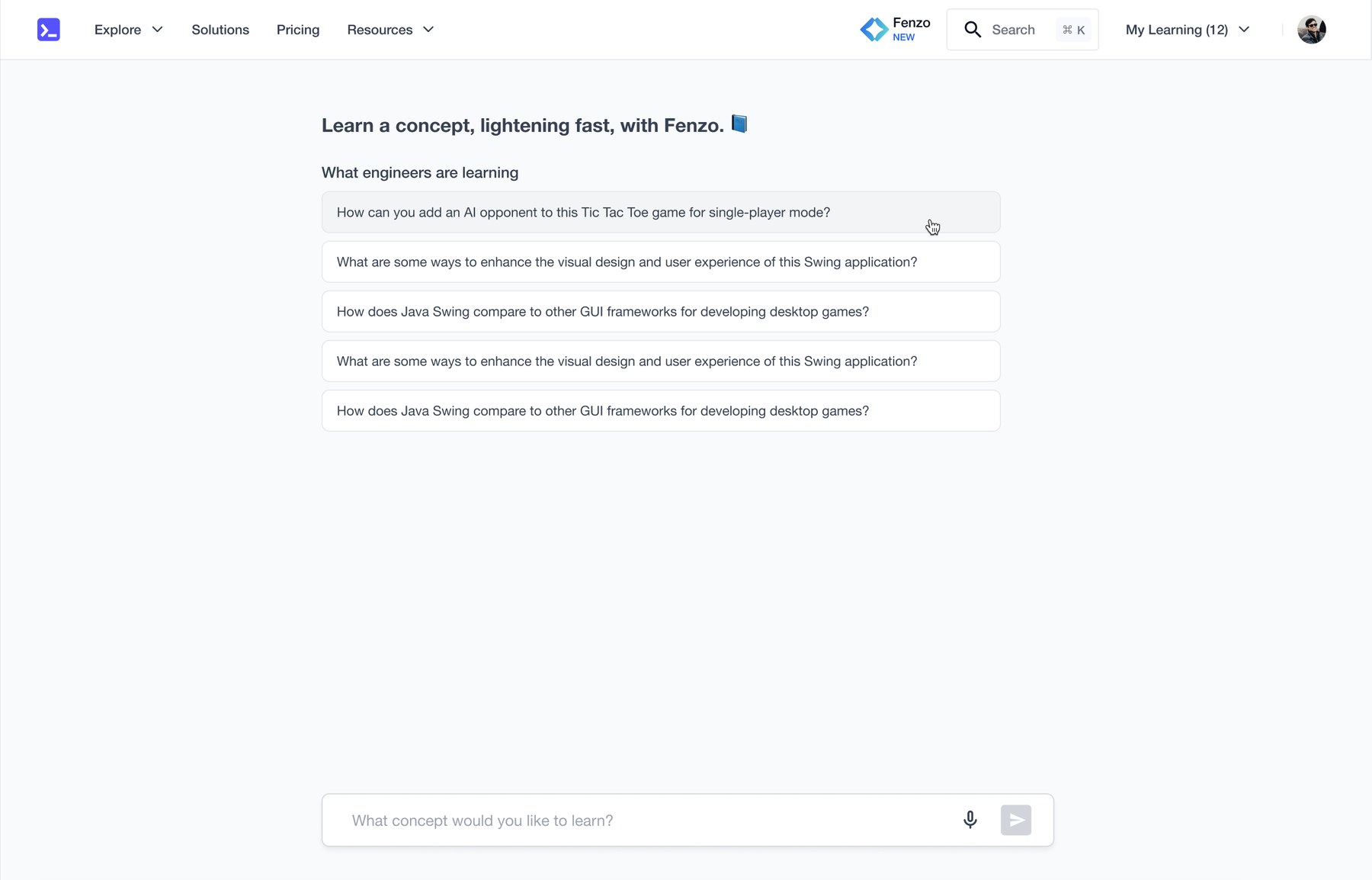
Choosing a use case tailors both the heading and the suggestions behind it
I ran a short review with the PM and a design reviewer who deliberately had no context on the task, to get a genuinely fresh read.
💭 ITERATION 2
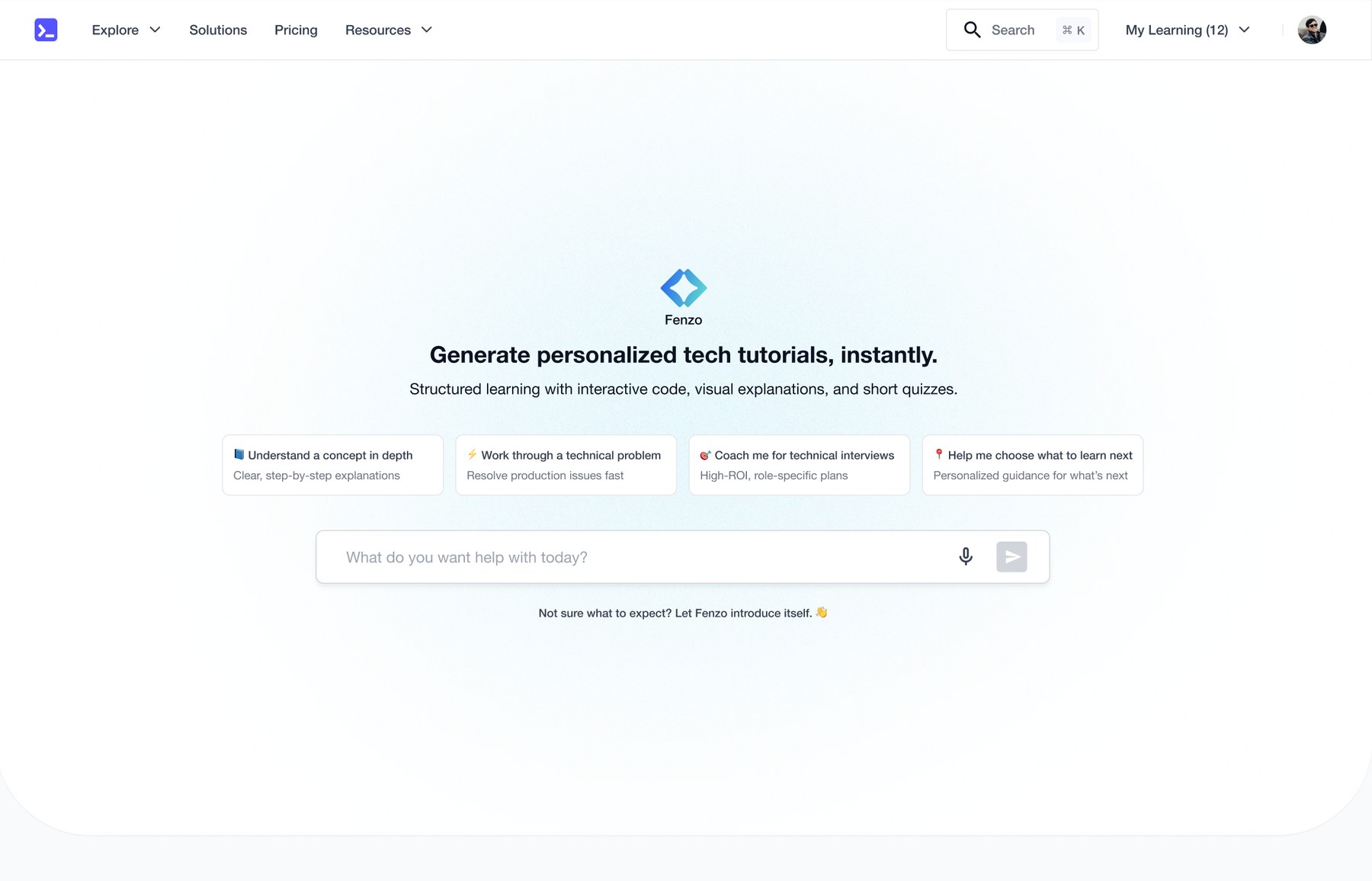
Iteration 2: cards replace pills, and the copy gets tightened with the PM
06. Final Design 🥳
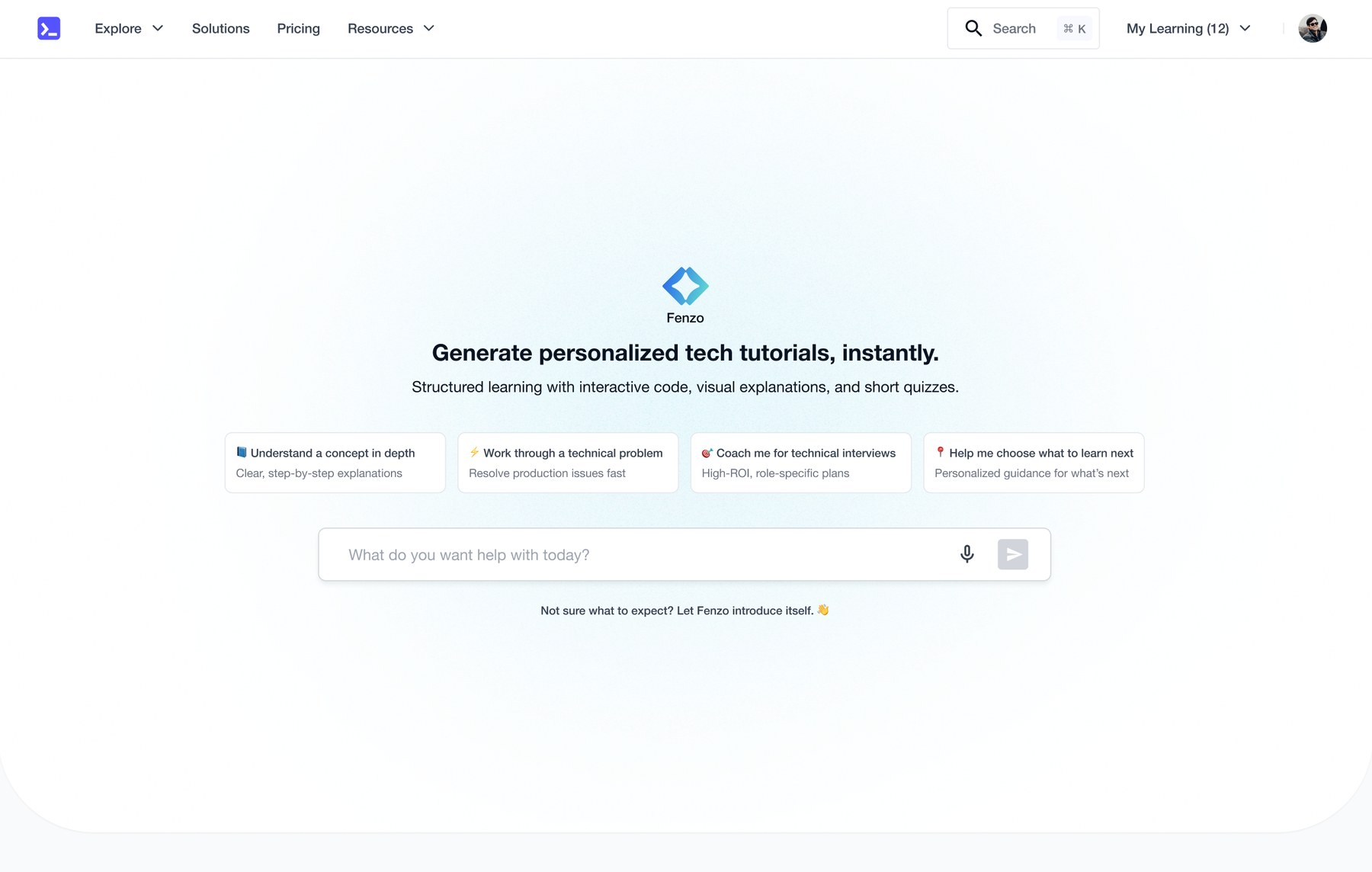
The final first fold: value stated once, four use-case cards, and the input field as the clear next action
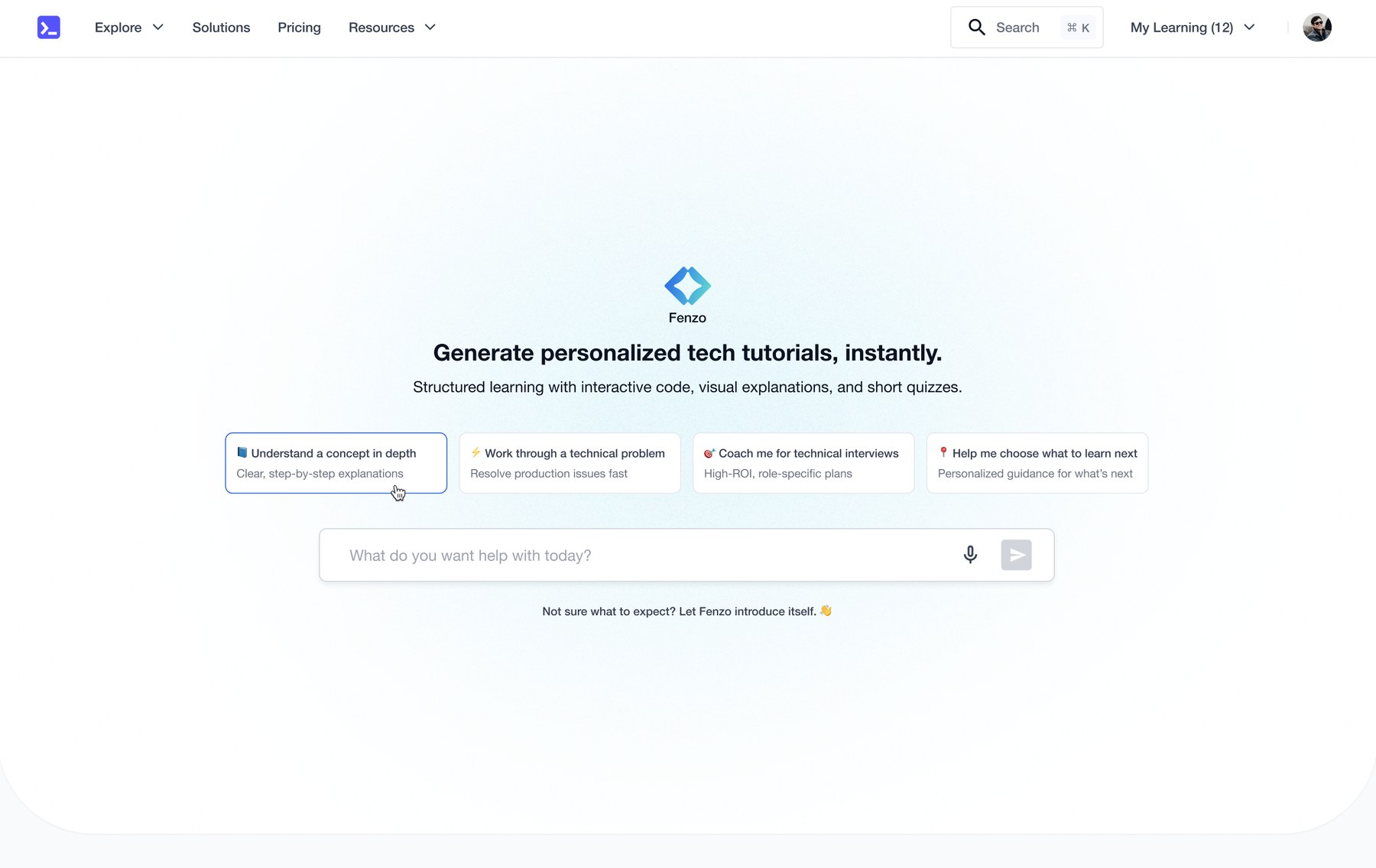
Choosing a use case opens a focused page whose suggestions are relevant to that choice, with each suggestion editable before it is submitted:
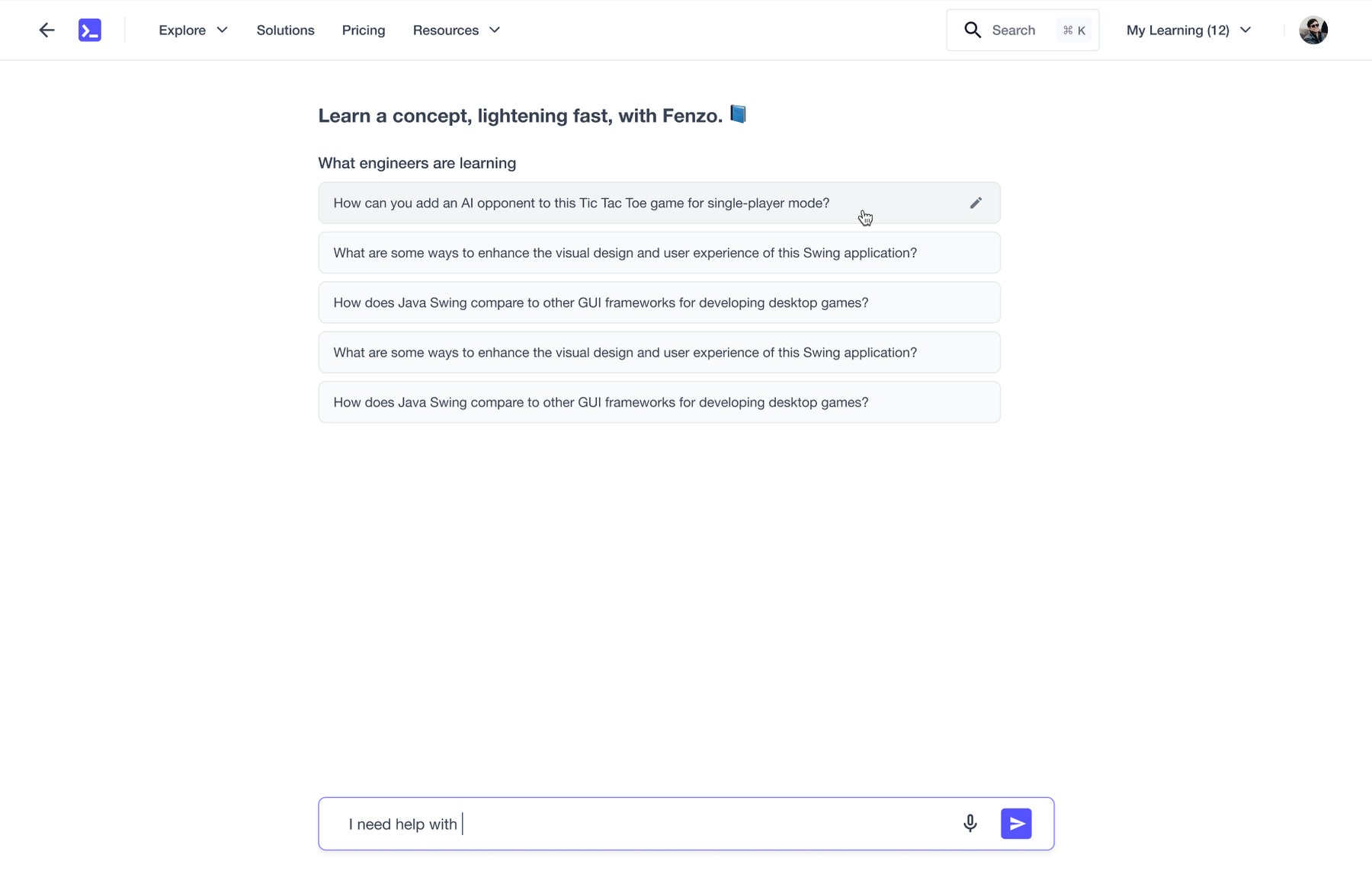
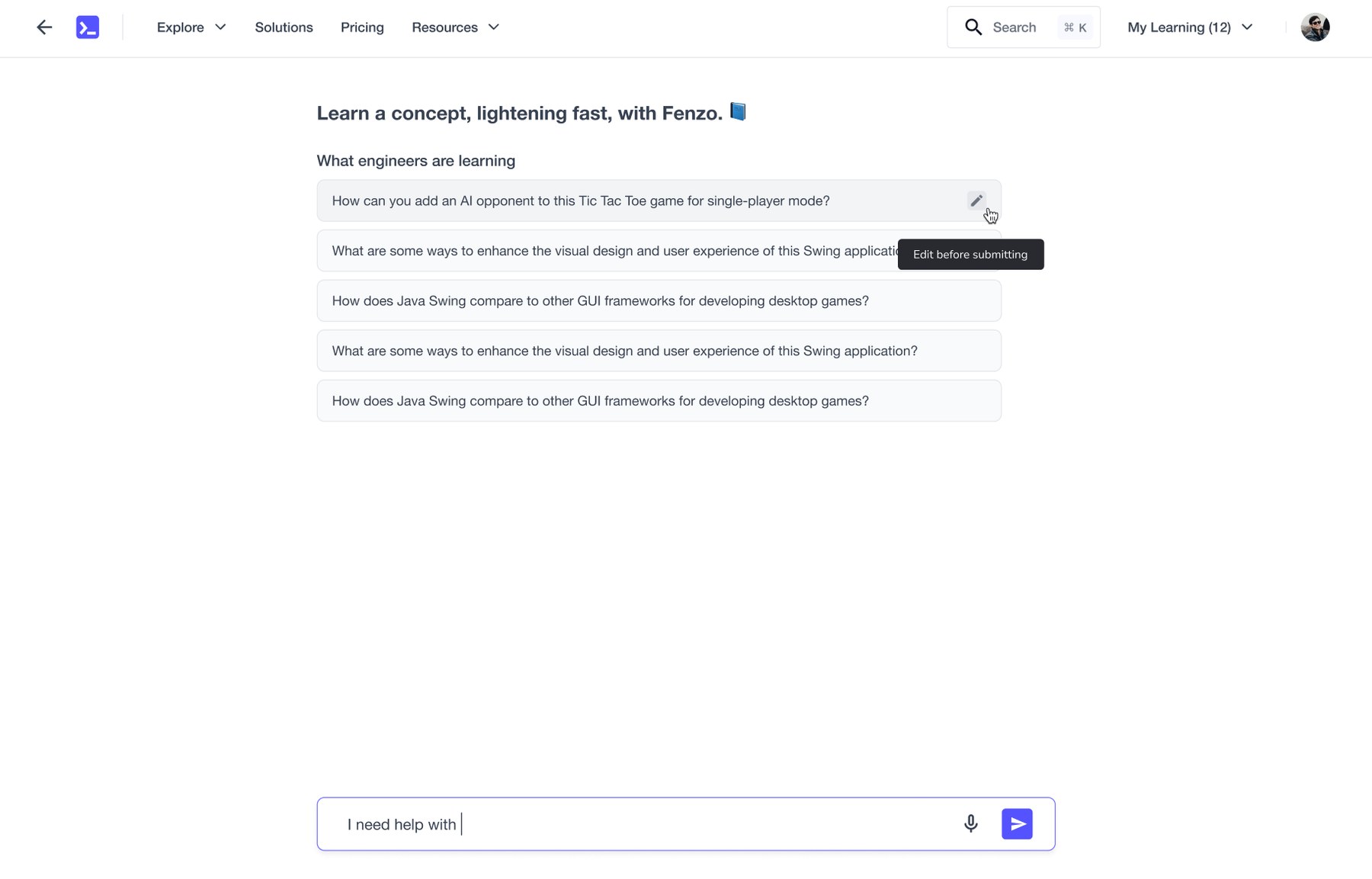
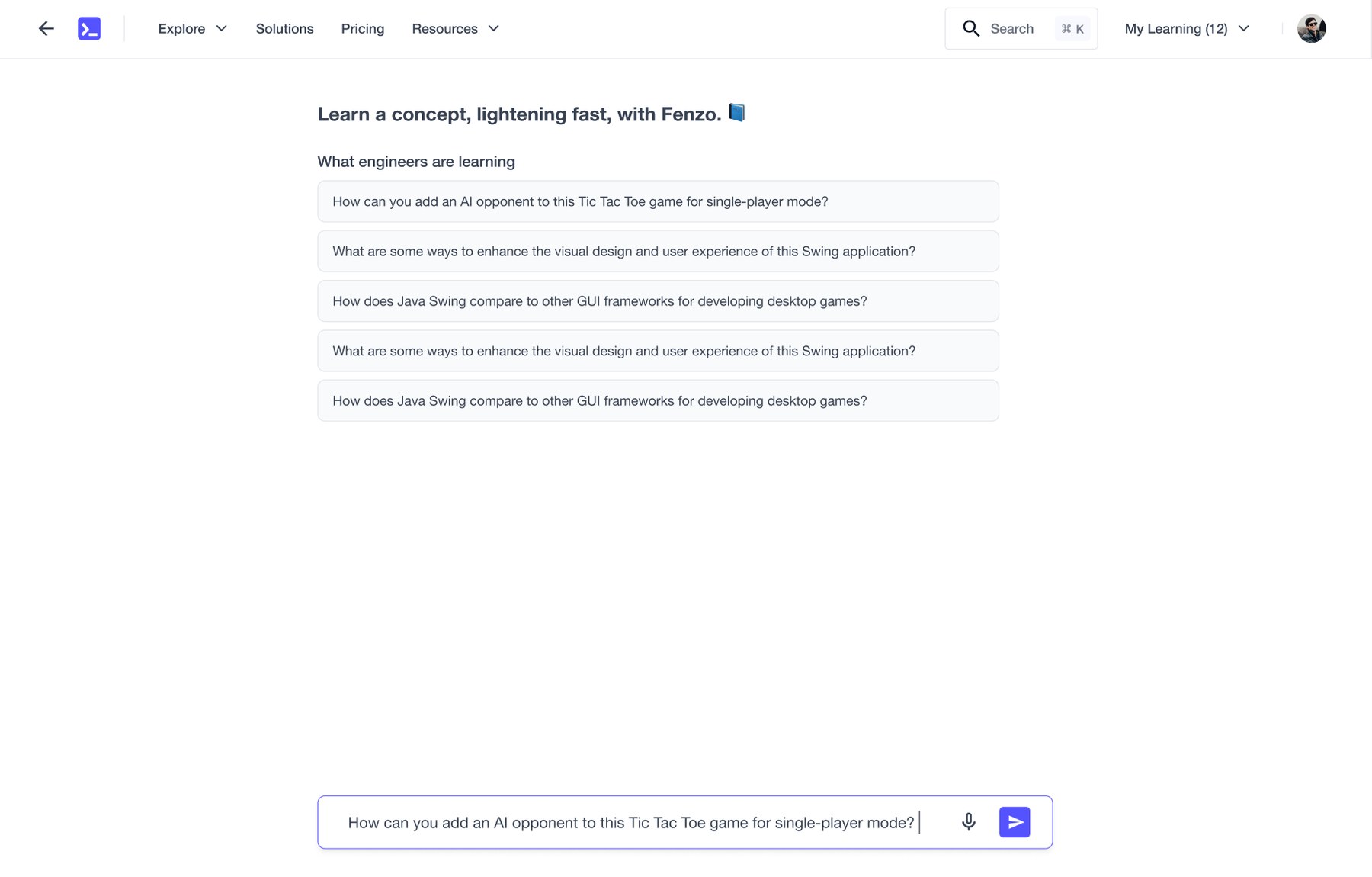
Hovering a suggestion offers "edit before submitting", so a near-miss prompt can be adjusted rather than abandoned
The same pattern carries modifier chips, letting a user extend a query without rewriting it:
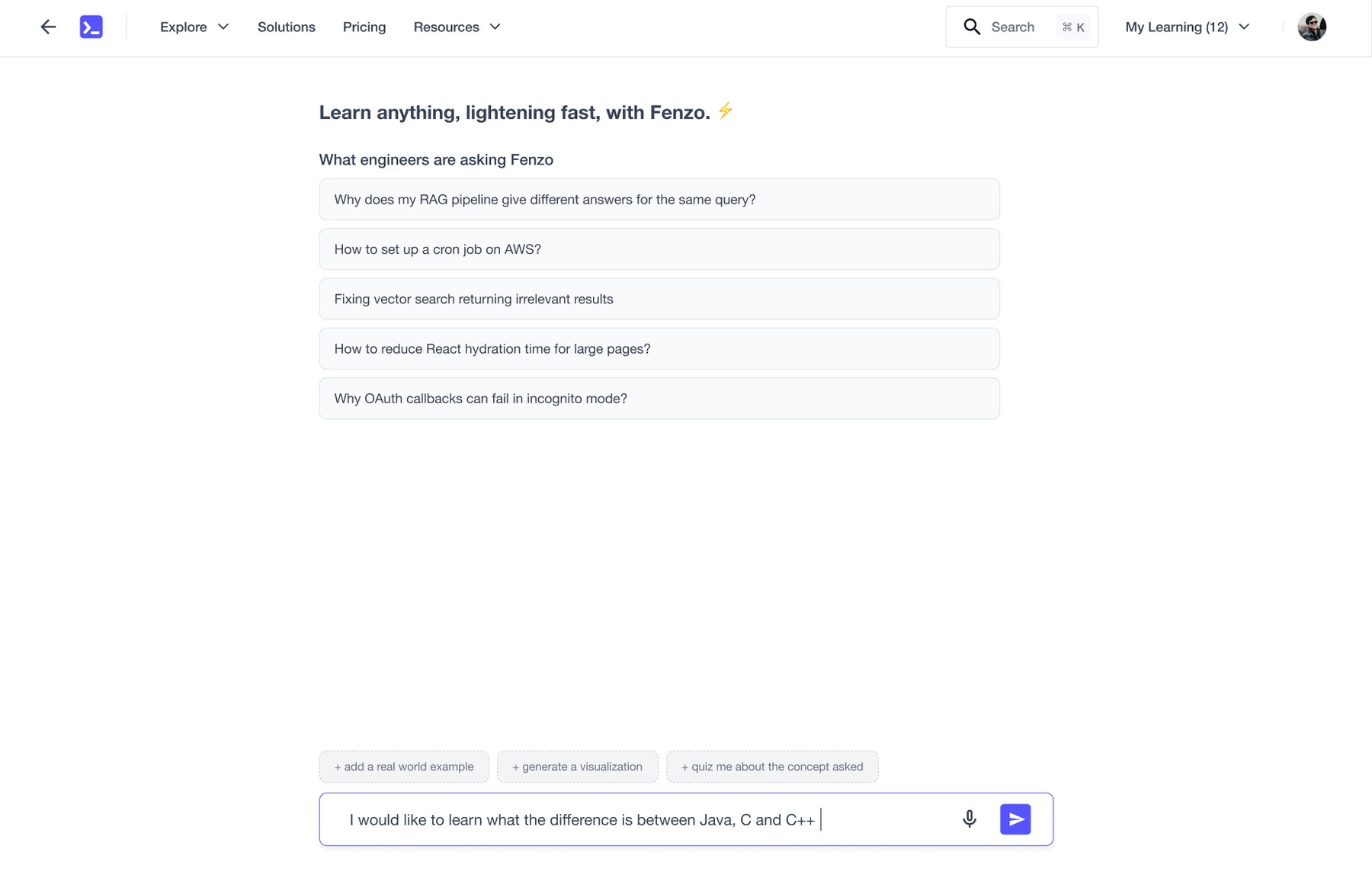
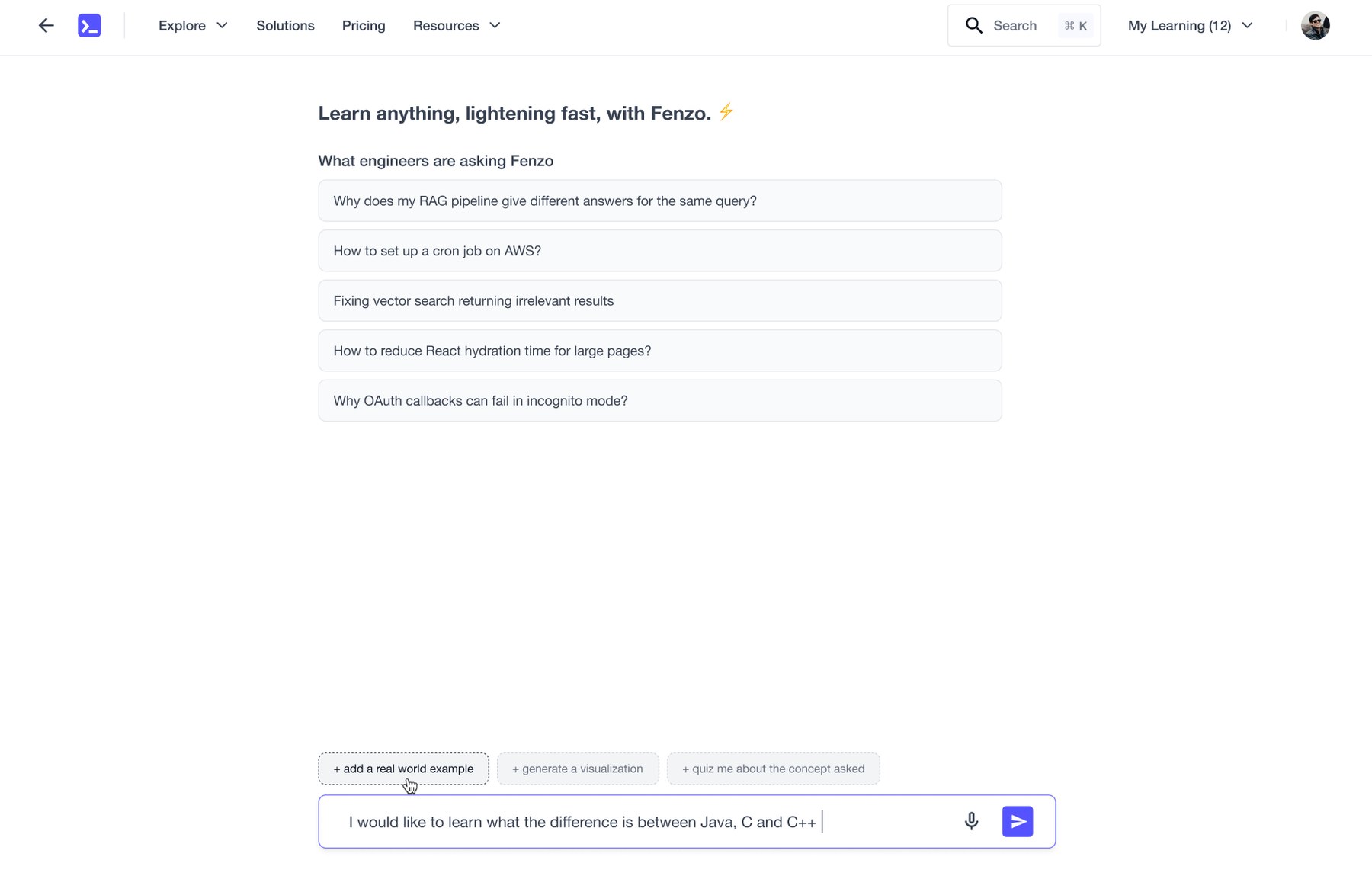
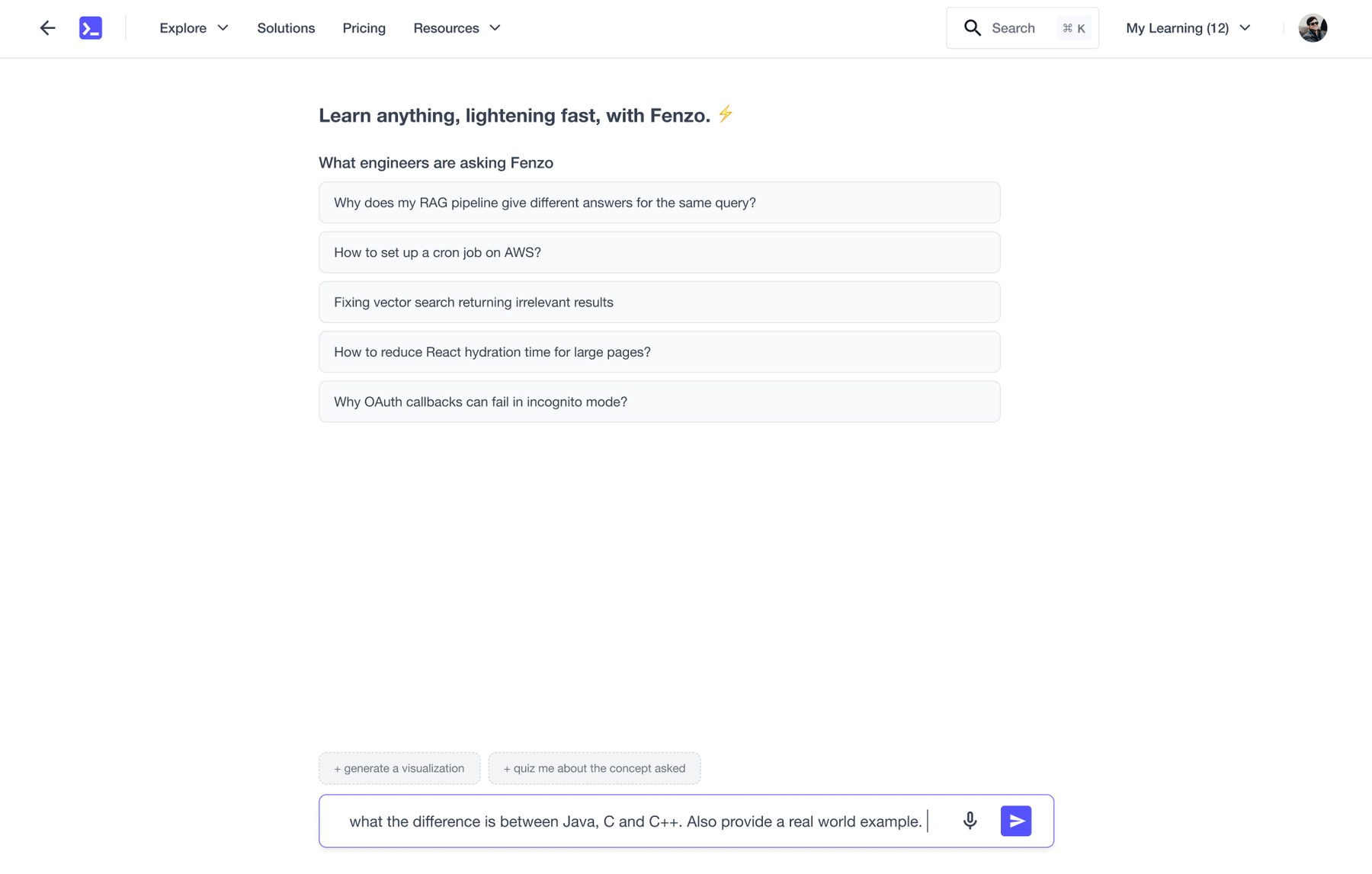
"Add a real world example", "generate a visualization" and "quiz me" append themselves to the query in place
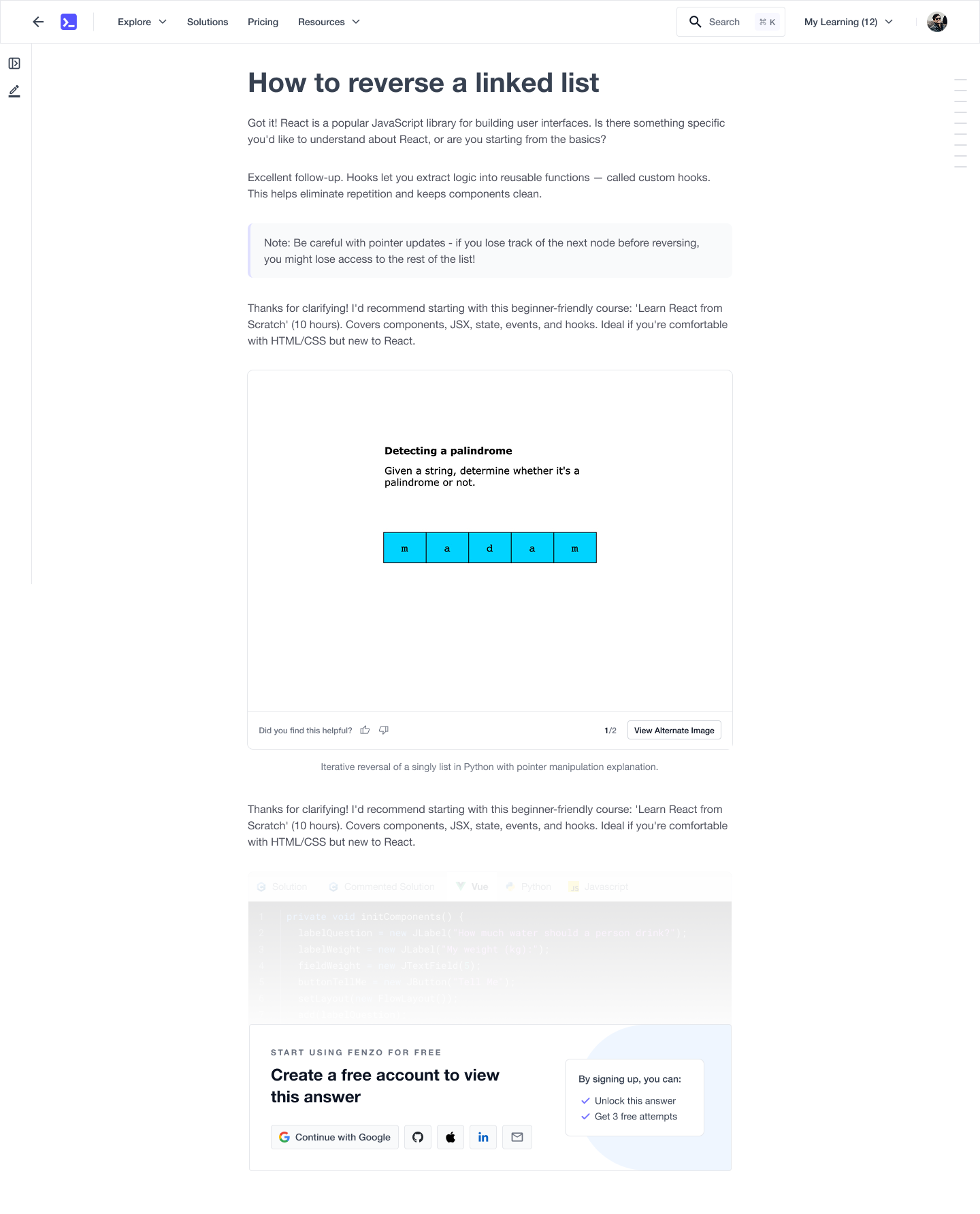
And the payoff: a structured, generated tutorial rather than a chat reply
⚠️ IMPORTANT CONSIDERATIONS
07. Handoff & Iterative Shipping
I ran a final meeting with the whole squad and handed off with a demo to engineering, emphasising the details that usually get lost: states, conditions and transition notes.
To keep things agile, the PM suggested shipping the basic flow first and picking up the rest in a follow-up PR. What was deliberately deferred:
I audited the staging link the engineer provided and raised 14 anomalies, most of which were fixed before shipping.
Shipping in slices only works if someone checks the slice. The staging audit is where the design survives contact with the build.
08. Early Impact 🤩
This shipped only a few weeks ago, so the numbers are early. They are also unambiguous: the rate of active users nearly doubled against the previous baseline.
~2x
Active users
Almost double the previous rate
1 wk
Design effort
Problem identification to handoff
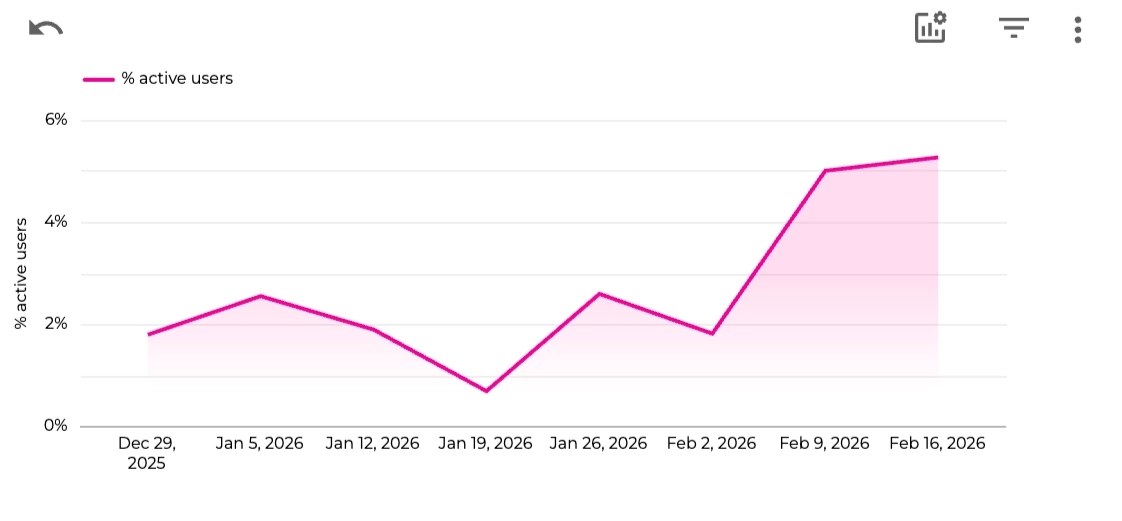
Percentage of active users, before and after the redesign shipped in early February 2026
It was well received by the entire squad and appreciated by leadership.

09. What's Next
Retrospective
The product was never the problem here. 69% of ratings were five stars while only 3% of logged-out visitors ever interacted - the work was entirely about getting people to the thing that already worked.
With one week available, I used AI to build a functional prototype instead of spending days on wireframes. That bought something more valuable than time: the squad could react to a real experience rather than a hypothetical, and the direction was agreed in a single conversation. I also asked ChatGPT to attack my own idea from a senior PM's point of view before anyone else could, which is a cheaper way to find the weak points than a review meeting.
The decision I'd defend hardest is the one that removed work. I had already designed the sections below the first fold when I concluded they were a distraction from activation, and killing them meant arguing to ship less than planned. Cutting "learn how to make the most out of it" followed the same logic: curiosity is not free when activation is the goal.
The honest gap is research. There were no interviews with first-time users, so the insight came from behavioural data and observed friction rather than people describing their own confusion. The numbers moved, which is the strongest signal available - but it reads the outcome, not the reason.